Conguring Client Settings
Conguring System Settings
48
4.2.6 Updating Firmware from the Management Computer
Update Firmware allows client users to update rmware from its management computer.
NOTE
• Ensure that your t180L/t180LB has been added into a managed group under Atrust
Device Manager installed on a remote computer, and that you have imported client
rmware les into Atrust Device Manager. These are prerequisites of this feature.
• For more information on rmware update and Atrust Device Manager, please refer
to the User Manual for Atrust Device Manager.
To update rmware from the management computer, please do the following:
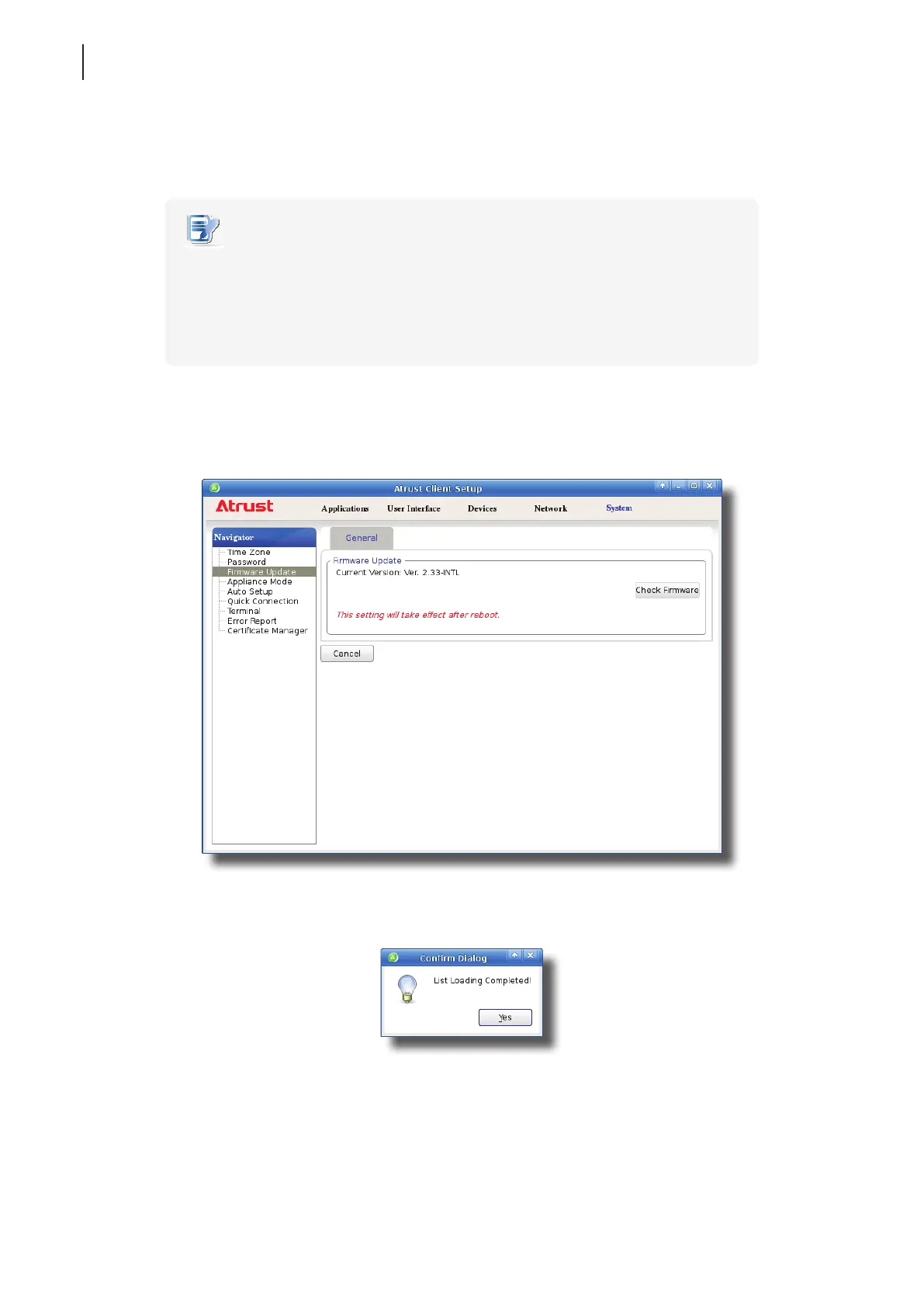
1. On Atrust Client Setup, click System > Firmware Update.
2. Under the Firmware Update section, click Check Firmware.
3. Upon completion, a window appears notifying you that the Firmware list has been loaded.
4. Click Ye s to continue.



 To Next Page