Setting Up Your t180L / t180LB
Positioning Your t180L / t180LB
15
Mounting with Another VESA Bracket (t180LB)
In case that your t180 uses a non-standard stand with the wireless module (t180LB), a dierent VESA bracket will be
provided for you to mount your t180LB on the back of a monitor.
To mount your t180LB, follow the steps below:
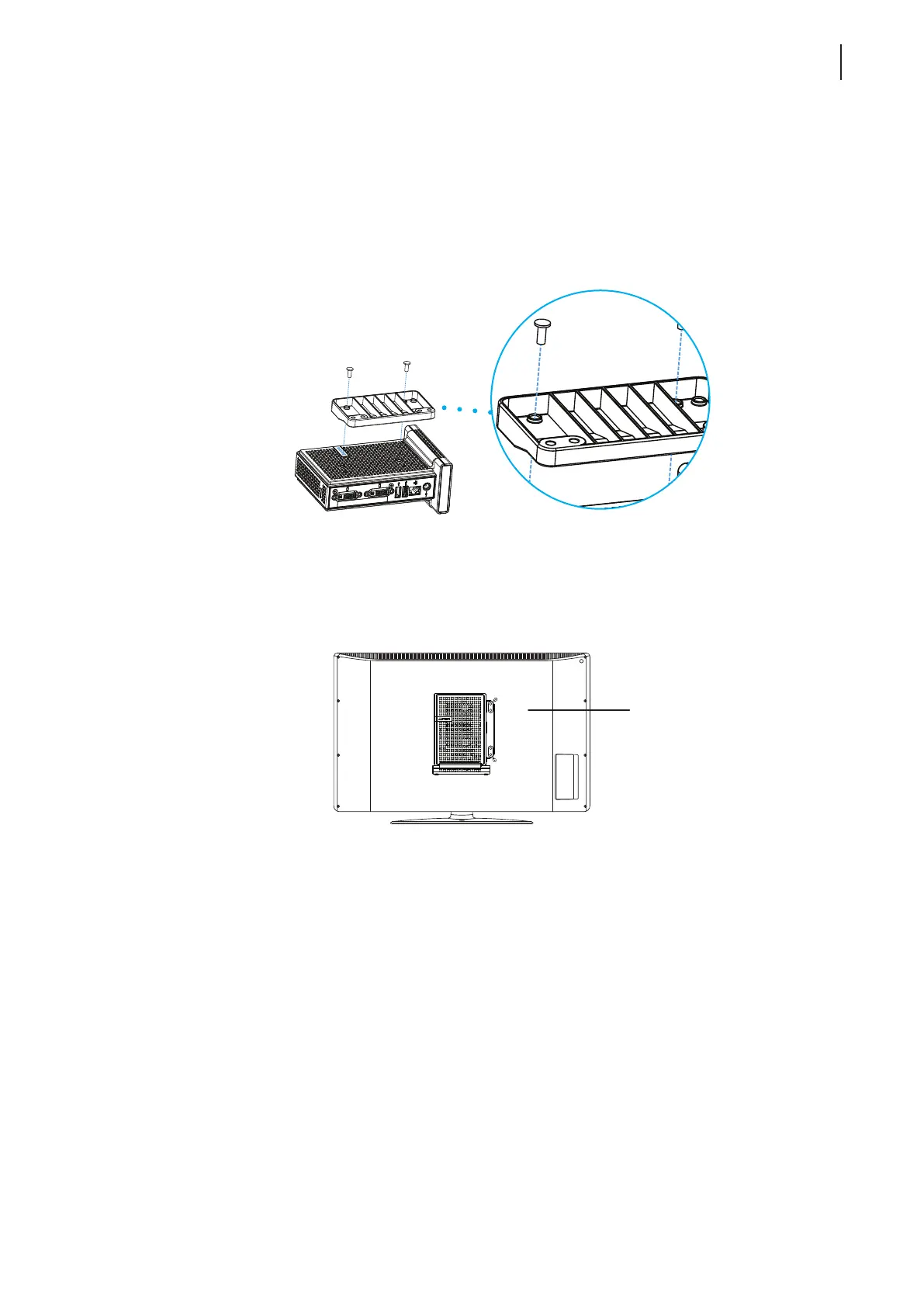
1. Align two mount holes on the VESA bracket with two mount holes on your t180LB, and then secure the
bracket to your t180LB with two (2) screws as shown below.
2. Align the mount holes on the VESA bracket with the mount holes on the monitor, and then secure the
bracket and t180LB to the monitor with two (2) screws as shown. Ensure that your t180LB is located in the
center of the monitor and the rear panel of your t180LB is facing rightward as shown below.
Have t180LB’s rear panel
facing rightward.



 To Next Page