Conguring Client Settings
Conguring Network Settings
95
4.5.4 Enabling or Disabling Wake On LAN
Your thin client supports Wake On LAN, enabling you to wake it up remotely with Atrust Device Manager, the client
management console developed by Atrust.
To enable/disable Wake On LAN, please do the following:
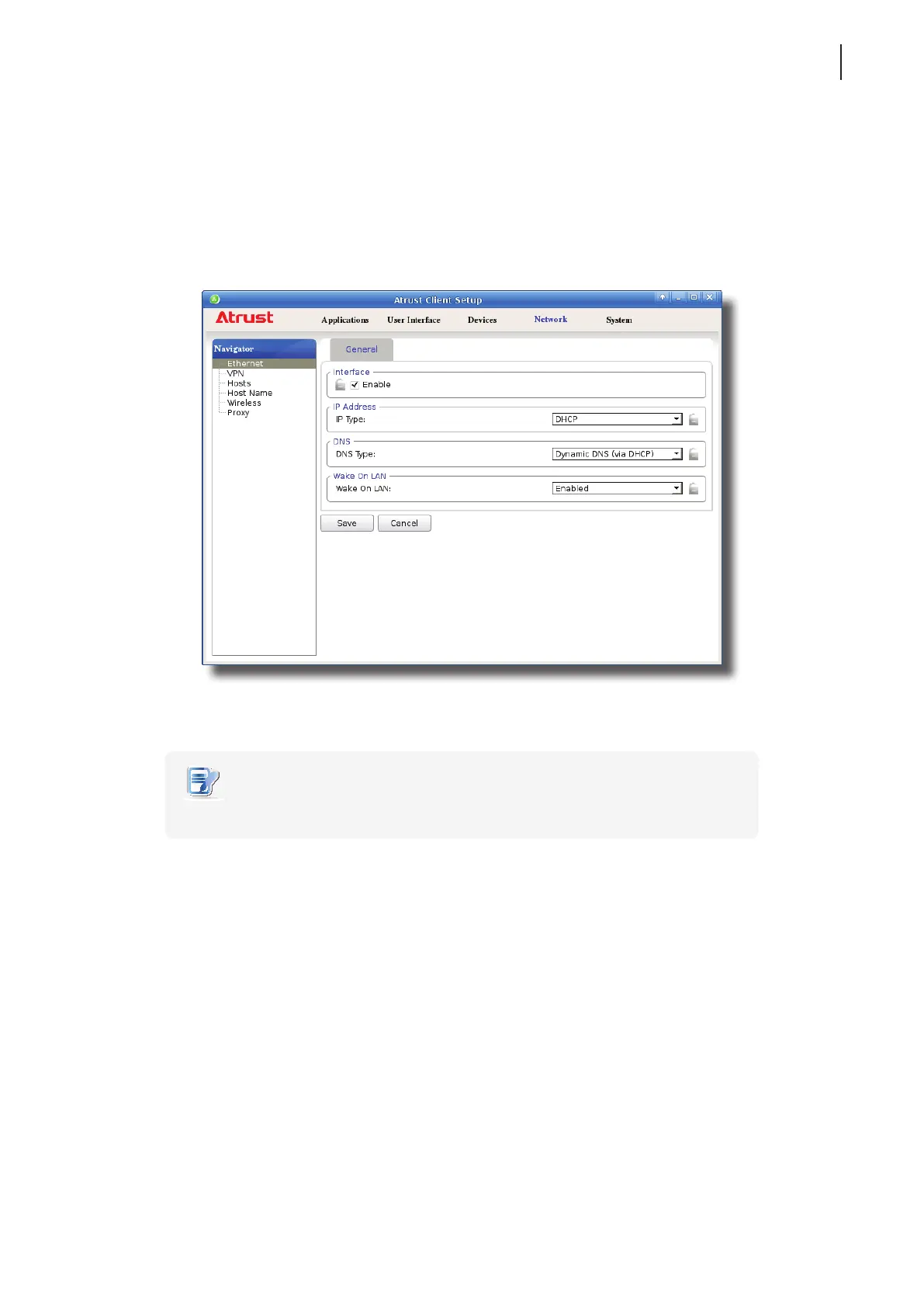
1. On Atrust Client Setup, click Network > Ethernet.
2. Click the drop-down menu to enable/disable Wake On LAN.
NOTE
• It’s enabled by default.



 To Next Page