Conguring Client Settings
Conguring System Settings
63
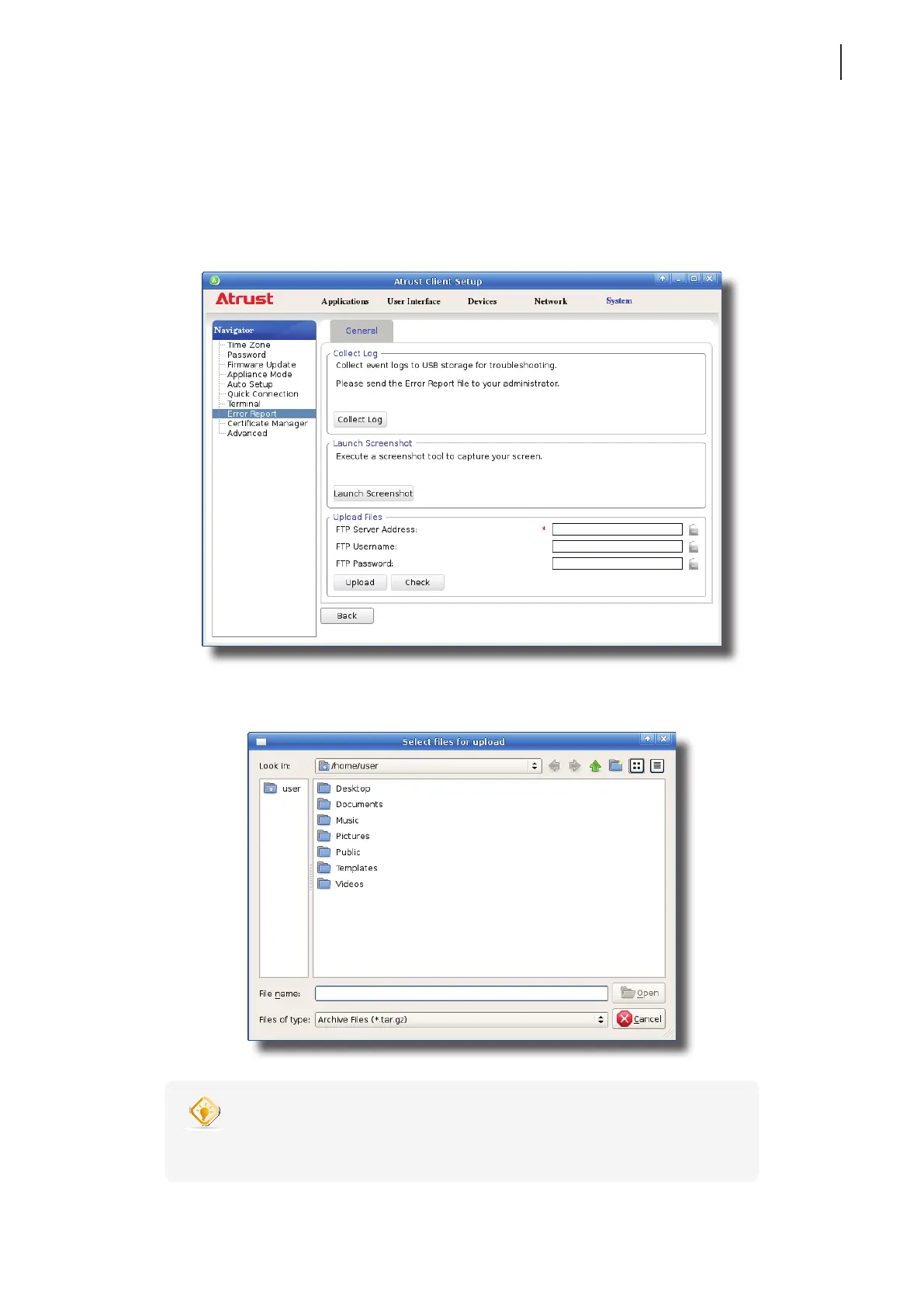
4.2.13 Uploading Files for Error Reporting
You can upload les to a specied FTP server for error reporting.
To upload les to an FTP server, please do the following:
1. On Atrust Client Setup, click System > Error Report.
2. Under the Upload Files section, type the IP address of the FTP server and credentials, click Upload to select
and upload les to that FTP server.
TIP
• You can check the validity of the IP address and credentials rst through the
Check button.



 To Next Page