Conguring Client Settings
Conguring External Device Settings
85
4.4.6 Using USB Audio Devices
By default, your thin client would use audio devices attached to 3.5 mm audio ports. In case that you want to use a
USB audio device, you need to change the default.
To congure default audio devices, please do the following:
1. Connect the desired USB audio device to your thin client.
2. On Quick Connection screen or local desktop, click
icon in the bottom-right corner to open
the Mixer window.
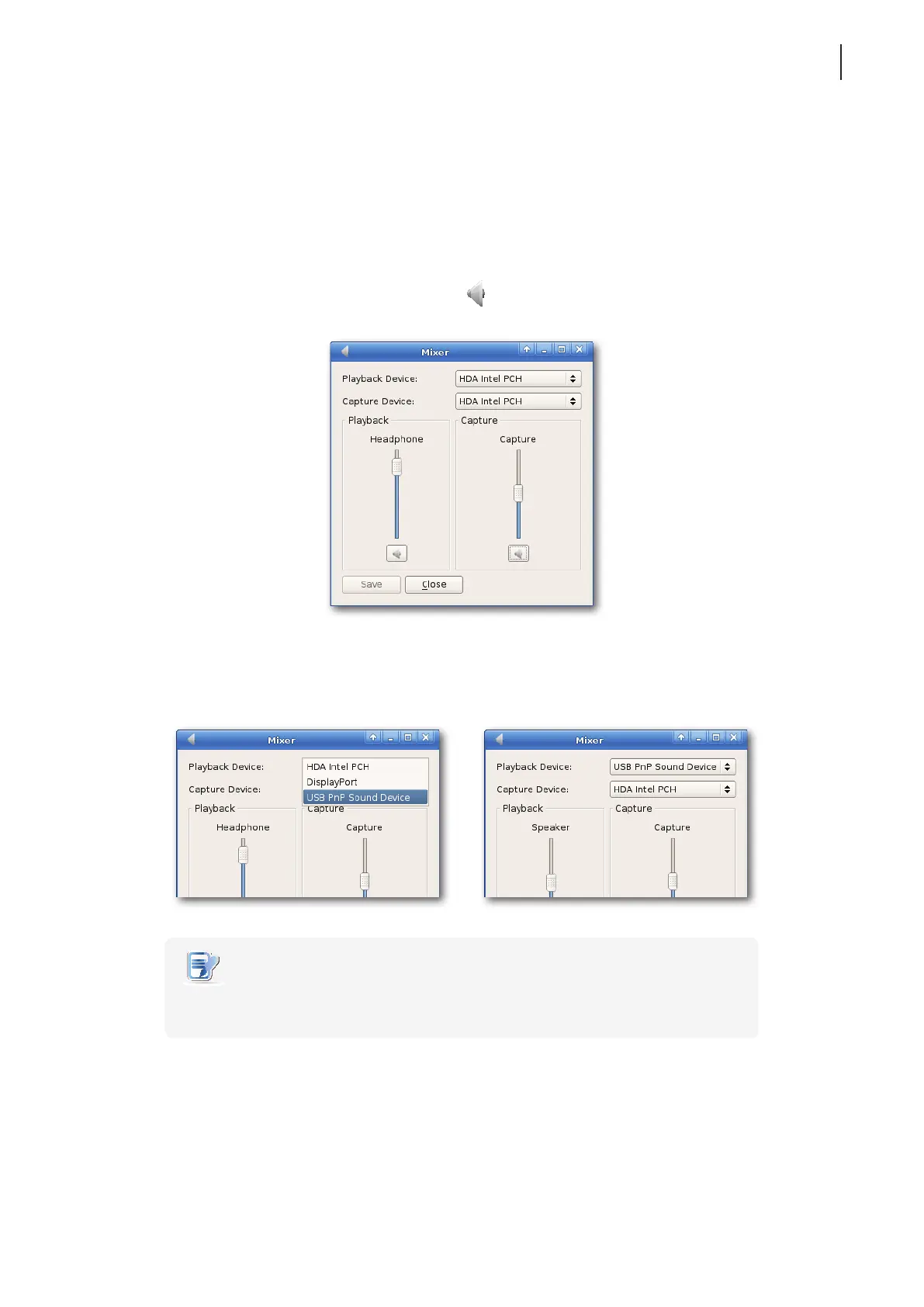
3. On the opened window, click the drop-down menu to select the USB PnP device.
NOTE
• The default for Playback and Capture devices is HDA Intel PCH. Available options
may vary with your thin client model.
4. Click Save to conrm.
Example: Using USB Speakers



 To Next Page