Conguring Client Settings
Conguring User Interface Settings
76
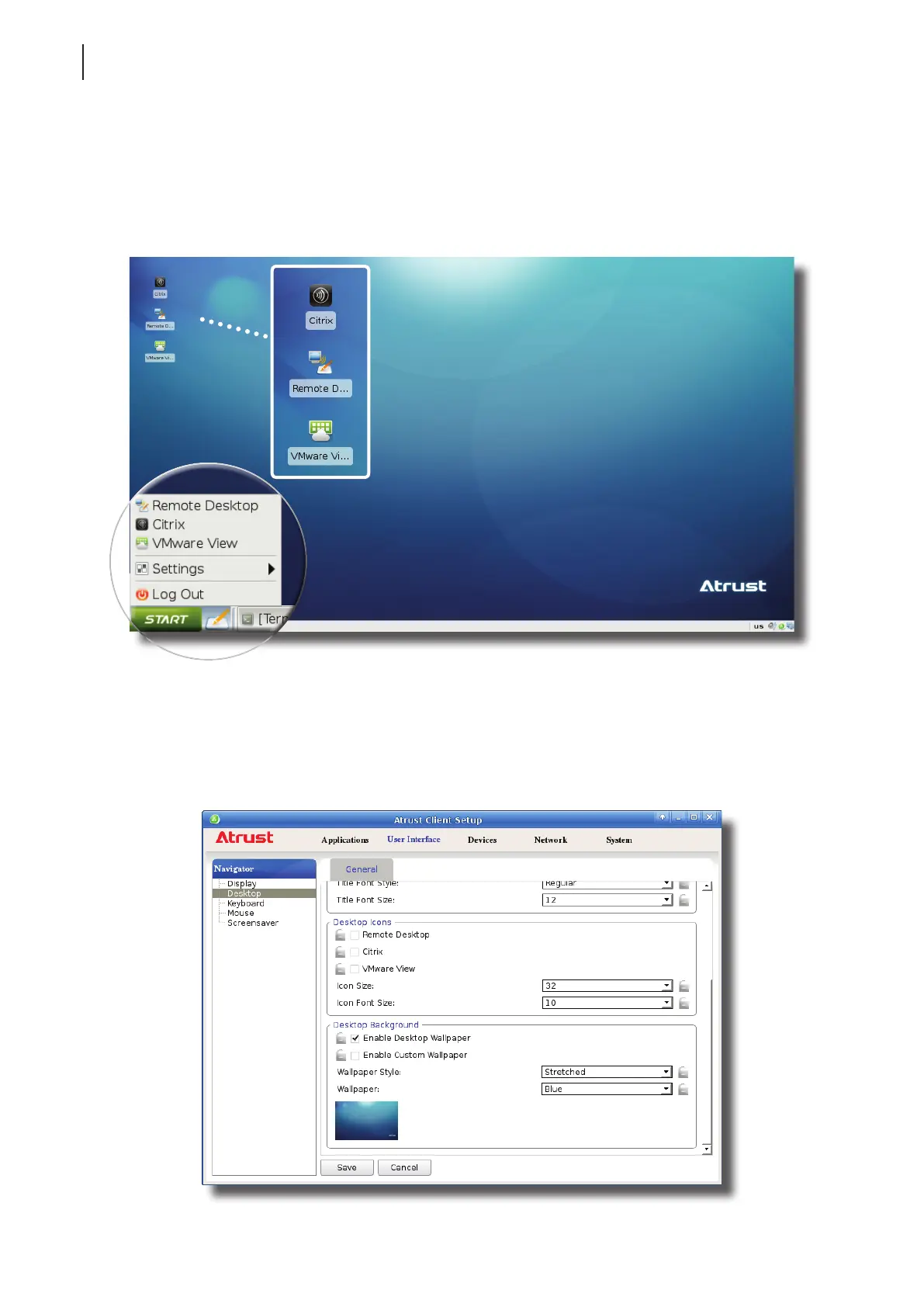
2. Click to check/uncheck Remote Desktop / Citrix / VMware View in the Desktop Icons section to show/hide
the quick access shortcuts Remote Desktop / Citrix / VMware View on the START menu and
local Linux desktop.
3. Click Save to apply the change.
4. The selected shortcuts will be shown/hidden.
4.3.6 Using a Custom Wallpaper
To use a custom wallpaper, please do the following:
1. On Atrust Client Setup, click User Interface > Desktop.



 To Next Page