Conguring Client Settings
Conguring Service Access Settings
160
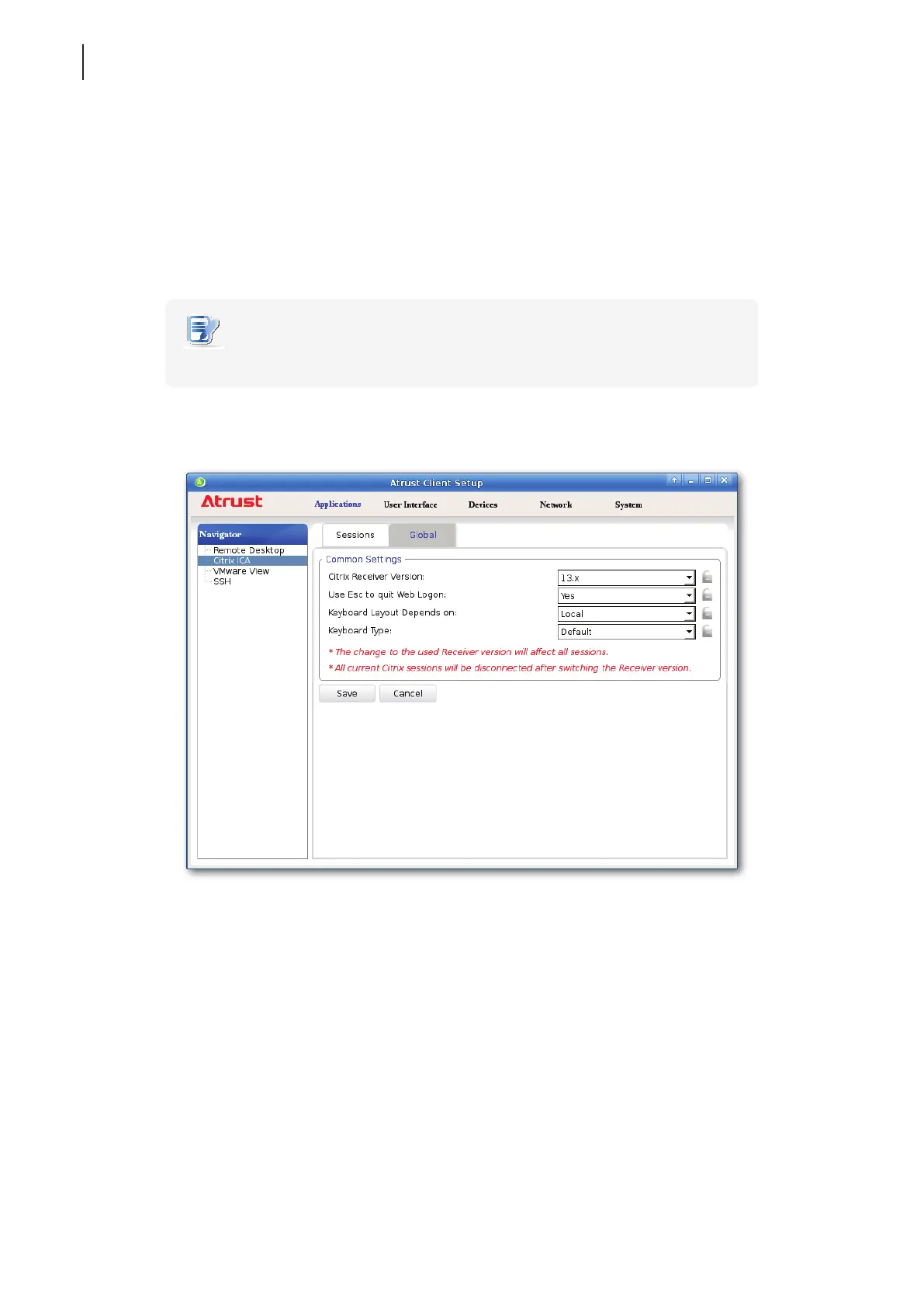
4.6.8 Enabling or Disabling Esc to Quit on the Web Logon Screen
You can choose whether to allow the use of Esc key to quit the Web Logon screen:
• If Ye s is selected, you can use both Esc and Alt + F4 to quit the Web Logon screen.
• If No is selected, only Alt + F4 works.
To enable or disable Esc to Quit on the Web Logon screen, please do the following:
NOTE
• This is a global setting; the change will aect all Citrix connections.
1. On Atrust Client Setup, click Applications > Citrix ICA > Global.
2. Click the drop-down menu to select Ye s or No to enable or disable Esc to Quit.
3. Click Save to apply.



 To Next Page