Conguring Client Settings
Conguring System Settings
49
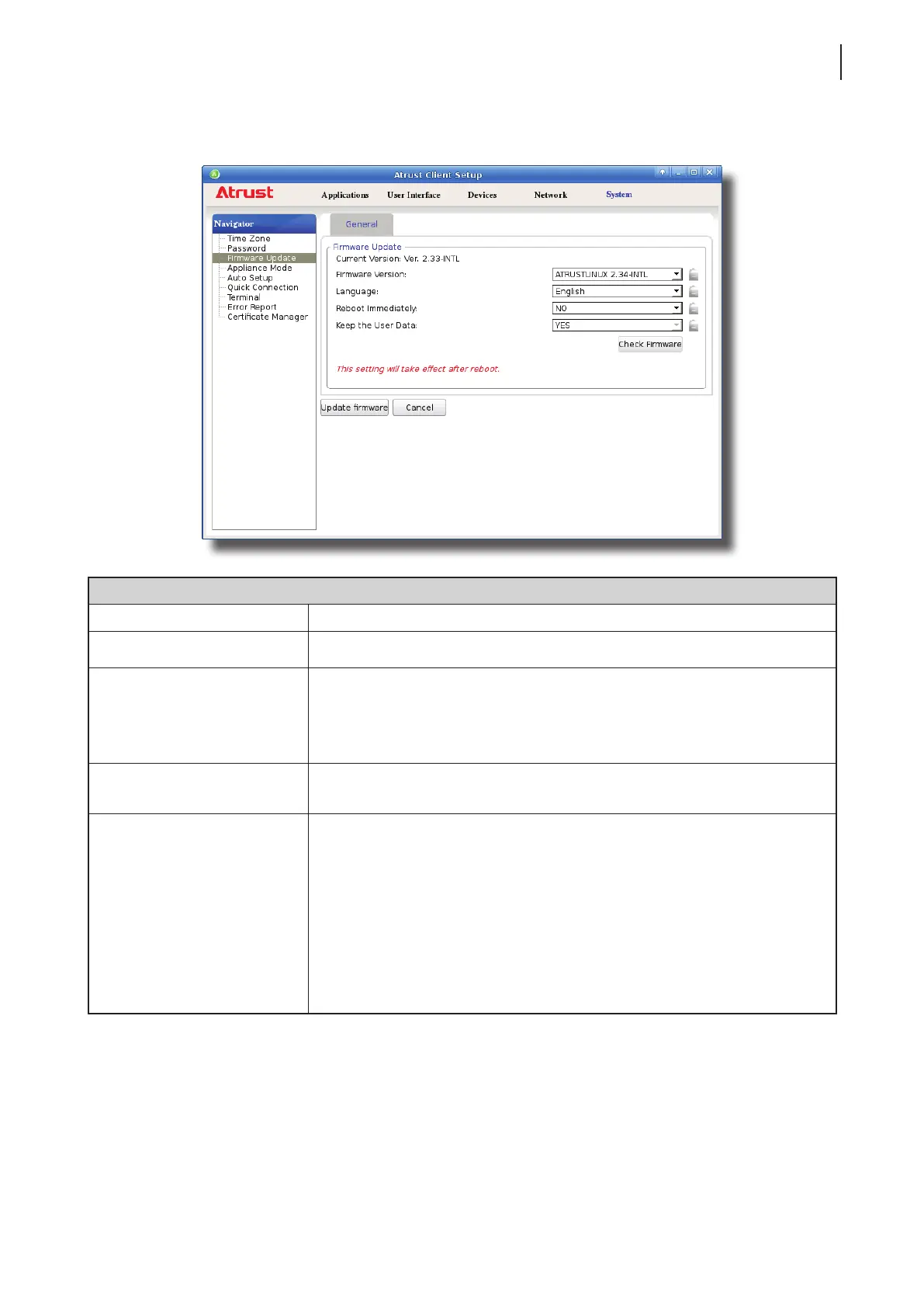
5. Click the drop-down menus to select the desired rmware version and other update options.
Firmware Update Options
Item Description
Firmware Version Click to select the desired rmware version.
Language
Click to select the interface language of the system, including the
Atrust Client Setup console.
NOTE: Available languages may vary with the selected rmware version.
Reboot Immediately
Click to choose whether to restart the system immediately for rmware update
or manually restart the system later.
Keep the User Data
Click to choose if to keep the setting values under Atrust Client Setup.
NOTE: If Yes is selected, all setting values under Atrust Client Setup will remain
unchanged after rmware update.
If No is selected, all setting values will be restored to the factory default.
This option may not be available on your system.
NOTE: If the client is managed by Atrust Device Manager and here No is
selected, Atrust Device Manager will fail to manage the client after
rmware update. For more information on Atrust Device Manager, please
refer to the User’s Manual for Atrust Device Manager.
6. Click Update rmware to conrm your selections. The system will start updating its rmware after restart.



 To Next Page