Getting Started
Learning the Basics
24
Accessing Microsoft Remote Desktop Services
To access Microsoft Remote Desktop services, please do the following:
1. Click
on Atrust Quick Connection screen (see the screen in Topic 4).
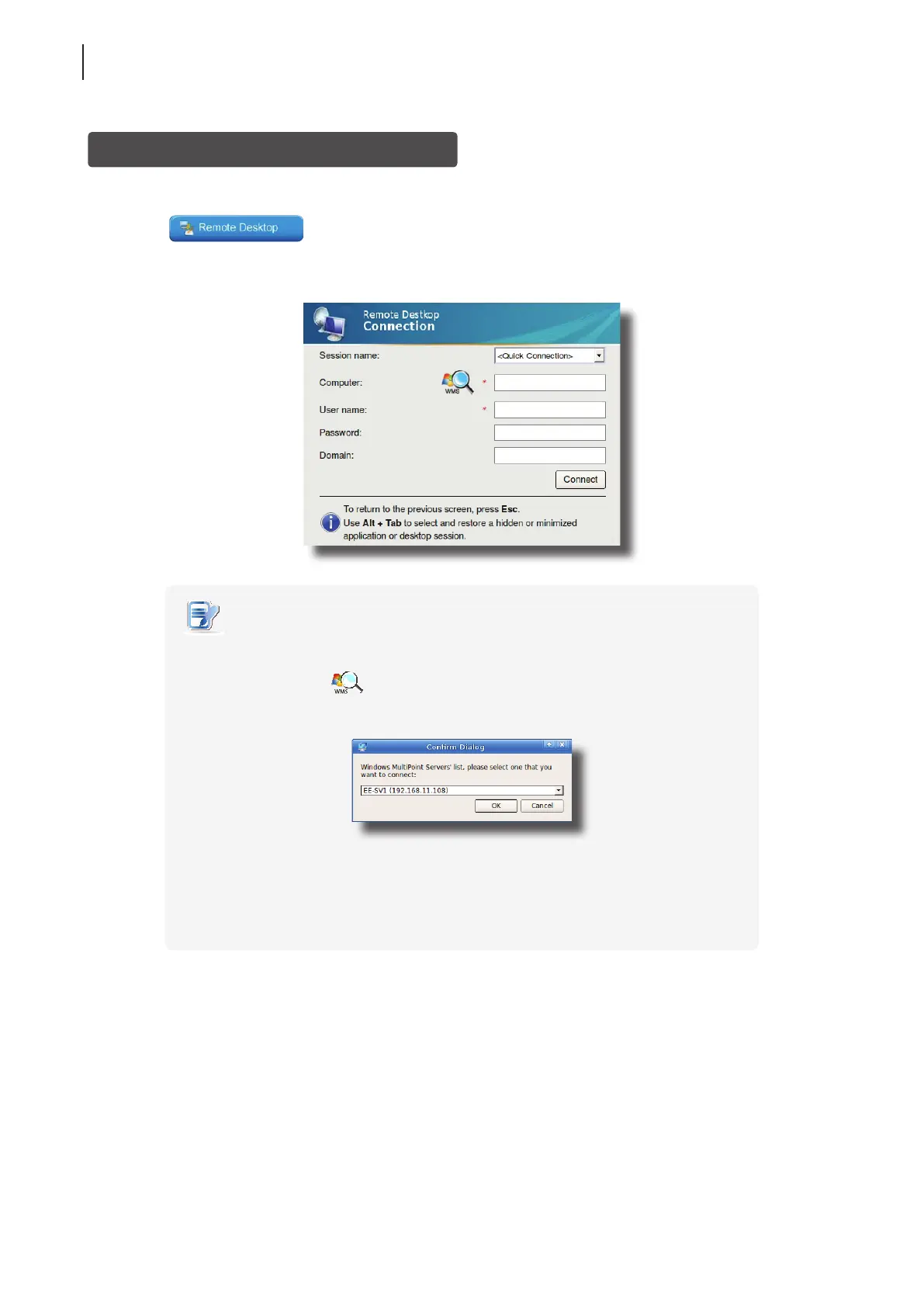
2. On the appeared window, type in the computer name or IP address of the server, user name, password, and
domain (if any), and then click Connect.
NOTE
• To discover available Windows MultiPoint Server systems over your network,
please do the following:
1. Click
on the left of the Computer eld.
2. Upon completion, a window appears with the search result.
3. Click the drop-down menu to select the desired system, and then click OK.
4. The IP address of the selected system will appear in the Computer eld.
• To return to Atrust Quick Connection screen (see the screen in Topic 4), press Esc.
3. The remote desktop will be displayed on the screen.



 To Next Page