Conguring Client Settings
Conguring System Settings
55
NOTE
• To use the Quick Connection mode, ensure that both the Appliance and Autostart
modes are disabled. By default, your t180L/t180LB is in the Quick Connection mode,
and both the Appliance and Autostart modes are disabled. However, if either of two
modes are enabled, the Quick Connection mode will fail to work.
• For more information on the Appliance mode, please refer to section “4.2.7 Enabling
or Disabling the Appliance Mode” on page 50.
• For more information on the Autostart mode, please refer to the following sections:
“4.6.5 Conguring Advanced RDP Connection Settings” on page 131
“4.6.11 Conguring Advanced ICA Connection Settings” on page 169
“4.6.14 Conguring Advanced View Connection Settings” on page 202
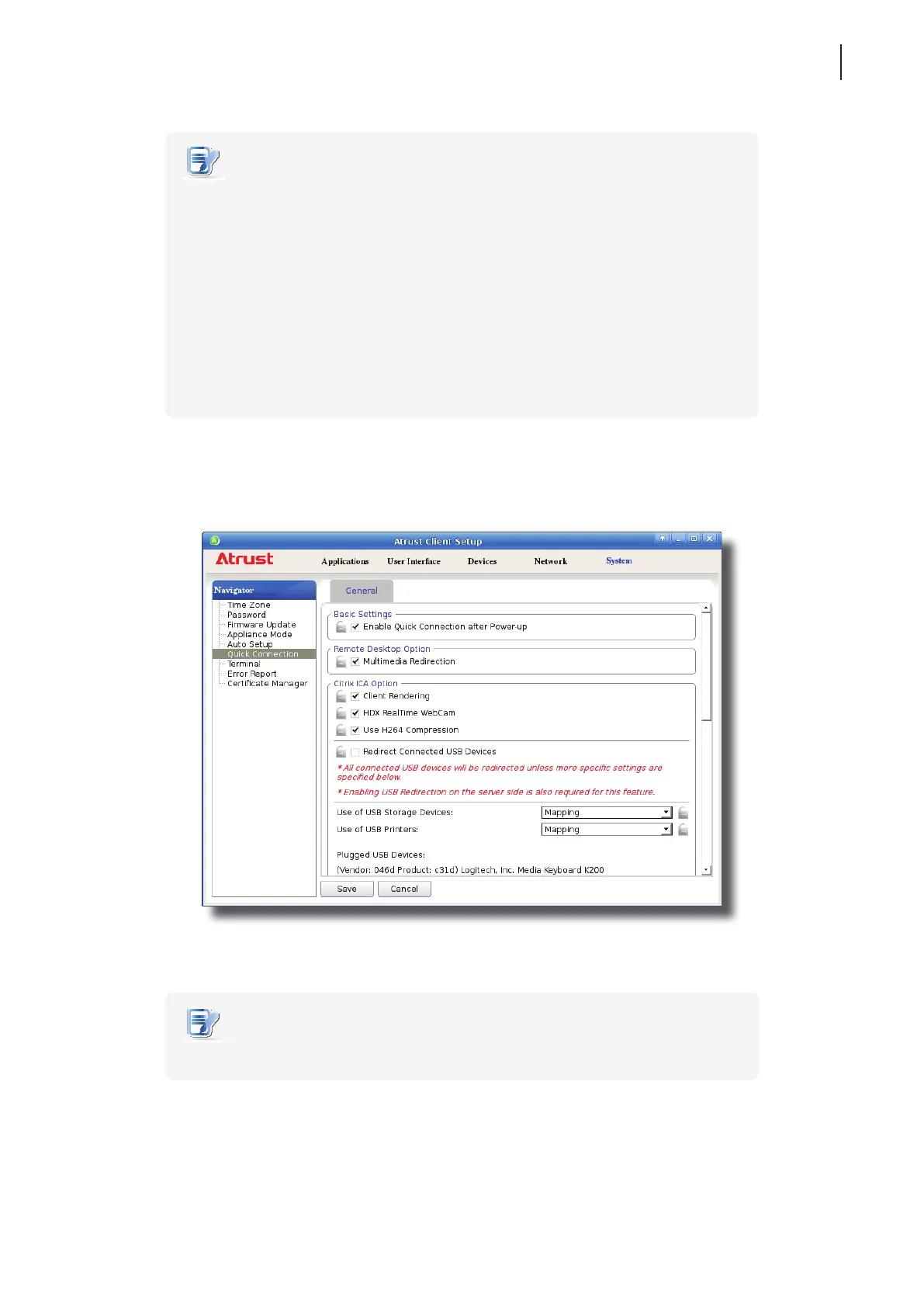
To enable/disable the Quick Connection mode, please do the following:
1. On Atrust Client Setup, click System > Quick Connection.
2. Click to check/uncheck Enable Quick Connection after Power-up to enable/disable the Quick Connection
mode, and then click Save to apply the change.
NOTE
• For advanced Quick Connection settings, please refer to the next section (4.2.10).



 To Next Page