40
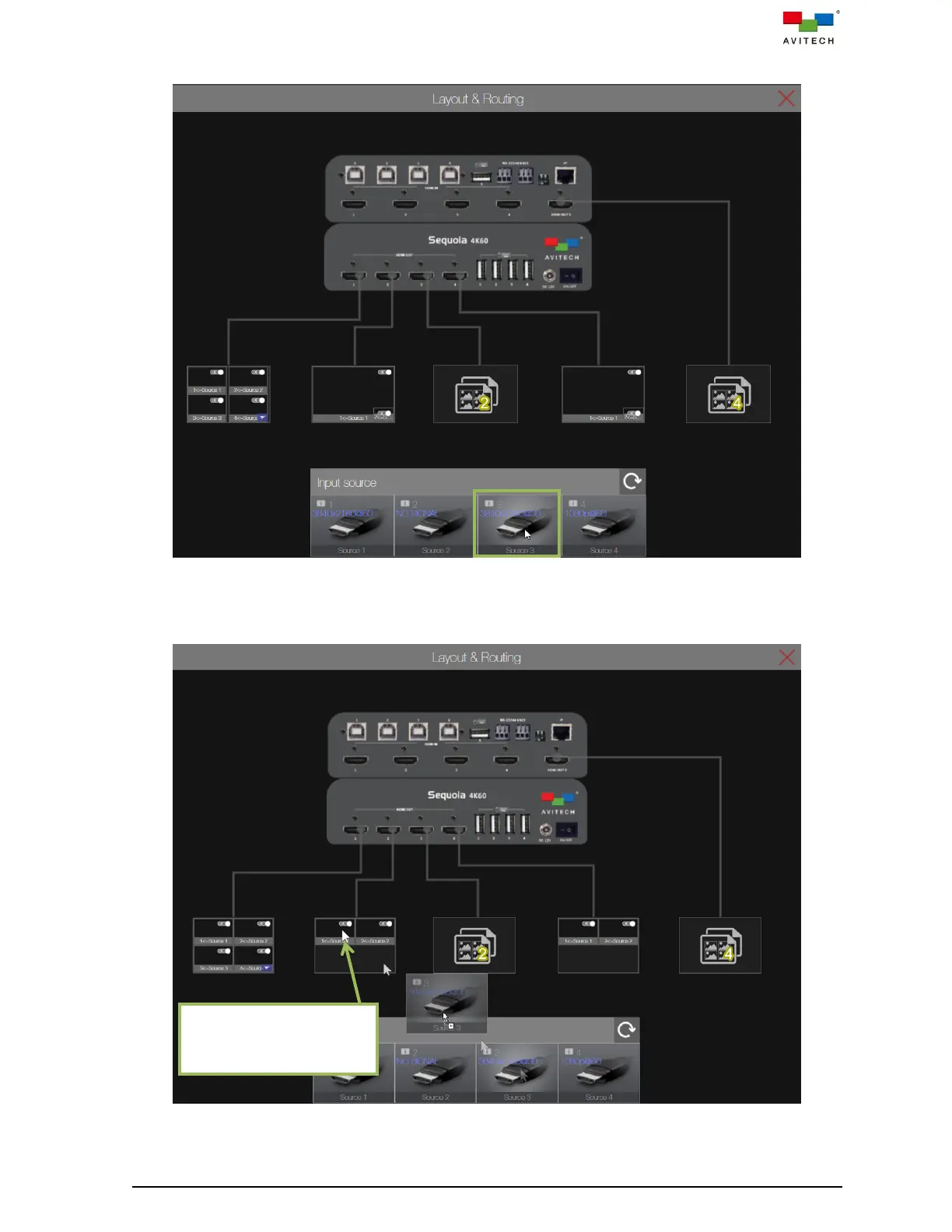
Step 1. Select the target video source by holding the mouse left button on its input source icon.
Figure 3.5.1.1 Web Browser-based GUI: Select Input Source
Step 2. Drag the selected source (the output icon will change to a two windows icon for input source can
be easy to be routed) to the target output icon.
Figure 3.5.1.2 Web Browser-based GUI: Drag Source to Target Output Icon
“Drag-and-Drop” the
source icon to target
window of the output icon



 To Next Page