73
Restore
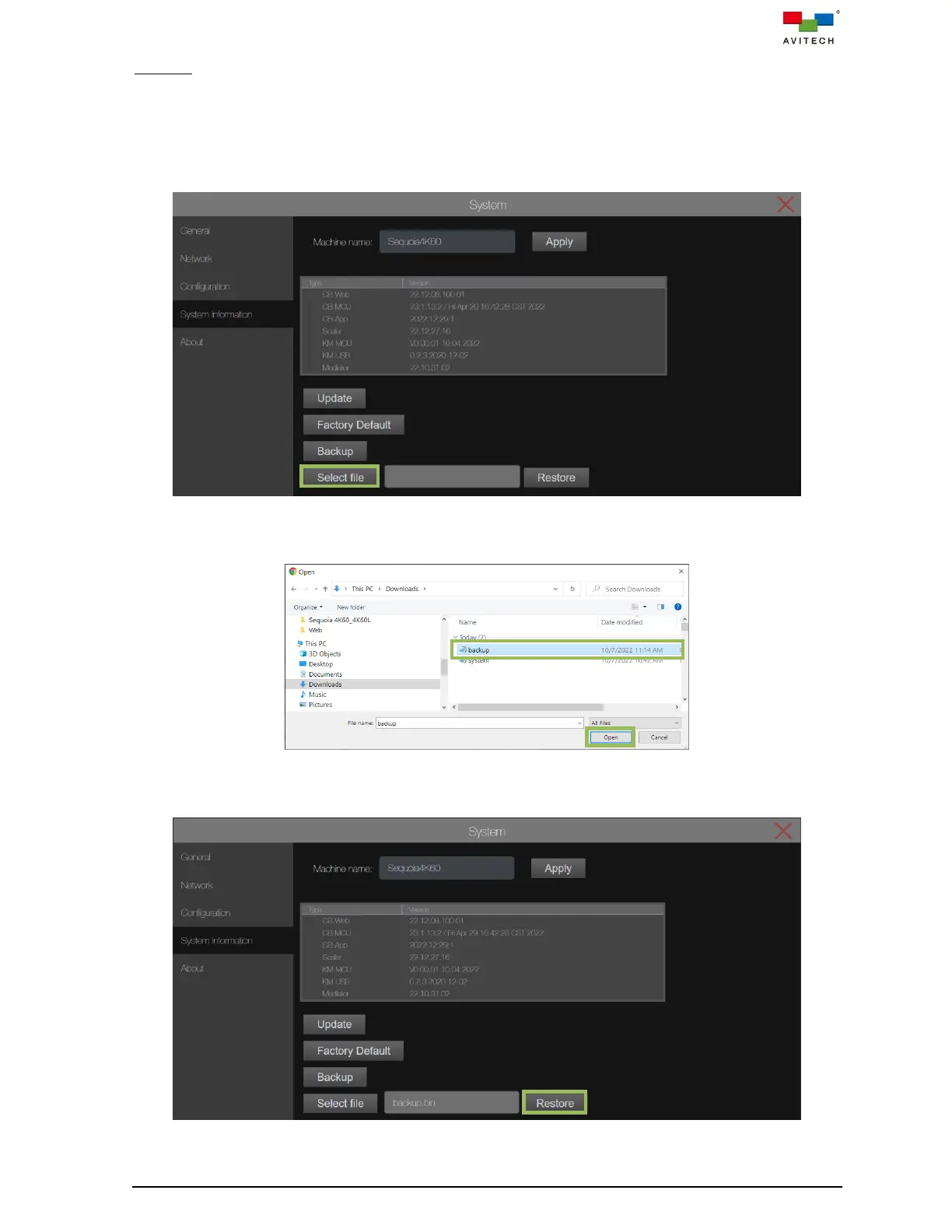
Restore function allows you to restore system settings using the previously saved Backup.bin file in
your computer. See the previous section Backup for the saved system settings.
To restore the system settings to the Sequoia 4K60, perform the following steps:
Step 1. From the System tab, under System Information page, click Select file.
Figure 4.3.4.19 System Page: System Information Select file
Step 2. When the file selector window appears, locate and select the Backup.bin file and click Open.
Figure 4.3.4.20 Select the Backup File
Step 3. Click Restore.
Figure 4.3.4.21 Restore the System Setting From Computer



 To Next Page