72
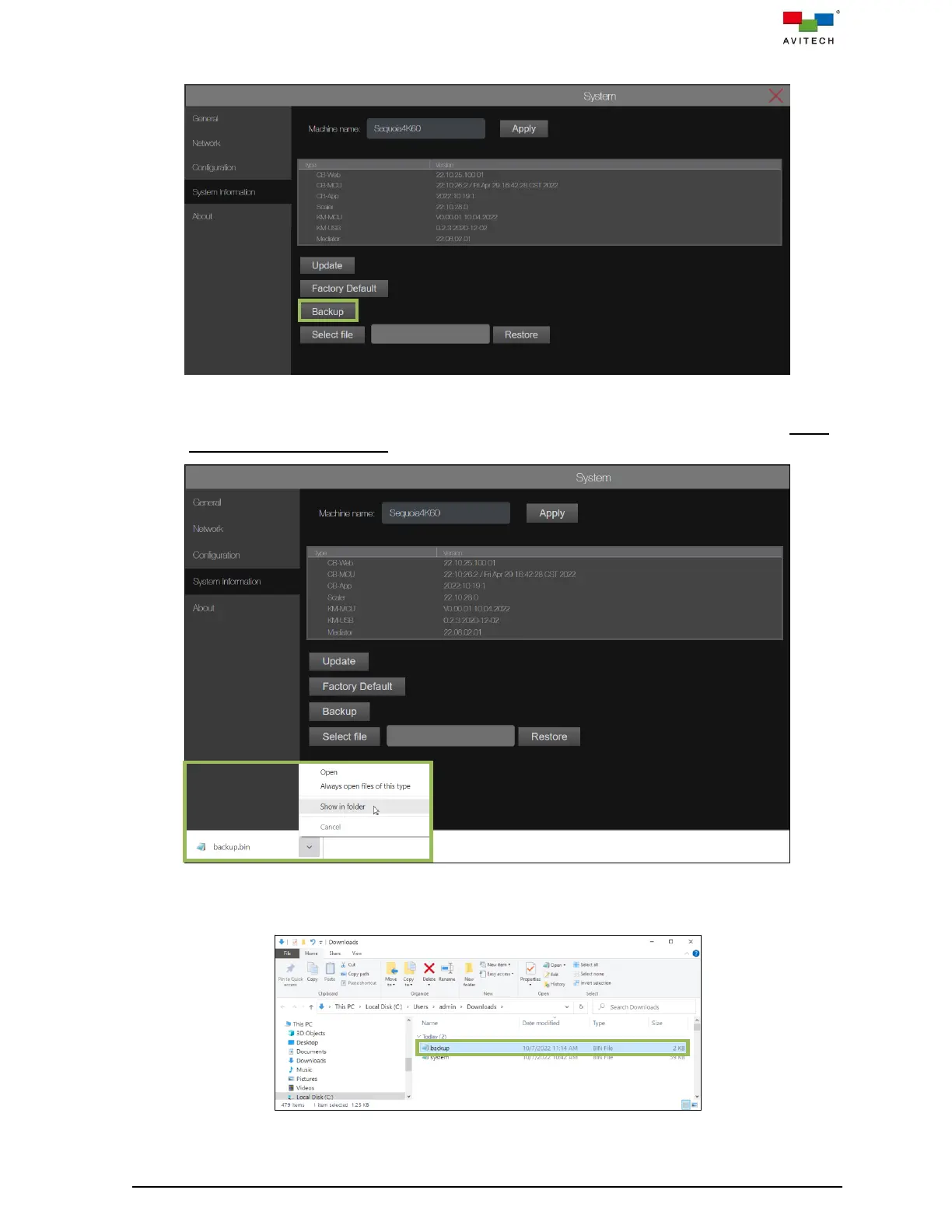
Step 1. From the System tab, under System Information page, click Backup.
Figure 4.3.4.16 System Page: System Information Backup
Step 2. The web browser will automatically download to your computer. Click Show in folder. (Using
Google Chrome as example)
Figure 4.3.4.17 System Page: Click and Select Show in folder
Step 3. (Optional) To move the file to the folder you preferred to keep it.
Figure 4.3.4.18 Select “Backup.bin” File



 To Next Page