68
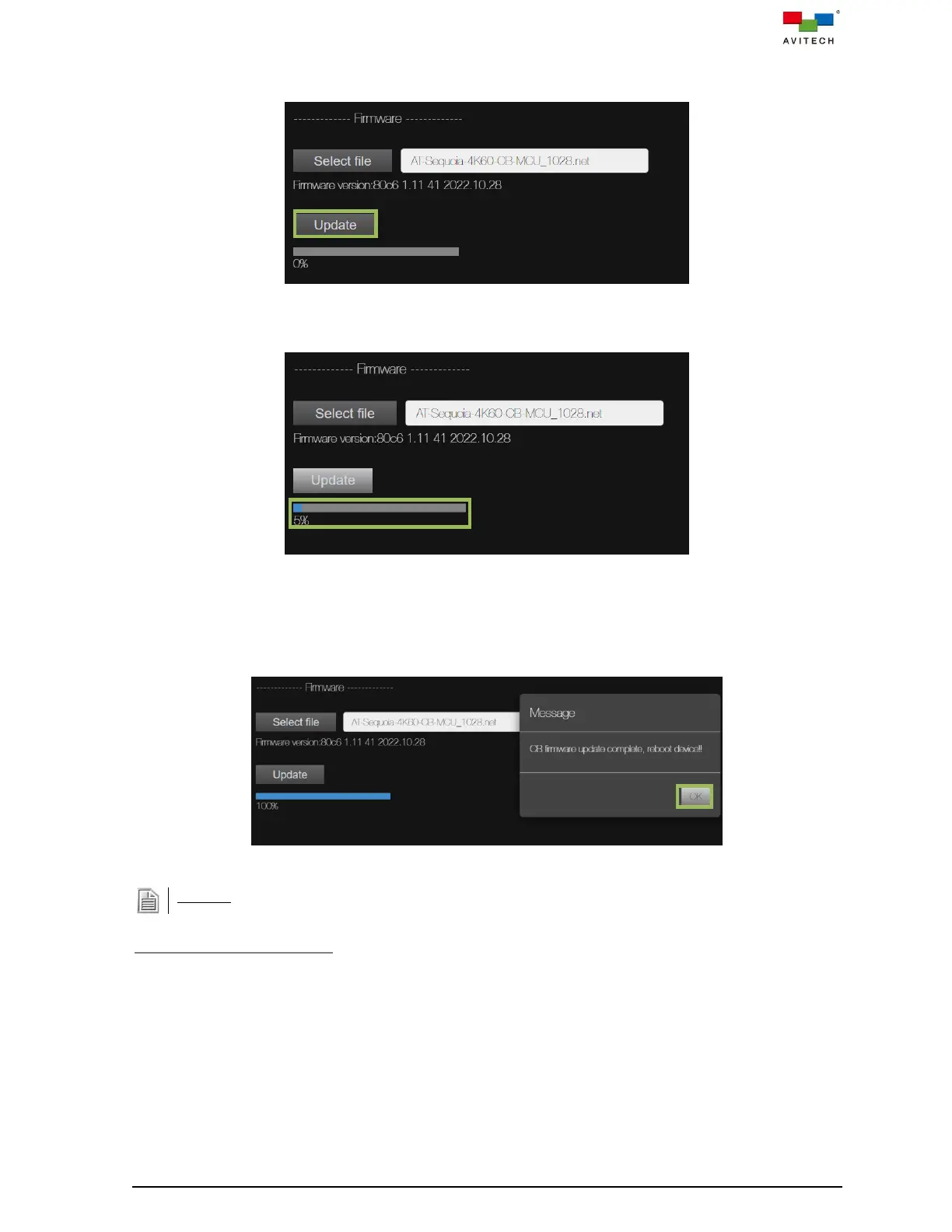
Step 5. The selected firmware’s version information will be shown (firmware information). Then click
Update to start the firmware upgrade process.
Figure 4.3.4.6 Sample Firmware Upgrade
An upgrade progress bar will appear as shown in the following figure:
Figure 4.3.4.7 Sample Firmware Upgrade in Progress
Step 6. The following message will appear when progress bar reaches 100 %. Click OK, and then
reboot the Sequoia 4K60 by disconnecting and then reconnecting the power source to complete
firmware upgrade. Repeat the above steps for any component that requires its firmware to be
updated.
Figure 4.3.4.8 Message for Reboot to Complete Firmware Upgrade
DO NOT at any time unplugs the power cable connected to the Sequoia 4K60 during firmware upgrade.
Export System Information
Export System Information allows you to export important Sequoia 4K60 system information and send
this information back to Avitech for debug purpose.
To export the system information of the Sequoia 4K60, perform the following steps:



 To Next Page