69
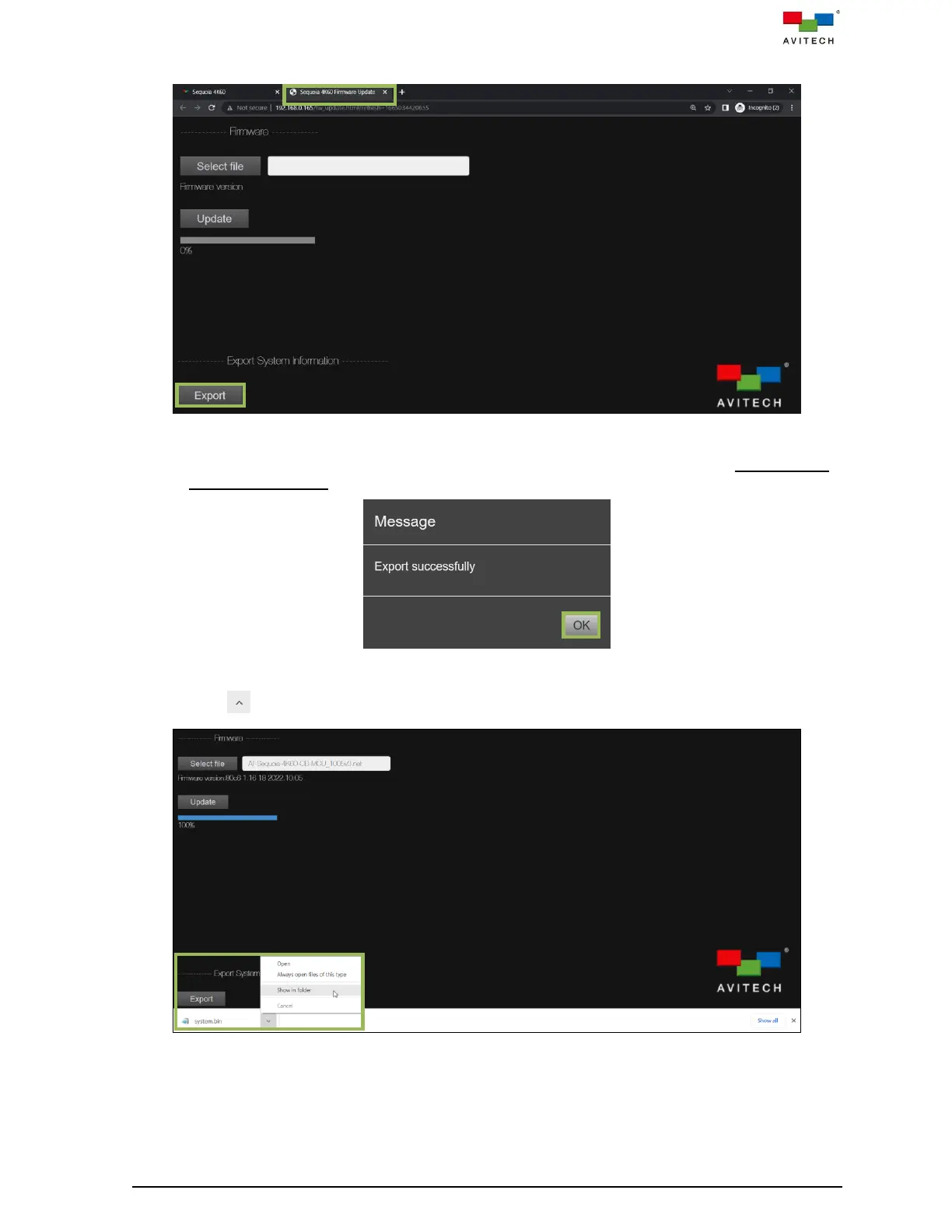
Step 1. From the Sequoia 4K60 Firmware Update tab, click Export.
Figure 4.3.4.9 Sequoia 4K60 Firmware Update Page: Export System Information
Step 2. When the below screen appears, then click OK to close the message window. (Using Google
Chrome as example)
Figure 4.3.4.10 Message for Export System Information Successfully
Step 3. Click icon, then select Show in folder.
Figure 4.3.4.11 Sequoia 4K60 Firmware Update Page: Open Folder Contain “System.bin” File


 To Next Page
 Loading...