55
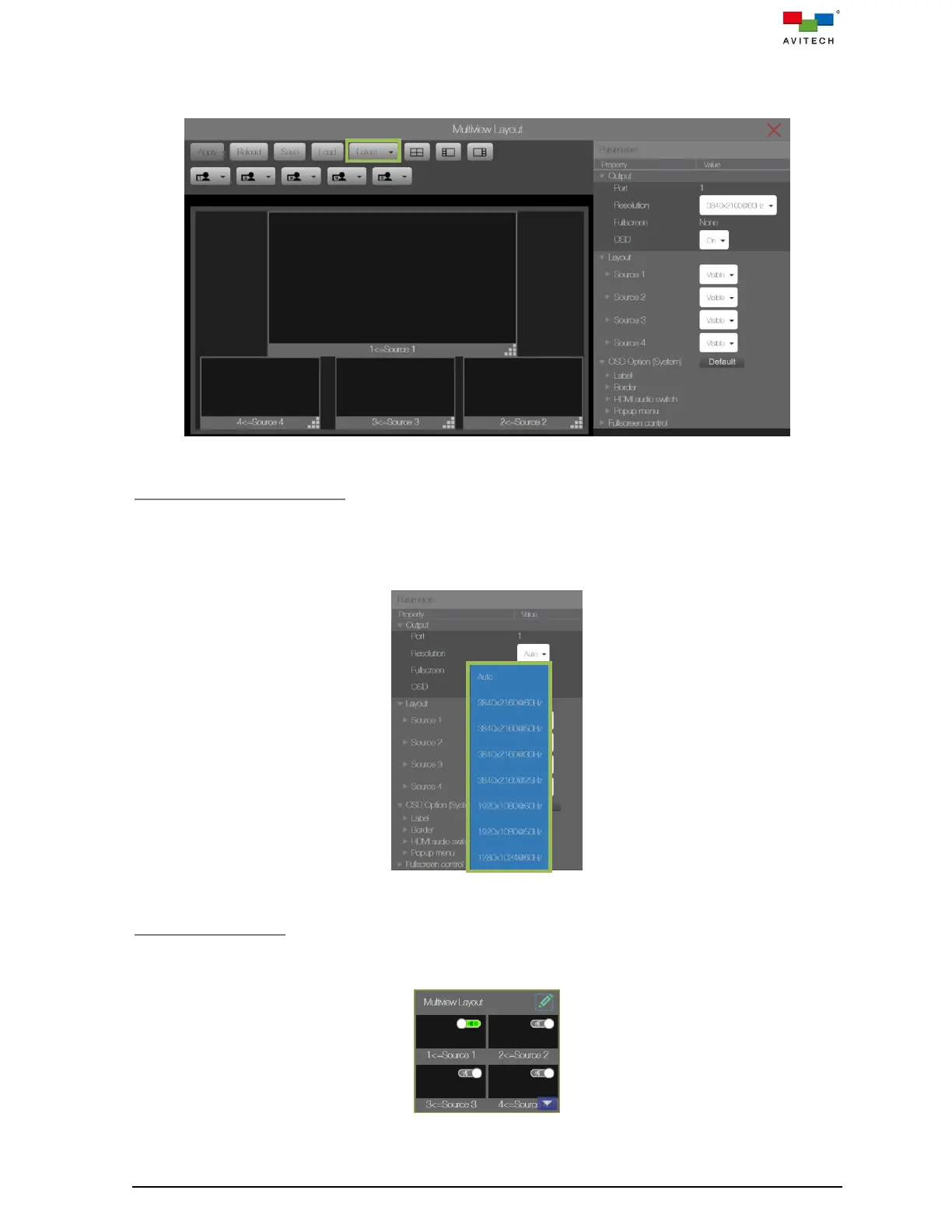
Step 6. Save to Latest allows you to save the current preset that you have just created to be loaded
upon next boot-up of your Sequoia 4K60.
Figure 4.1.1.11 Multiview Layout: Latest
Setup the Output Resolution
When set the output resolution to Auto, the Sequoia 4K60 will automatically detect the EDID of the
connected monitors and display the optimum resolution. The Sequoia 4K60 also allows you to manually
set the output resolution by selecting 3840×2160p 50/60Hz, or 3840×2160p 25/30Hz, or 1920×1080p
50/60Hz or 1280×1024 50/60Hz from the dropdown menu.
Figure 4.1.1.12 Multiview Layout: Output → Resolution
Audio On/Off Switch
Move the mouse to Multiview Layout, then sliding the audio switch to the left (green indicates audio is
turned on) to enable audio output via the HDMI monitor.
Figure 4.1.1.13 Multiview Layout: Audio On/Off Switch



 To Next Page