66
4.3.4 System Information
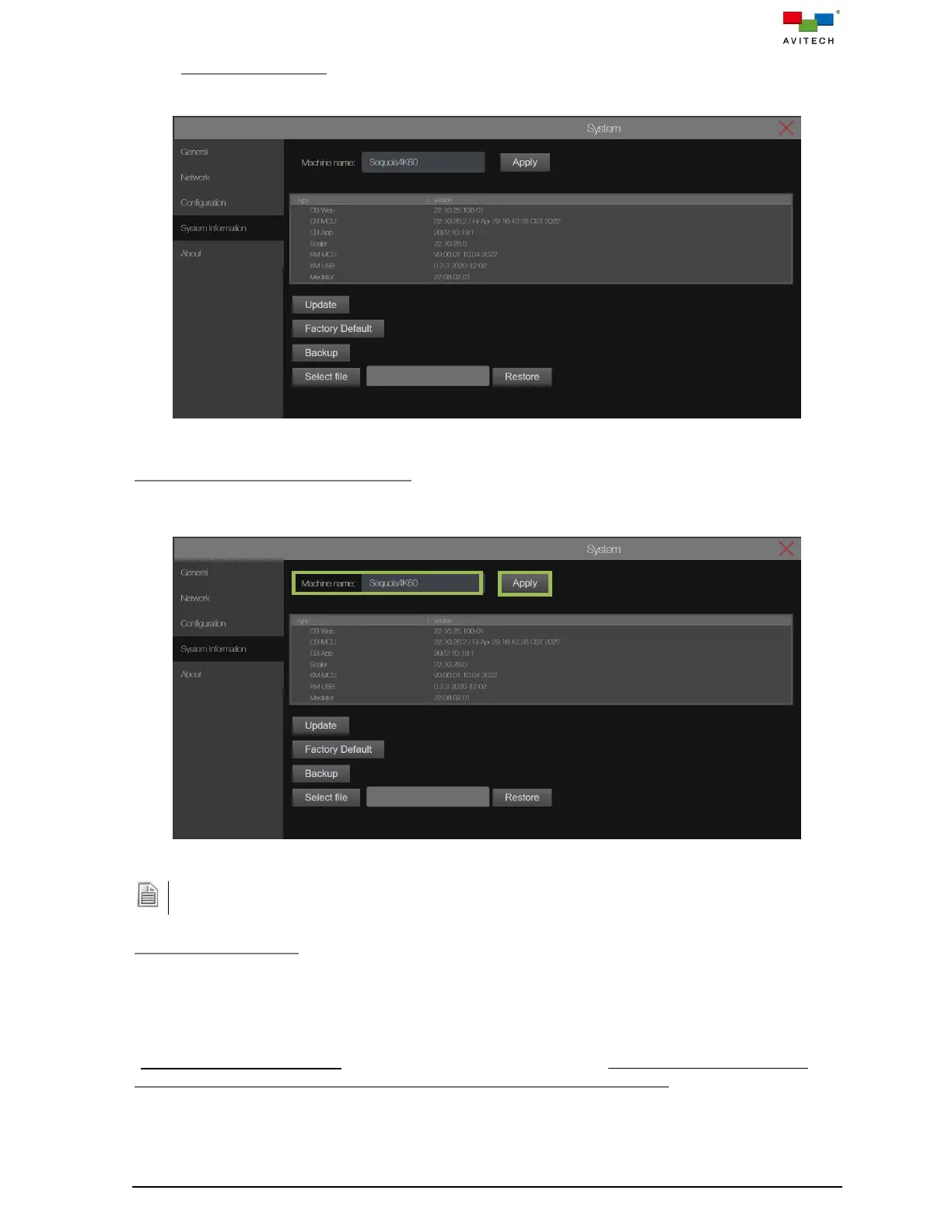
Displays the firmware type and version for Sequoia 4K60.
Figure 4.3.4.1 System Page System Information
Change Sequoia 4K60 Machine Name
To change Sequoia 4K60 default name, click to highlight the Machine name (enters the “text edit”
mode) and directly modify its name. Then click Apply.
Figure 4.3.4.2 System Page: System Information Change Machine Name
The maximum length of the Machine name is 32 characters. It must not include any of the following: < > ! @
# & $ % ^ & * “ ‘ / \ , . : ; ? =
Update (the Firmware)
When product developments occur, updates may be released to introduce new features or improve
functionality by installing the latest firmware.
To update the firmware of the Sequoia 4K60, make sure to connect the local computer’s RJ-45 port to
the rear panel’s IP port. Once the connection is made, you can use the computer’s web browser, type
“192.168.0.5/fw_update.html” directly in the web browser URL bar (replace the numbers with the
current IP address of your Sequoia 4K60 if the default IP address be changed), or click Update to be
able to update the firmware through the web browser-based GUI on your local computer.
To update any firmware of the Sequoia 4K60, perform the following steps:



 To Next Page