67
Step 1. Copy the new firmware file(s) to your computer running the web browser-based GUI.
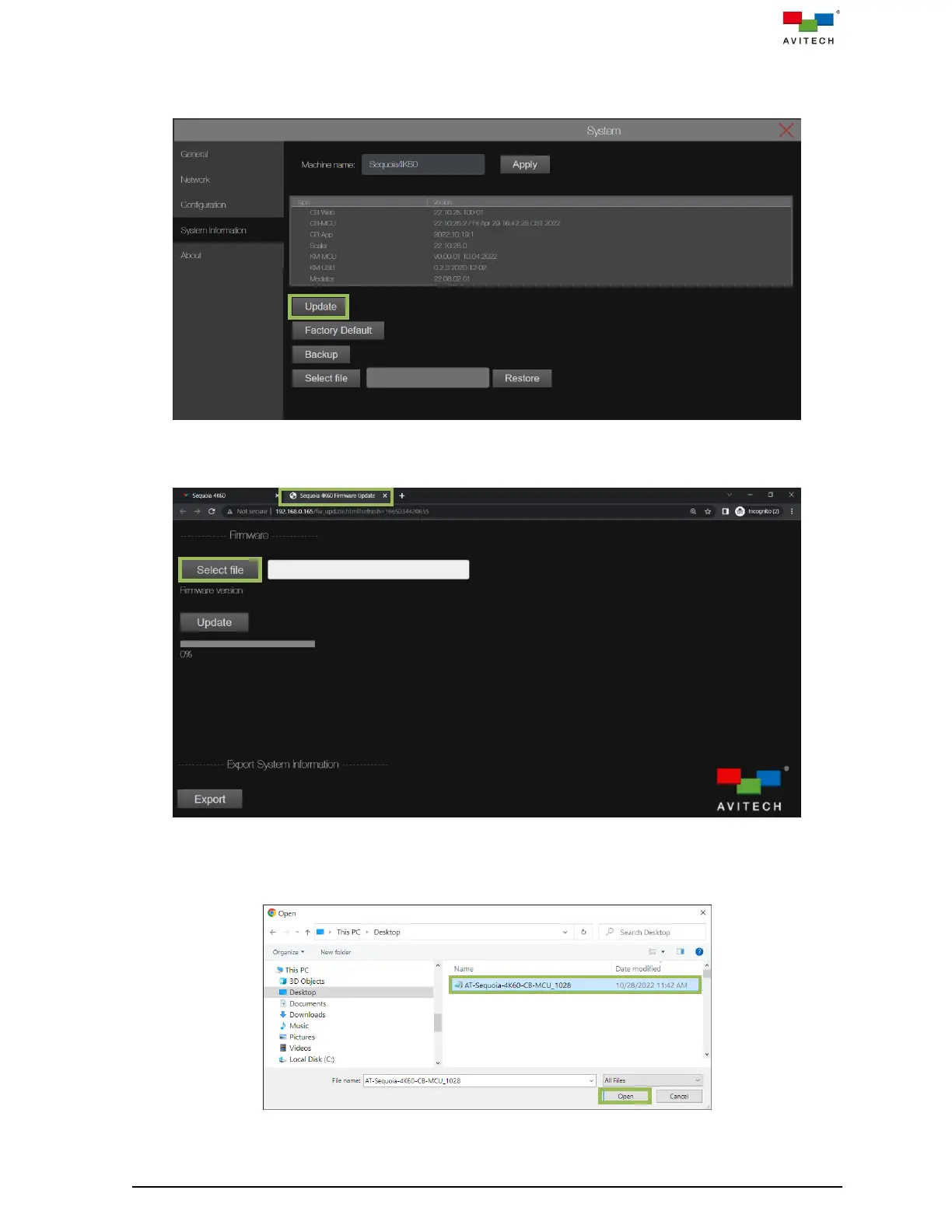
Step 2. On the System Information page, click Update.
Figure 4.3.4.3 System: System Information Update
Step 3. A new Sequoia 4K60 Firmware Update tab will appear on your web browser. Click Select file.
Figure 4.3.4.4 Sequoia 4K60 Firmware Update Page: Select File
Step 4. The File Upload window appears. Select the target firmware file and then click Open. For this
example, “AT-Sequoia-4K60-CB-MCU_xxxx” was selected.
Figure 4.3.4.5 File Upload Window: Select Firmware File



 To Next Page