62
4.3 System
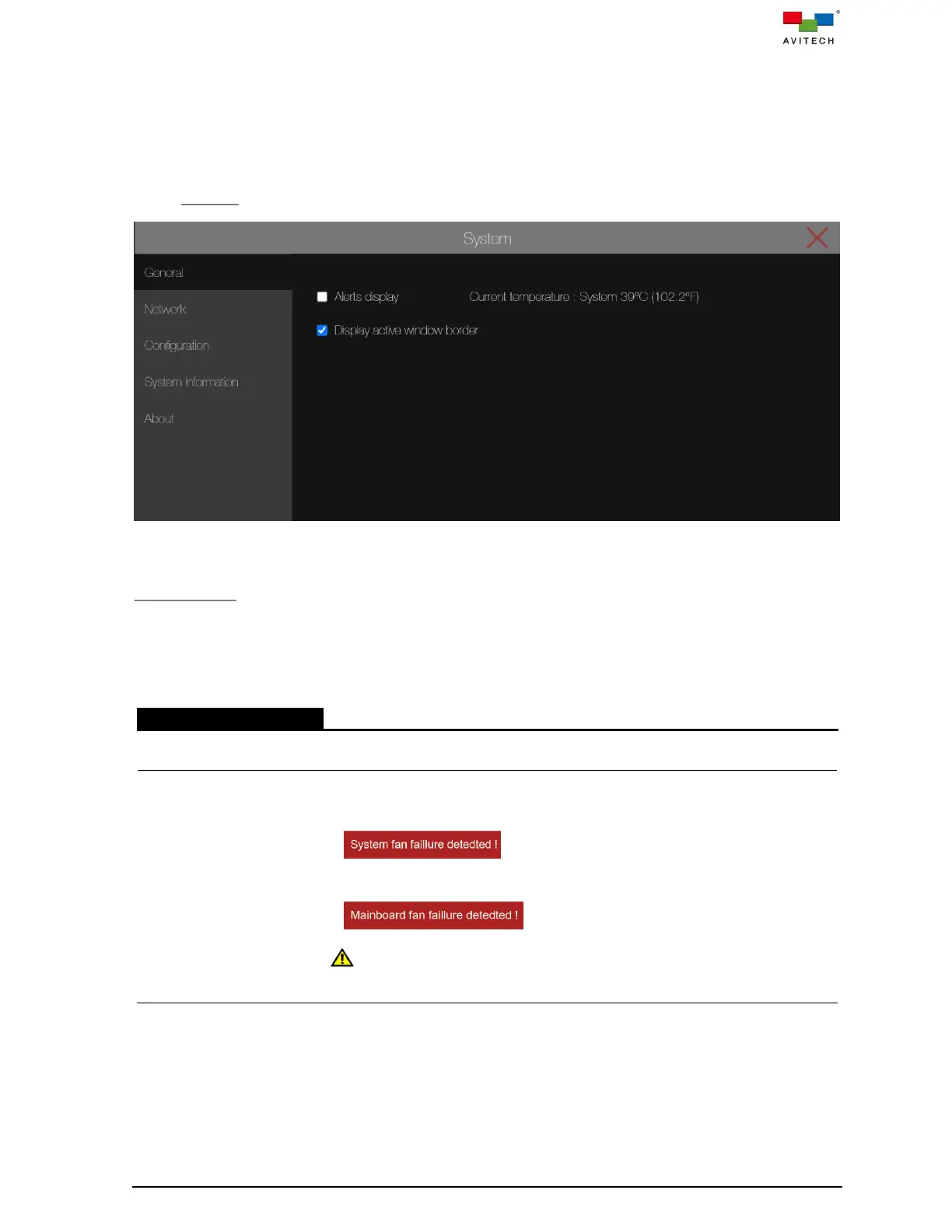
System contains a collection of settings for Sequoia 4K60 including General, Network, System
Information and About for managing your Sequoia 4K60. To customize the system setting, move
mouse pointer to System on the GUI menu and click it; the System page will appear.
4.3.1 General
Figure 4.3.1.1 System Page
Alerts display
Alerts Display allows you to enable/disable the display of system alerts. You can enable the alert when
System fan or mainboard fan failure occurs or the system operating temperature is too high (above the
normal operating temperature threshold of 75
o
C). Upon checking the Alerts Display, this will apply the
setting to Sequoia 4K60.
Enable/Disable Alerts
Display
Check/uncheck (enable/disable) the fan/temperature alerts that are triggered
when a fan failure occurs; or when the system operating temperature is too high.
If any of the fan modules fail, the Sequoia 4K60 can detect the failure and display
alert:
A “System fan failure detected!” alert appears on top-left portion of monitor.
A “Mainboard fan failure detected!” alert appears on top-left portion of
monitor.
When a fan failure alert occurs, it is important that steps be taken to replace
the system fan immediately (hot-swappable module). Failure to address this
problem may cause irreparable damage to system components.



 To Next Page