58
4.2 Edit Label
The Edit Label function allows you to customize the name for each source input port. This enables more
straightforward identification of individual sources display on screen and also viewed from the web
browser-based GUI for management (as compared to the default label assigned by the system).
To customize names for input ports, perform the following steps:
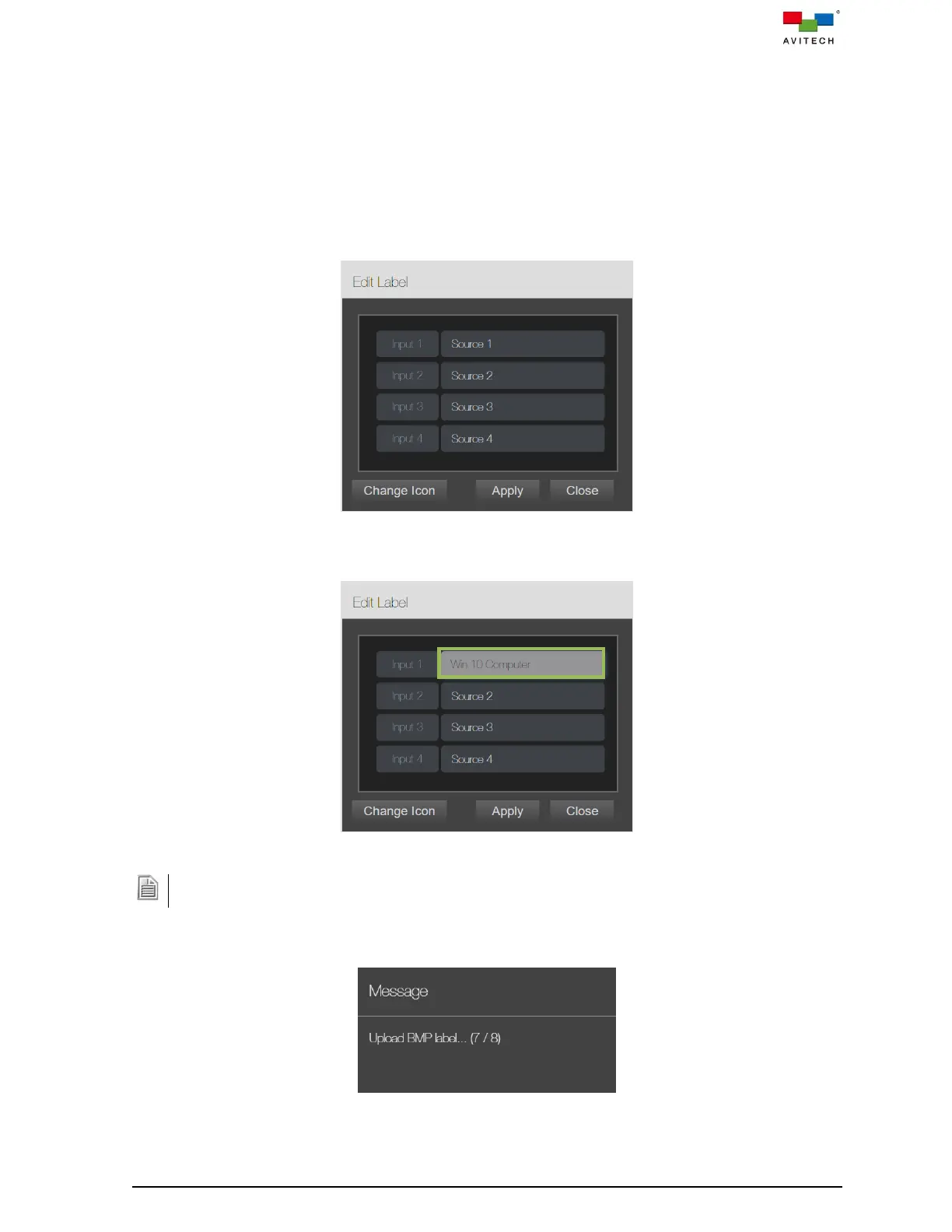
Step 1. Locate Edit Label on the web GUI menu and click it. The Edit Label page will appear displaying
all input ports of the Sequoia 4K60 and their default names.
Figure 4.2.1 Web Browser-based GUI: Edit Label Default Names
Step 2. Click to highlight the target port (enters the “text edit” mode) and directly modify its name.
Figure 4.2.2 Edit Label: User-defined Names
The maximum length of each label is 32 characters. It must not include any of the following: < > ! @ # & $ %
^ & * “ ‘ / \ , . : ; ? =
Step 3. Click Apply to confirm the changes made to all the ports.
Figure 4.2.3 Edit Label: Uploading User-defined BMP Label Names



 To Next Page