70
Step 4. Then move the file to the folder you preferred to keep it.
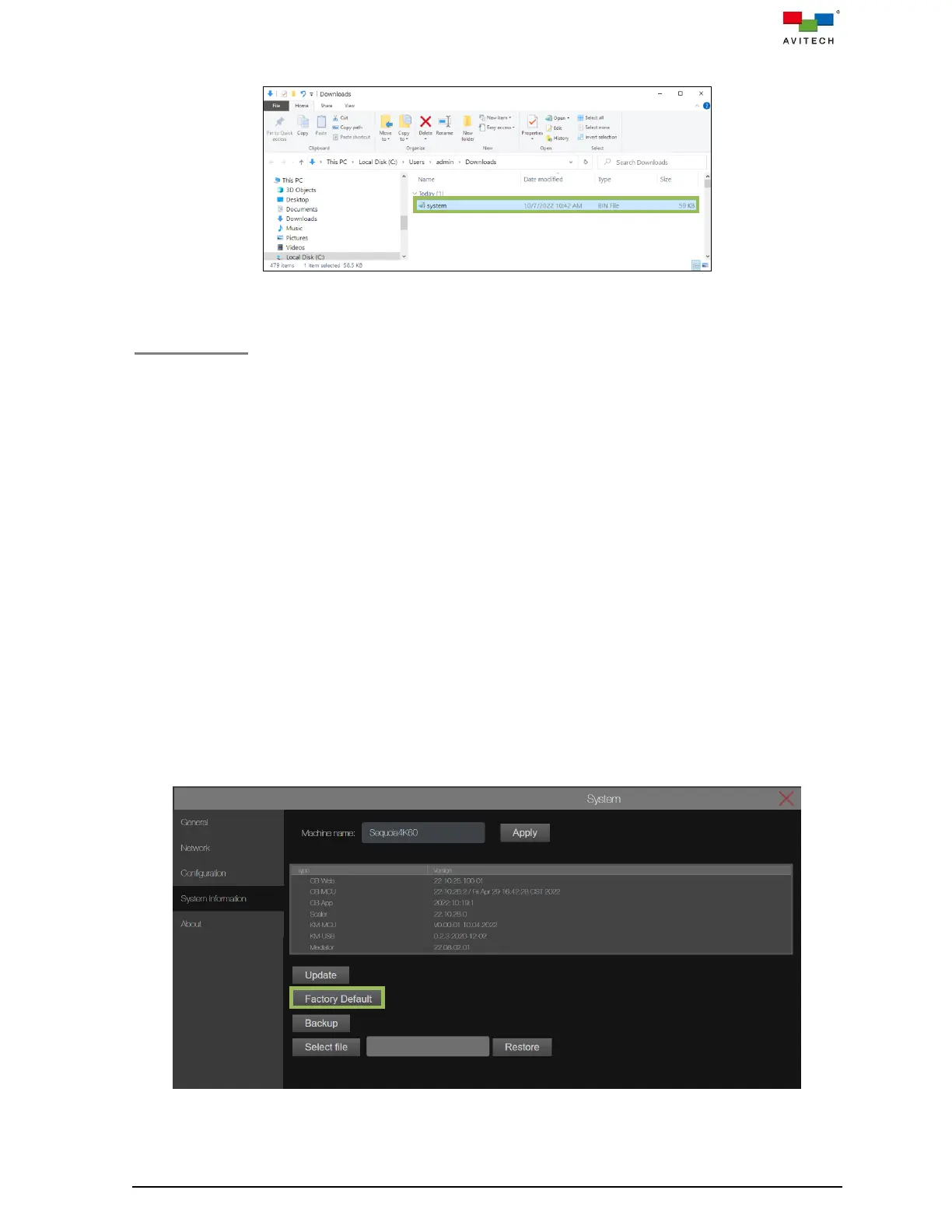
Figure 4.3.4.12 Select “System.bin” File
Factory Default
If your Sequoia 4K60 has become unstable, or you have repeated errors that you cannot fix, you can
reset your Sequoia 4K60 to its factory default settings. Click Factory Default to reset the Sequoia 4K60
to its factory default state. Below are the default settings:
IP address is 192.168.0.5
Output resolution will be set to Auto for each HDMI OUT port.
Configuration → Display mode → Workstation (Default).
HDMI OUT 1 shows a quad-view display.
HDMI OUT 2 – 5 will sequentially show input source 1 – 4 in fullscreen mode.
All the User icon presets / User presets configuration setup will be deleted.
The OSD display is on:
Border width is in 2 pixels.
Label for window 1 is Source 1, window 2 is Source 2, window 3 is Source 3 and window 4 is
Source 4.
Audio tally are in off state.
Auto-detect aspect ratio for each input source.
Four Images are fit to window size.
To reset the Sequoia 4K60 to the factory default state, perform the following steps:
Step 1. Click Factory Default to start the reset process.
Figure 4.3.4.13 System Page: System Information Factory Default



 To Next Page