47
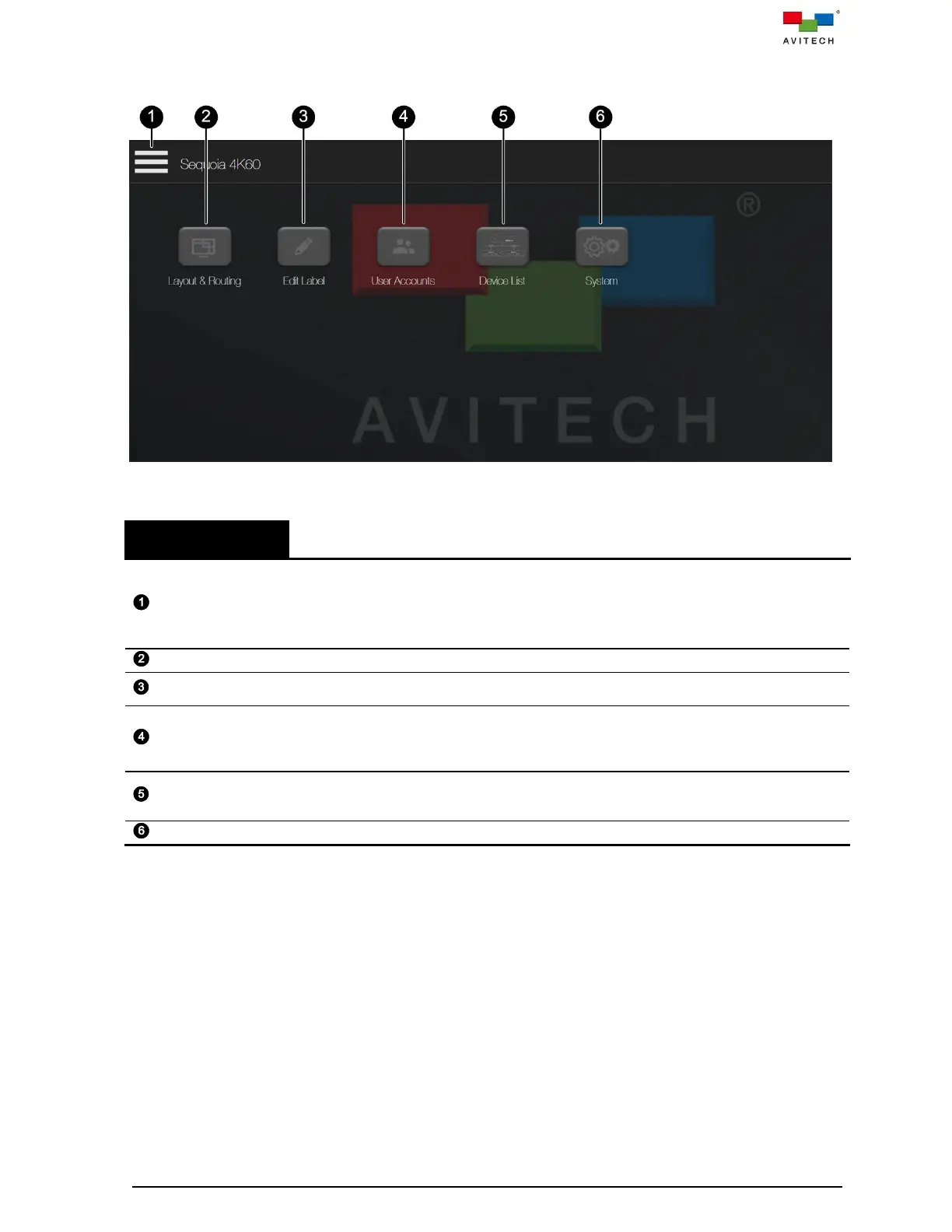
The following table gives an overview of the entire web browser-based GUI’s components and briefly
describes their functions.
Figure 4.2 Web Browser-based GUI Component
Allows users to
Logout of Sequoia 4K60. The default user name and password for login to Sequoia
4K60 is admin (both in lower case).
Enter fullscreen allows the Web GUI page display in fullscreen mode.
Close menu to return to Web GUI page.
Allows users to adjust the multiview display layout.
Allows users to customize input source names appearing on the web browser-based GUI
and multiview display on monitor.
Reserved for future option.
Aims to improve the security of Sequoia 4K60 by limiting the access of input sources as
well as the access of output ports. In this way, only the administrator has the privileges to
assign the input signal sources and output ports to a specific user.
Reserved for future option.
Allows users to select a specific Sequoia 4K60 in the list that you would like to connect
and control.
Allows users to change various system settings.
Table 4.1 Web Browser-based GUI Component Description



 To Next Page