Using the Configuration Editor
Operator Manual for the Baxter ExactaMix 2400 Compounder
53007410 Rev. C Page 135
5. Repeat Steps 3–4 for all the ports you want to use.
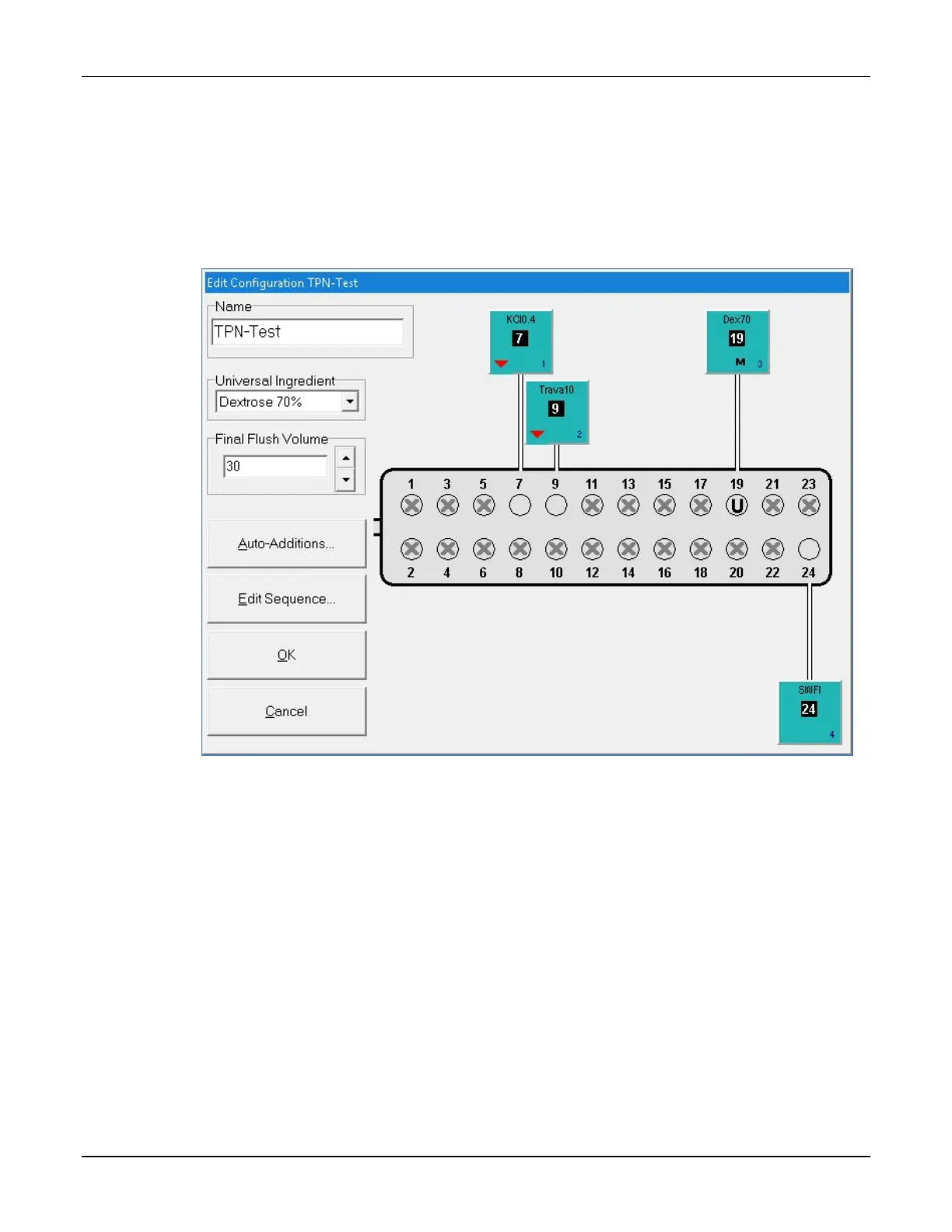
The configuration window now shows the product that is associated with each port. If
you requested an ingredient flush for a product, the ingredient button includes a red
downward arrow that represents the flush. If the ingredient is set to use the minimum
prime volume, the ingredient button includes the letter M.
Configuration window with products
6. At the configuration window:
a. Select the Universal Ingredient.
NOTE: For the Universal Ingredient to appear in the list, it must first be in the
configuration. Universal Ingredients must be assigned to ports 19–24; they
cannot be assigned to ports 1–18. A port specified for the Universal Ingredient is
labeled U. For commonly used ingredients such as the Universal Ingredient, you
can set up an electronic Y-site.
b. Enter the Final Flush Volume.
Tip! Each formula must include at least this volume of the Universal Ingredient.
Baxter recommends using at least 30 mL. The minimum is 25 mL.
c. If you want to specify ingredients for auto-addition, tap Auto-Additions.
Otherwise, skip to Step 8.



 To Next Page