Components
Operator Manual for the Baxter ExactaMix 2400 Compounder
Page 10 53007410 Rev. C
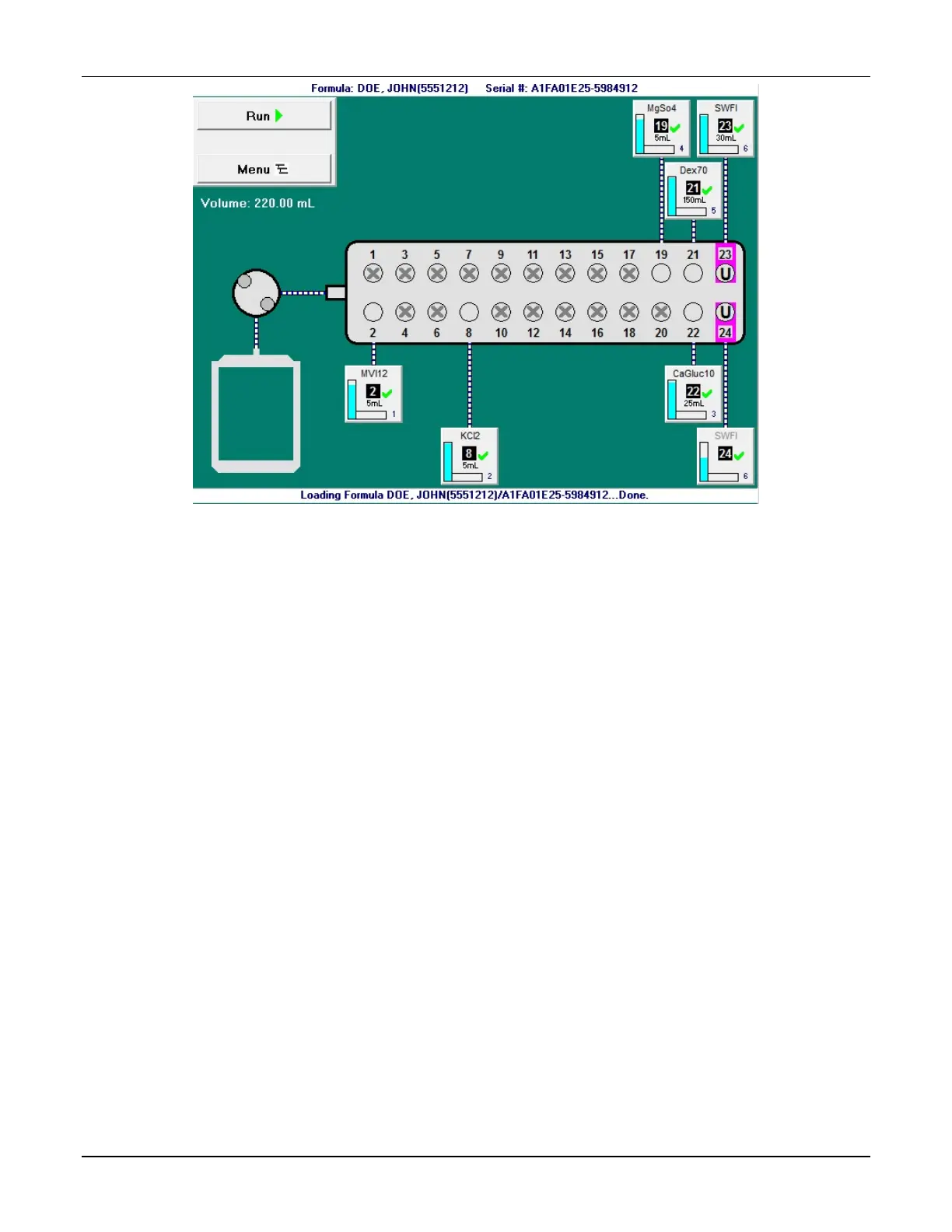
Pump screen at the start of the compounding process
The appearance of the pump screen changes slightly during various steps of the compounding
process. However, the screen always includes these elements:
• The Formula: <formula name / patient name> and Serial #: <serial number> appear on
the top of the screen.
• Buttons appear on the left side of the screen. Tapping Run starts the compounding
process. Tapping Menu displays the menu screen.
• The total volume to be pumped for the order appears under the Menu button.
• A diagram of the valve set with numbered ports appears on the middle of the screen.
Ports that:
o Have no ingredient attached have an X over them
o Have an ingredient attached have an ingredient button connected
o Have the Universal Ingredient attached are identified by a U
o Make up an electronic Y-site are identified by colored highlighting



 To Next Page