Components
Operator Manual for the Baxter ExactaMix 2400 Compounder
53007410 Rev. C Page 11
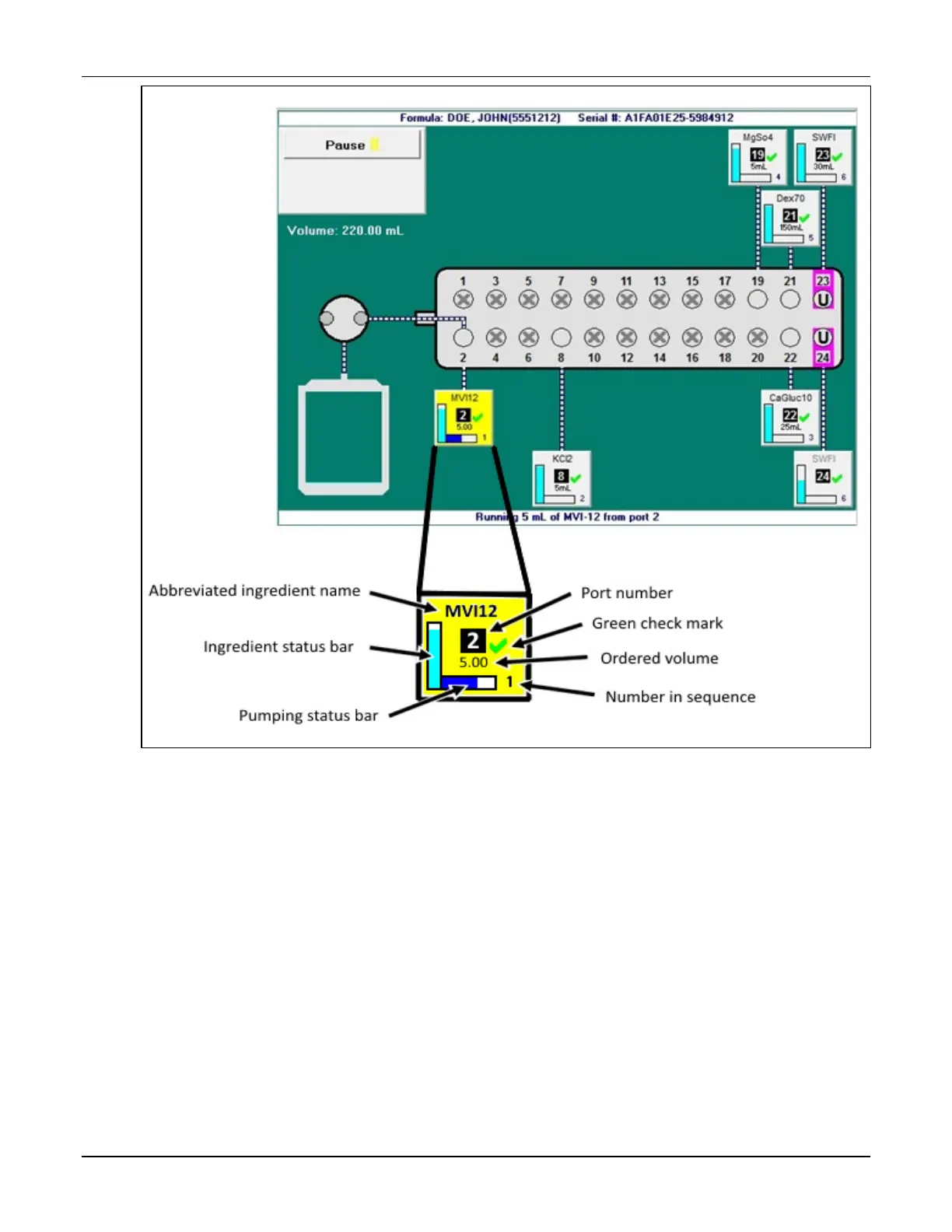
Ingredient button
On the pump screen, each ingredient button includes:
• The abbreviated ingredient name
• The port number
• A green check mark indicating that the inlet and port have been verified, or a red X
indicating that they need to be verified
• The ordered volume of the ingredient
• A number indicating the ingredient’s place in the compounding sequence
• A vertical bar showing how much of the ingredient remains in the container; during the
compounding process, this bar decreases as the remaining volume decreases
• A horizontal bar showing how much of the ingredient is being used for the current
order; during the compounding process, this bar increases as the pumped volume
increases



 To Next Page