Installing the Compounder
Operator Manual for the Baxter ExactaMix 2400 Compounder
Page 28 53007410 Rev. C
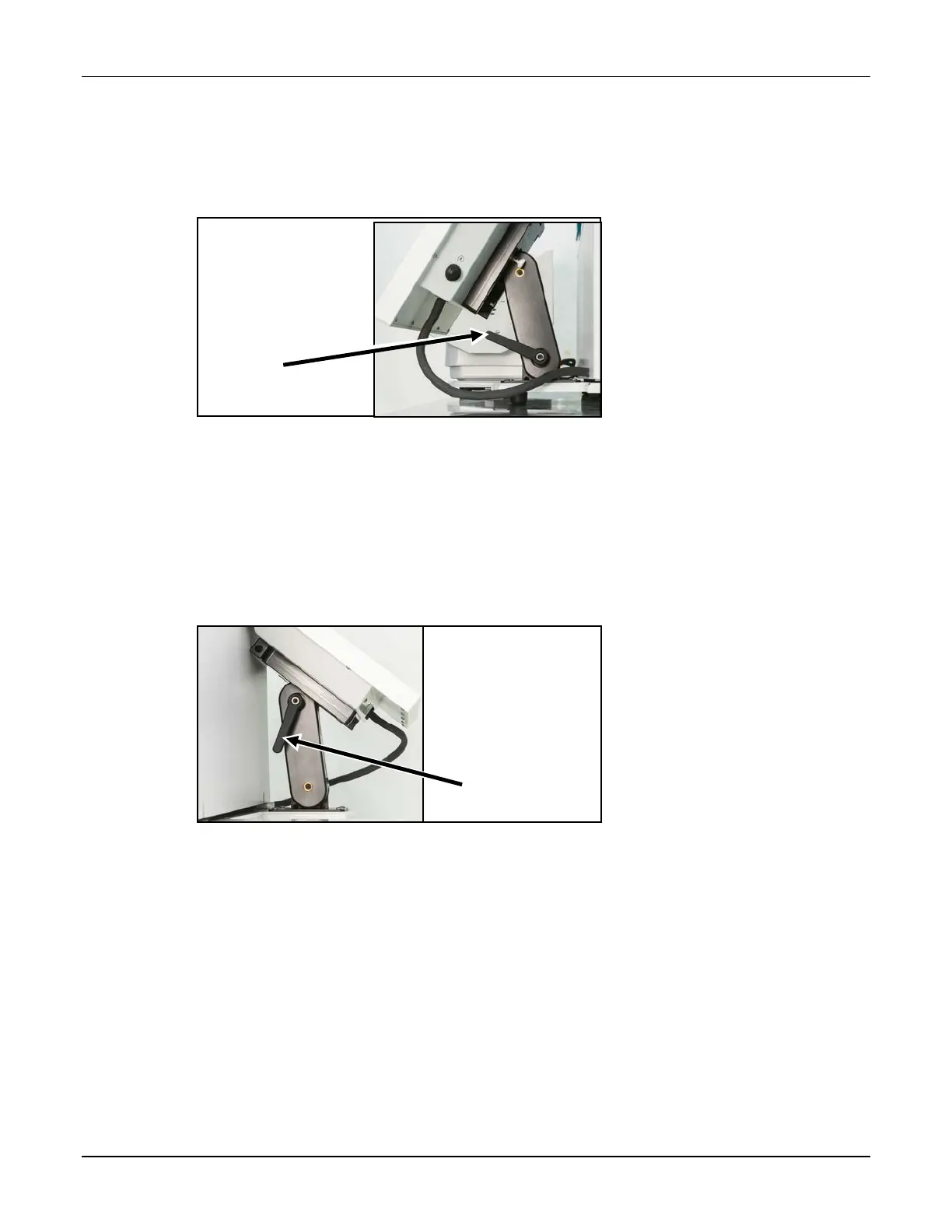
14. Move the arm of the display to the desired position.
a. Unlock the lever on the right by rotating it forward.
NOTE: Pulling the lever slightly out to the right may make it easier to rotate.
b. Adjust the arm of the display forward or backward.
c. Lock the lever by rotating it backward.
Lever on the right
15. Move the display to the desired position.
a. Unlock the lever on the left by rotating it backward.
NOTE: Pulling the lever slightly out to the left may make it easier to rotate.
b. Adjust the display up or down.
c. Lock the lever by rotating it forward.
Lever on the left
16. Check that the cables:
• Are not kinked or pinched
• Do not touch the base of the load cell
17. Plug the power cord into an uninterruptible power supply (UPS).
Lever



 To Next Page