Using the Compounder
Operator Manual for the Baxter ExactaMix 2400 Compounder
53007410 Rev. C Page 79
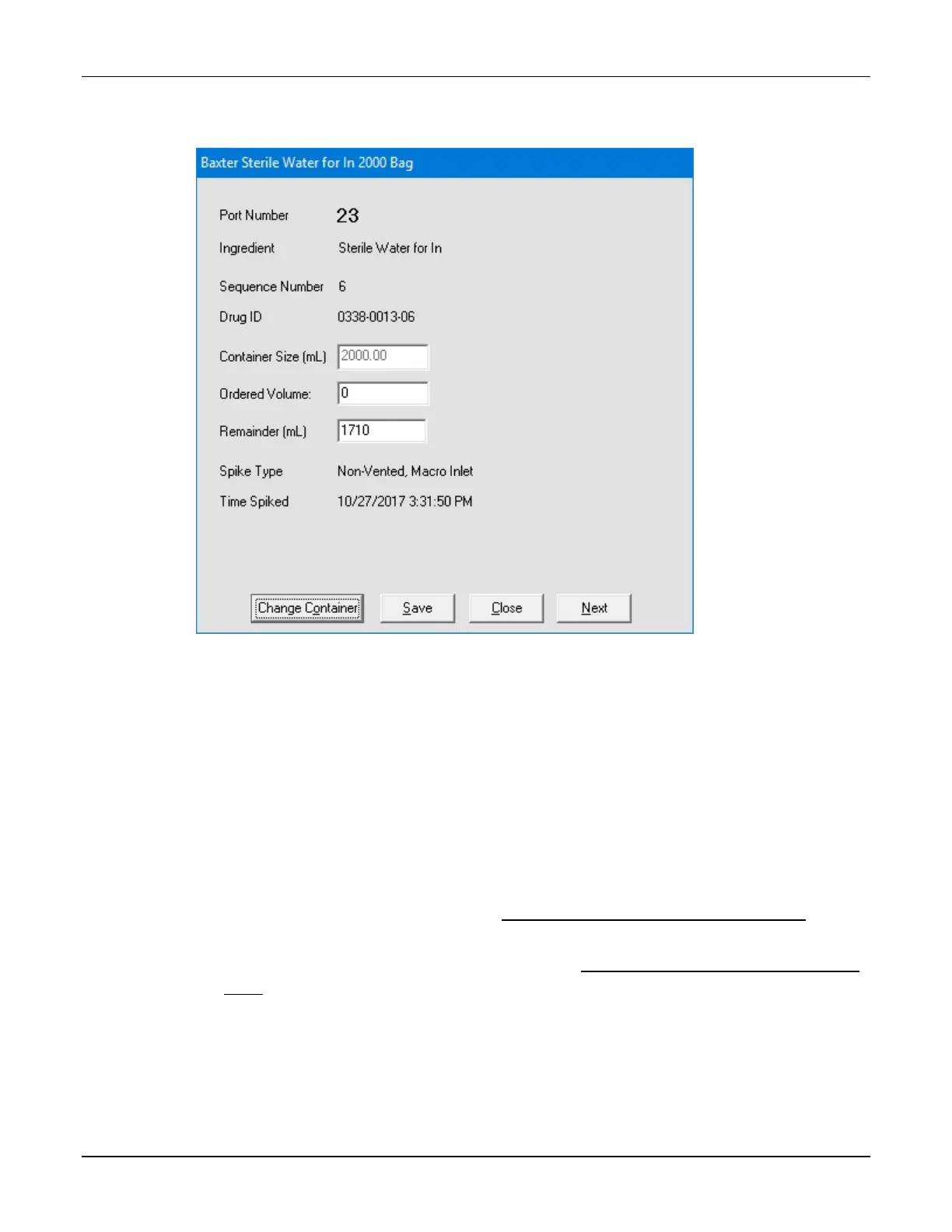
The ingredient detail window appears.
Ingredient detail window during direct entry
4. At the ingredient detail window:
a. Check that the Ingredient shown matches the ingredient ordered. Check its
description, concentration and so on.
b. Enter the Ordered Volume of the ingredient to be delivered.
c. Tap Save, or tap Next to view the next ingredient detail window.
The Run button becomes available on the pump screen.
5. Repeat steps 3–4 for each ingredient in the formula.
6. If you want to:
• Use the formula now, continue with Saving and Using a Direct-Entry Formula on
Page 80
• Save the formula for using later, continue with Saving a Direct-Entry Formula to Use
Later on Page 81



 To Next Page