2 – Installation
25
2.4 Software Setup
The instrument ships with all setup parameters preset to factory default values. However, before using
the instrument for culture testing, you should review the setup parameters to see if they are suitable for
your laboratory. These parameters are set in the Configuration function, and are grouped as follows:
• Lab Configuration (e.g., language, test protocol duration, etc.)
• Reports Configuration (Lab name, printer, etc.)
• Instr(ument) Configuration (e.g., Instrument number
, alarm volume, etc.)
• LIS Configuration (communications) (for non-EpiCe
nter configurations only)
• Time Configuration (Time and Date Format, etc.)
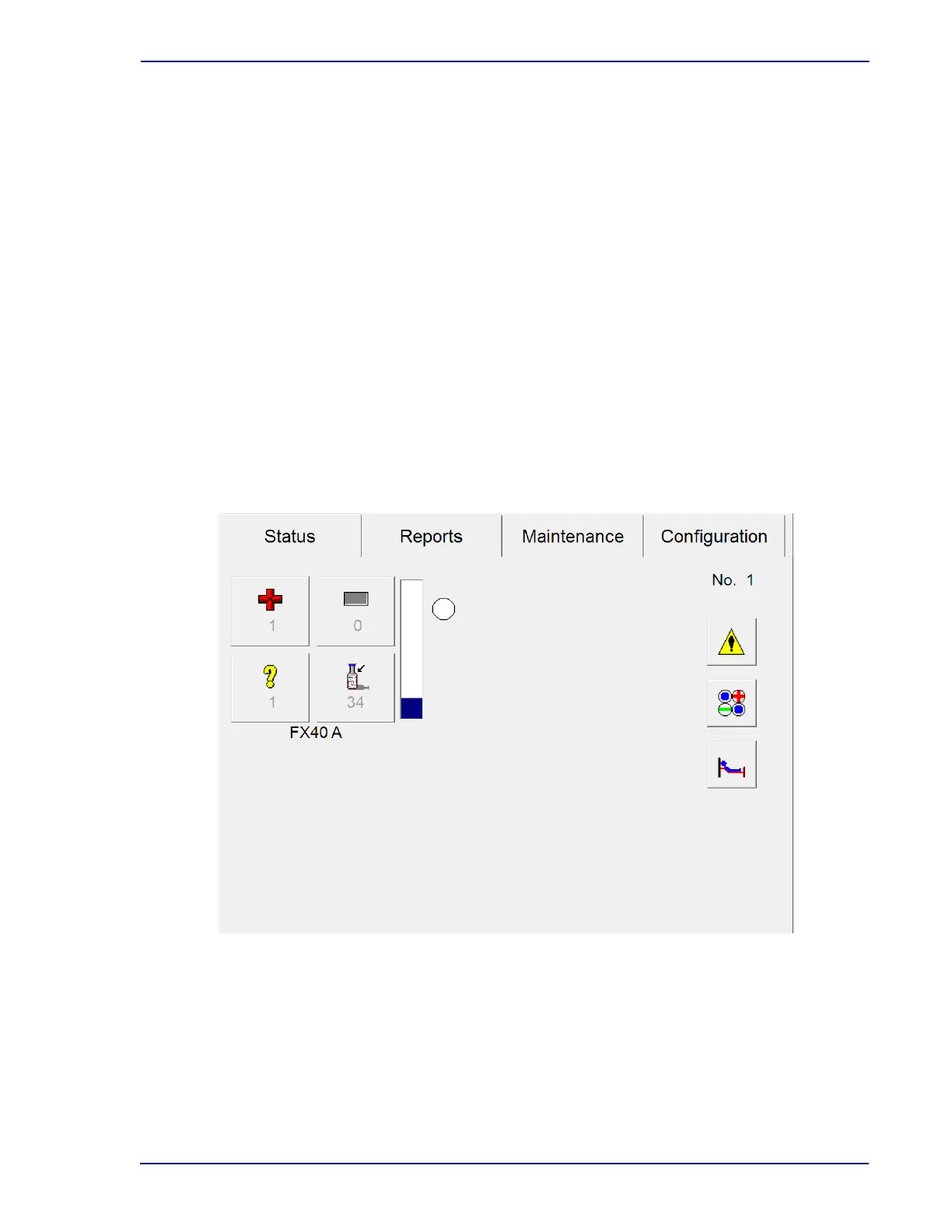
To access the configuration function, from the Status display (Figure 2-2), Select the Conf
iguration
tab. The last configuration display that was accesse
d appears. Field values can be changed by
selecting the arrows (
▲▼), drop-down arrows, radio buttons, or checkboxes next to them.
When a change is made to a field va
lue, the other display tab names are grayed out until you Save or
Undo the changes.
Any changes to configuration parameters are in ef
fect from the time of the change forward.
Figure 2-2 – Status Display
To cancel your changes, select Undo.
You cannot access Configuration displays in an
instrument that is in degraded mode.











 To Next Page