3 – Controls and Indicators
47
3.7.2 Indication
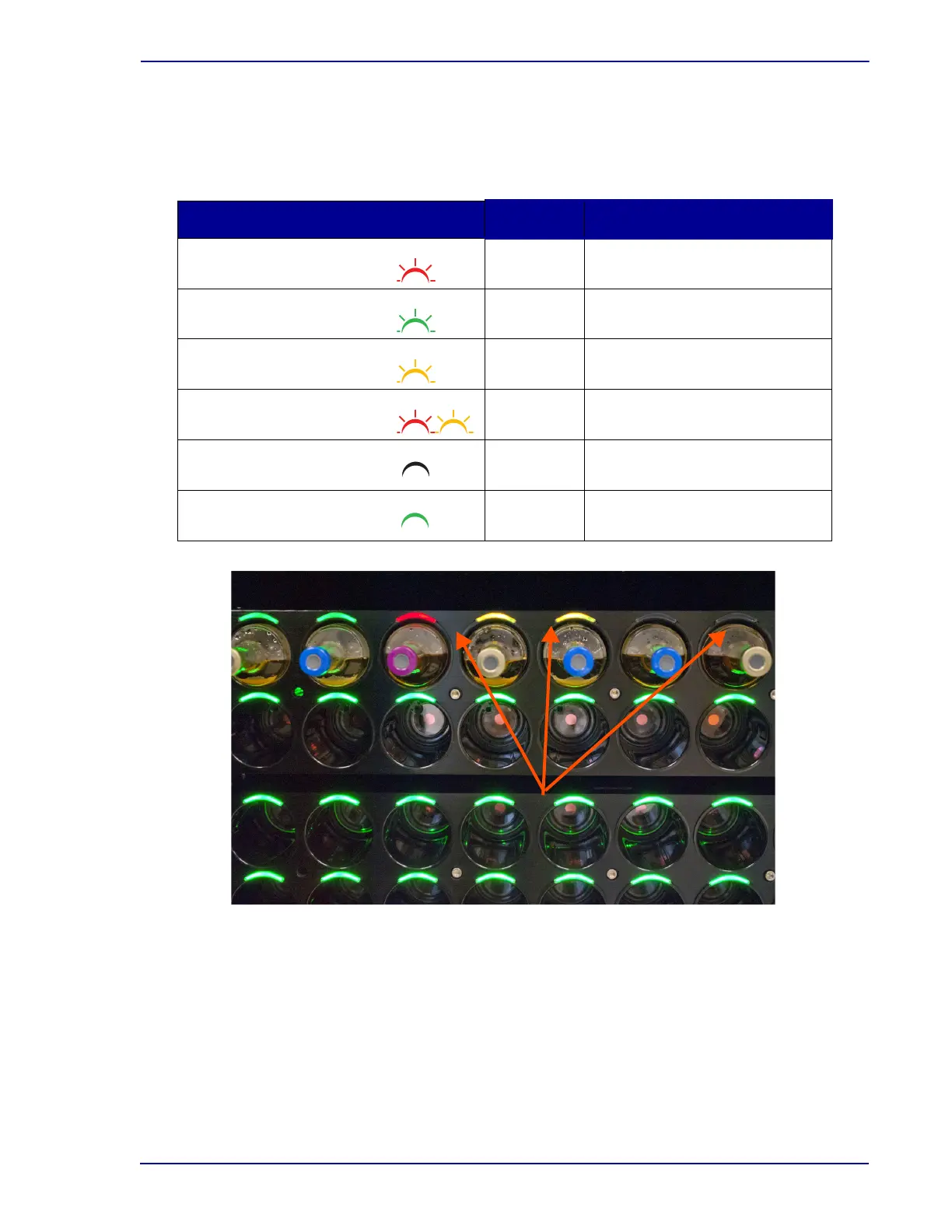
The color (red, green, or yellow) and state (on, flashing, or off) indicate the conditions shown in the
table below for a given station.
Figure 3-5 – Station Indicators
3.8 USB Ports
Three USB ports are located on the rear of the instrument for attaching USB peripheral devices. An
additional USB host port is on the rear of the instrument for attaching a tablet computer. The tablet
computer also contains a USB port on the left side, for attaching to the instrument, and a free USB port
on the right side.
In addition to attaching peripheral devices (e.g., printer, barcode scanner), the USB ports enable
saving data to a flash memory USB drive, and to perform software updates when they are released.
Indicator Color State Meaning
Red Flashing Positive vial
Green Flashing Negative vial
Yellow Flashing Anonymous vial
Red/Yellow (alternating) Flashing Positive Anonymous vial
All indicators Off Ongoing vial / Unusable station
Green On Available station











 To Next Page