BD BACTEC FX40™ Instrument User’s Manual
92
Print button
Select to print the Alert List report. The report contains the latest 100 system alerts in the
instrument database, even if the alerts have been removed from the System Alerts display.
Reports cannot be printed at an instrument in degraded mode in a BD EpiCenter™
configuration.
Exit button
Select to exit the display and return to the Status display.
5.3.6 View Stations Display
The View Stations display appears when you select the View Stations button on the Status display. It
provides an iconic view of all the instrument’s stations, showing the status of each station. View
Stations is updated dynamically when vial statuses change.
You can access the Culture – Vial display from View Sta
tions by selecting the station then selecting
OK.
See Figure 5-7 for a sample View Stations display.
To access View Stations:
• From the Status display, select V
iew Stations
View Stations Fields:
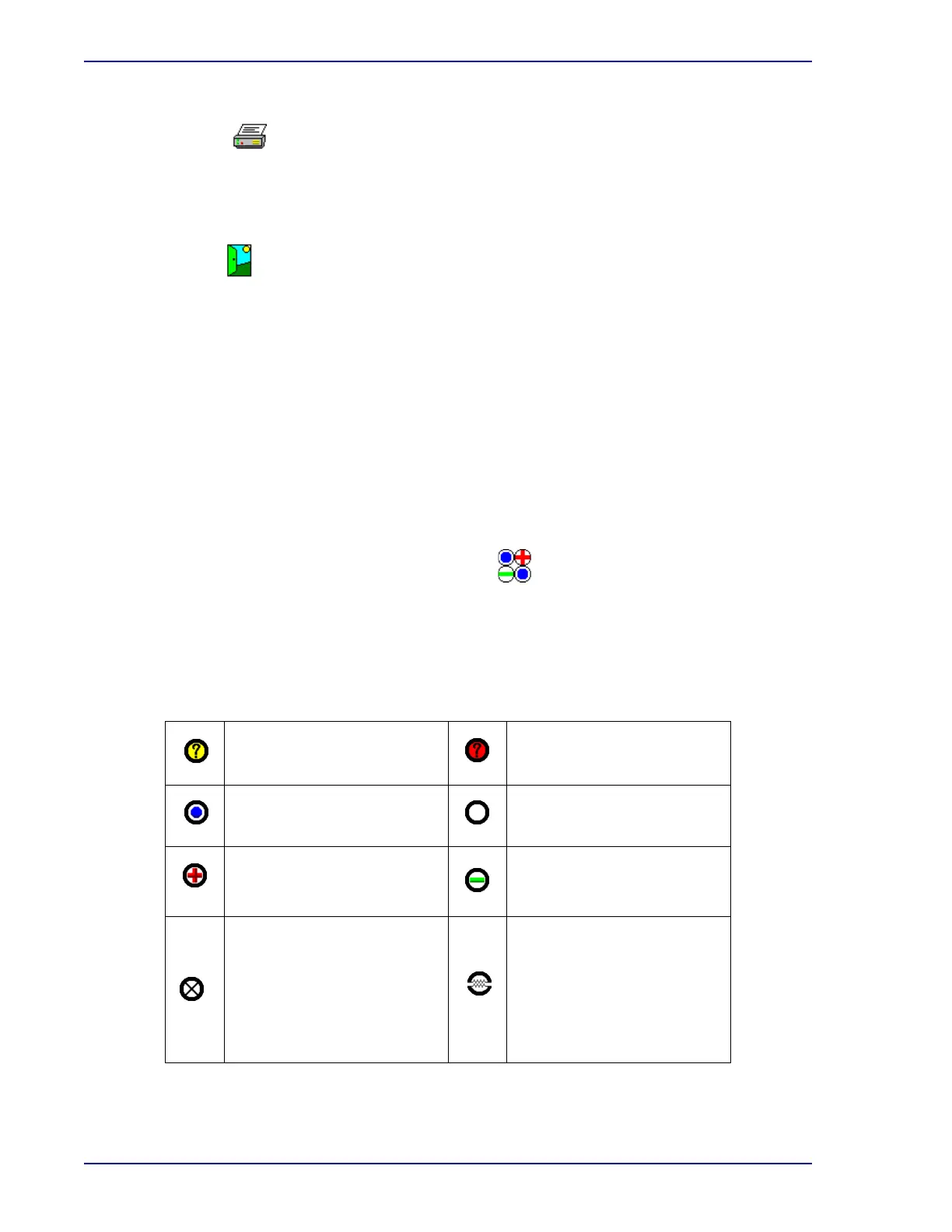
Station statuses
The following station statuses ar
e shown:
Anonymous Ongoing Vial
(yellow background)
Anonymous Positive Vial
(red background)
Ongoing Station Available Station
Positive Station Negative Station
Blocked Station
Cracked circle superimposed
on existing status icon:
Unusable Station – station
has been blocked by the
instrument because of a
temperature, measurement,
or agitation failure











 To Next Page