4 – Operation
53
4.2.4 Vial and Station Statuses and States
Vials can have both a status and a state, but it is the status that conveys information about the
presence or absence of microbial growth (or the practical availability of a station). The states are used
for reporting purposes only.
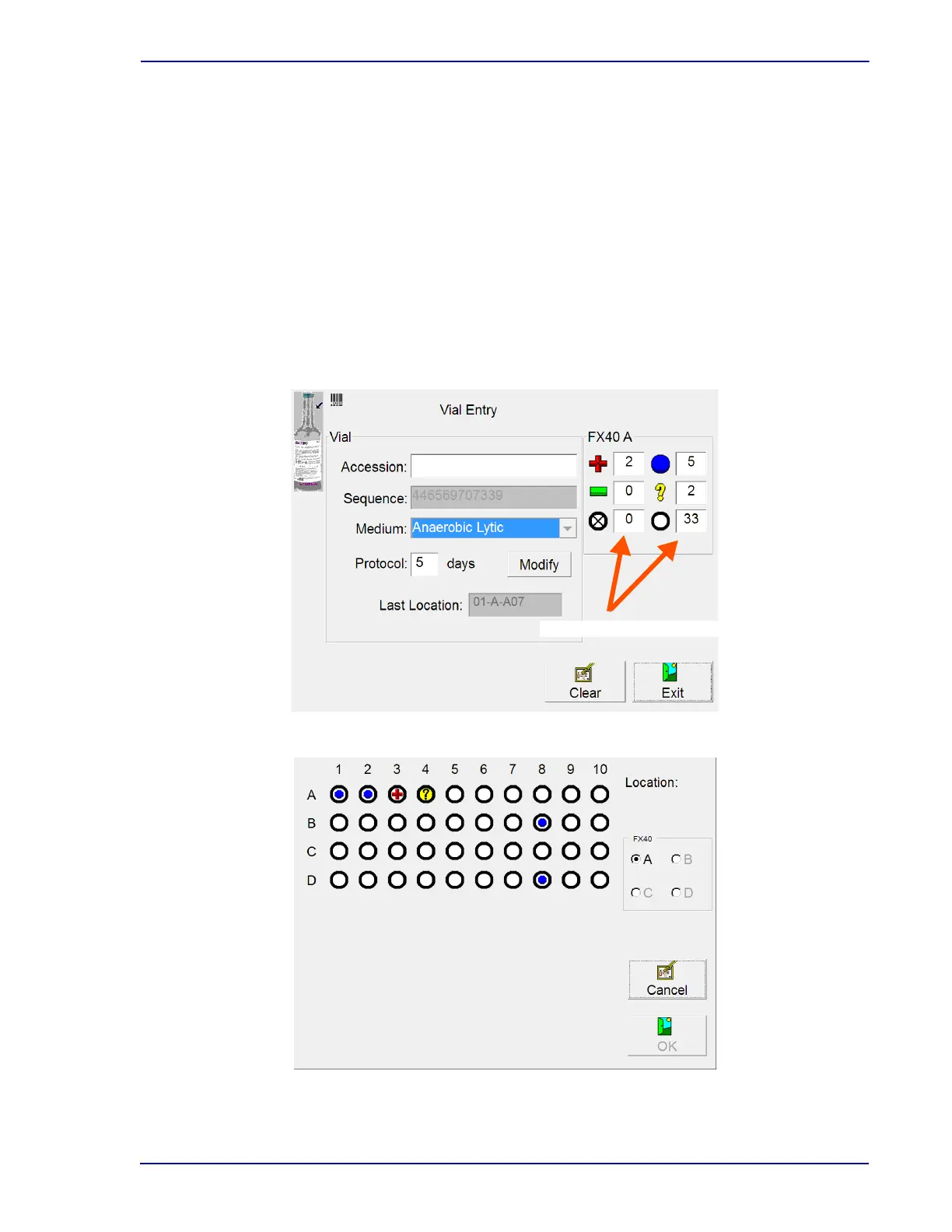
The Vial Entry (Figure 4-2), ID Anonymous, Positive Removal, and Negative Removal displays (activity
displays) present counts for the current instrument for the following statuses/states: Positive, Negative,
Blocked/Unusable, Ongoing, Anonymous, and Available. These statuses/states appear at the top right
area of the display, with icons representing statuses/states.
The View Stations display (Figure 4-3), accessible through the View Stations button on the Status
display, shows the status of each station in the instrument in a representational view of the interior.
View Stations is a useful alternative to physically opening the door to view all the station/vial statuses in
the instrument.
Figure 4-2 – Vial Entry Display
Figure 4-3 – View Stations Display











 To Next Page