BD BACTEC™ FX40 Instrument User’s Manual
52
4.2.2 Status Display
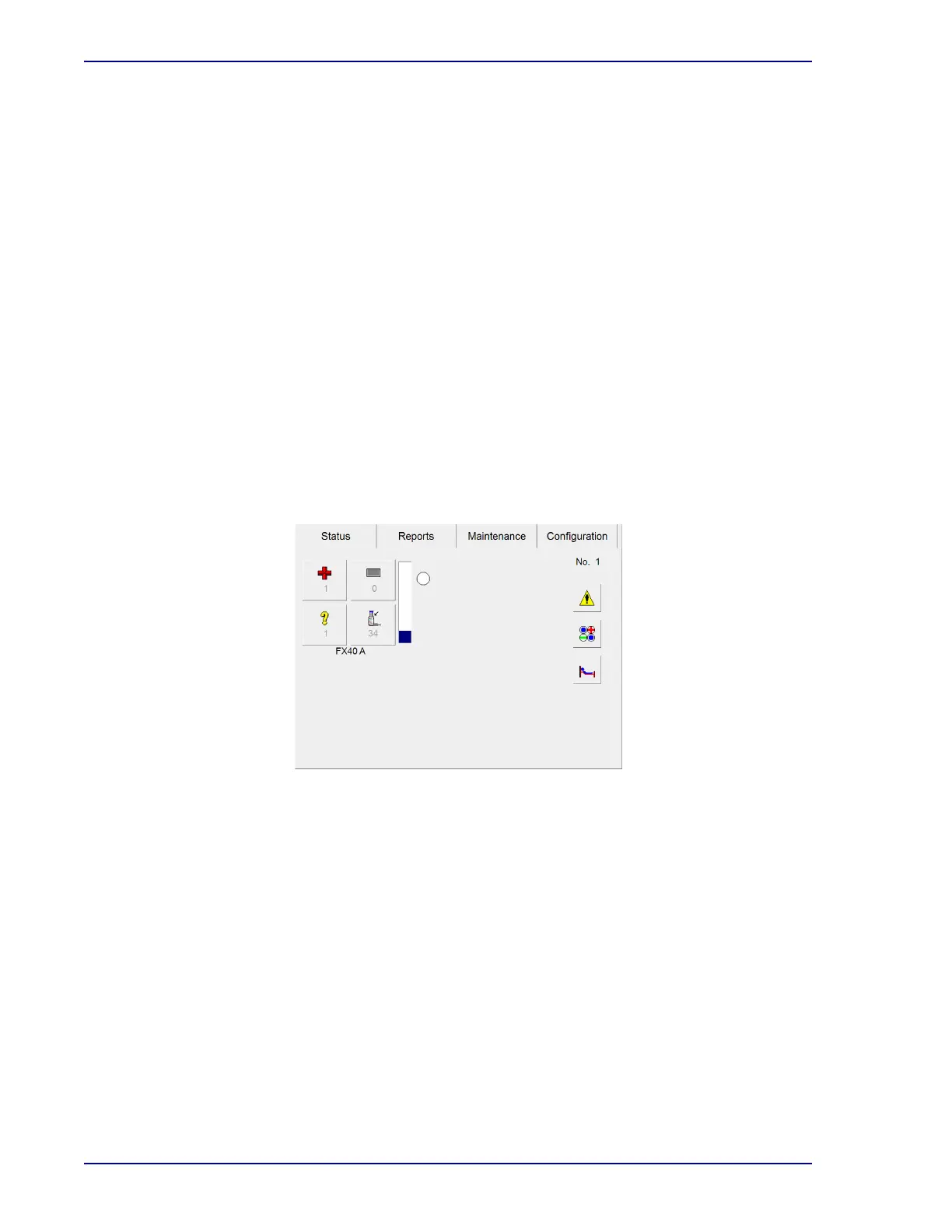
The Status display is the main display shown when no other operation has been initiated or is in
progress. It is the initial display that appears when the instrument starts up or restarts.
The Status display is shown in Figure 4-1. It provides a quick overview of testing status, station
availability, and vial statuses such as positive, negative, and anonymous (see Section 4.2.4 for more
information about vial statuses).
Once the door is opened, you can initiate the major instrument activities from the Status display. Vial
Entry, remove positive vials, remove negative vials, and identify anonymous Vials can be initiated for
any instrument in the cluster. (Each of the activities is discussed in greater detail later in this section.)
Demographic information (accession only in BD EpiCenter™ configuration) can be added to vial
records in the Culture display, accessed through the Culture button. The View Stations display (Figure
4-3), accessed by selecting the View Stations button, shows the status of each station in a
representational view of the instrument stations. Finally, a list of System Alerts can also be reviewed by
selecting System Alerts.
The Vial Entry (Figure 4-2), Identify Anonymous, Positive Removal, and Negative Removal activity
displays present station counts for the current instrument for Positive, Negative, Blocked, Ongoing,
Anonymous, and Available Stations.
Section 5 provides more detailed information about the Status display.
Figure 4-1 – Status Display
4.2.3 Instrument Layout
Instruments are provided in the following system configurations: 1) a standalone cluster of up to four
BD
BACTEC™ FX40 instruments, or 2) clusters attached to a BD EpiCenter™ system.
A single instrument is designated as instrument A. In a cluster, additional instruments are designated,
B, C, and D (maximum of 4 instruments in a cluster).
Each instrument has 2 racks, and each rack has two rows of vial stations. Row designations are by
letter (A, B, C, and D). Individual stations are numbered 1–10 from left to right. A total of 40 stations are
available for vial testing. A cluster of four instruments contains 160 stations for vial testing.
The View Stations display (Figure 4-3) shows the instrument’s column and row numbering.
Stations are designated in the following format: CC-I-RSS, which CC = instrument Cluster, I = FX40
Instrument designation, and RSS = Row and Station column. Therefore a station designated 01-B-D8
would be in the first cluster, instrument B, row D and the eighth station column.











 To Next Page