5 – Reference
85
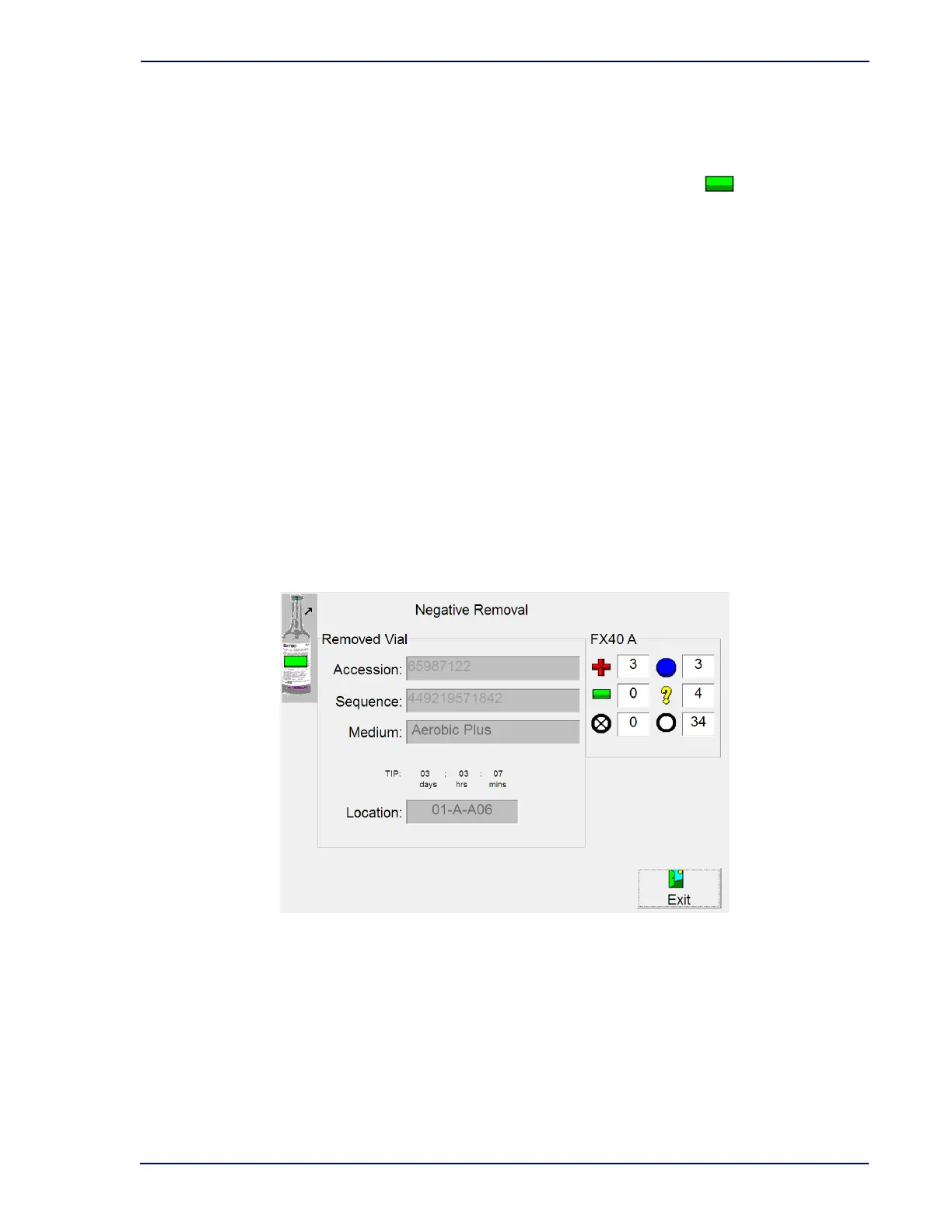
To access Negative Removal:
• Open a drawer and remove a negative vial, or
• Open a drawer and select Re
move Negatives on the Status display
Negative Removal Fields:
Accession
Read-only field that shows the a
ccession number of the vial.
Sequence
Read-only field that shows the vial barcode sequence number.
Medium
Read-only field that shows the medium type.
TIP
Read-only field that shows the Time in Protocol, in days;
hours; minutes. Time in Protocol is
calculated as the amount of time between the vial’s Start of Protocol and the current time.
Location
Read-only field that shows the station number
from which the negative vial was removed.
FX40 n (whe
re n is instrument A, B, C, or D)
Counters for positive vials (+), negative vials (–
), blocked/unusable stations (), ongoing vials
(), anonymous vials (?), and available stations (O).
Figure 5-3 – Negative Removal Display
Negative Removal Buttons:
Verified button
Appears only if the vial sequence number was entered manually and Batch Removal is
dis
abled. Select to confirm to the system that the displayed vial sequence number is correct.











 To Next Page