5 – Reference
97
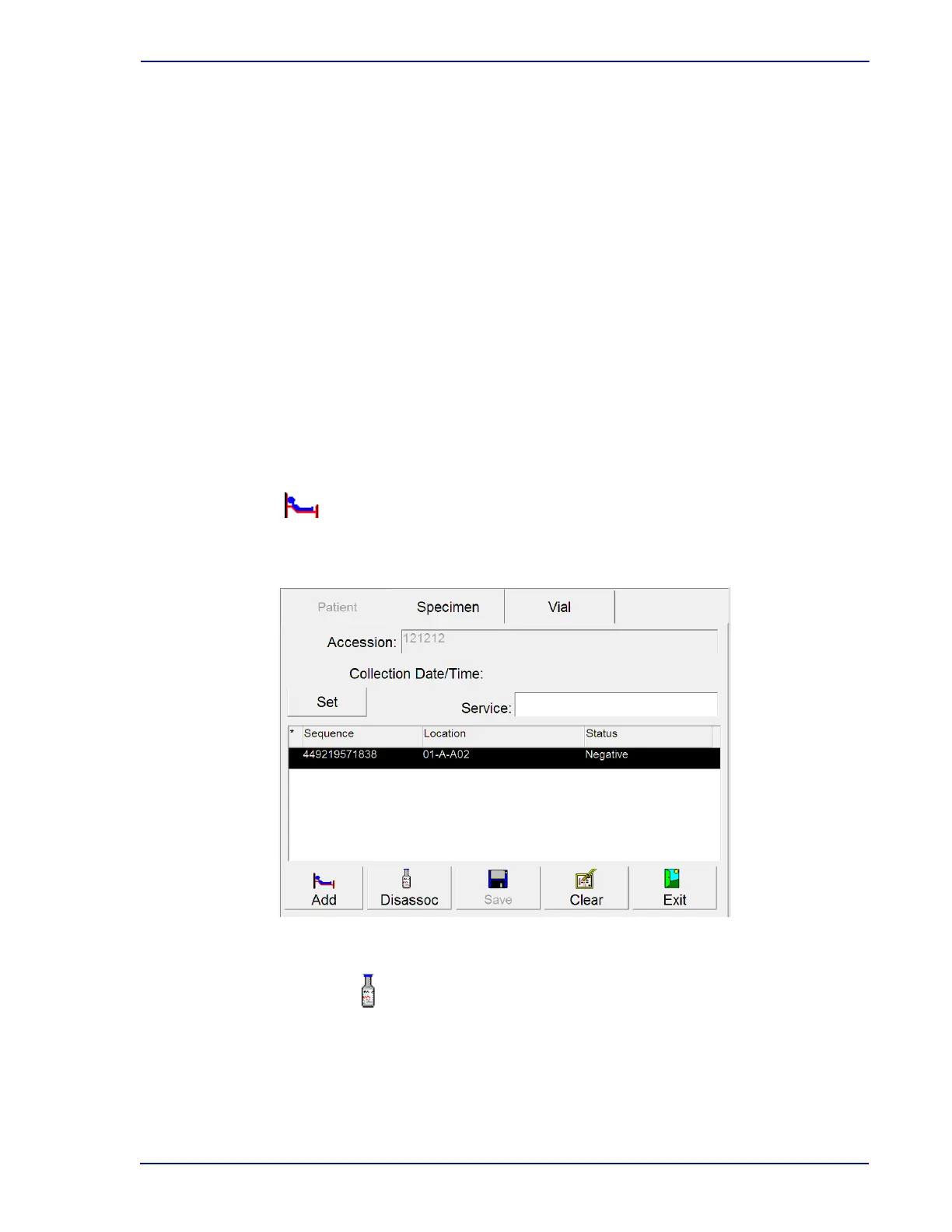
Vial Window, showing the following read-only information (left to right, for each vial associated to
the accession)
Pending changes (* indicates vial association is pending a save to the database)
Se
quence
Location (last known station number; Remo
ved if vial is no longer in instrument; Pending
if vial has never been placed in instrument; Offline if vial was last known to be in a
degraded mode instrument or an offline row or drawer)
Status (last known statu
s: see Section 4.2.4)
Culture – Specimen Display Buttons:
Set button
Select to bring up a window enabling you to set
the vial's collection date and time. The Set
Date and Time window appears. Refer to Section 2.4.5 for instructions on setting date and
time.
This button is active only when BD EpiCenter™ communications is disabled.
Add button
Select to add patient data to the displayed specimen record. This button is active only when an
orphan accession is displayed and when BD EpiCenter™ communications is disabled.
Figure 5-9 – Culture – Specimen Display
Disassoc(iate) button
Select to disassociate the current vial (sequence) from the accession number. The vial to be
disassociated must be selected in the Vial window.











 To Next Page