19
General operation
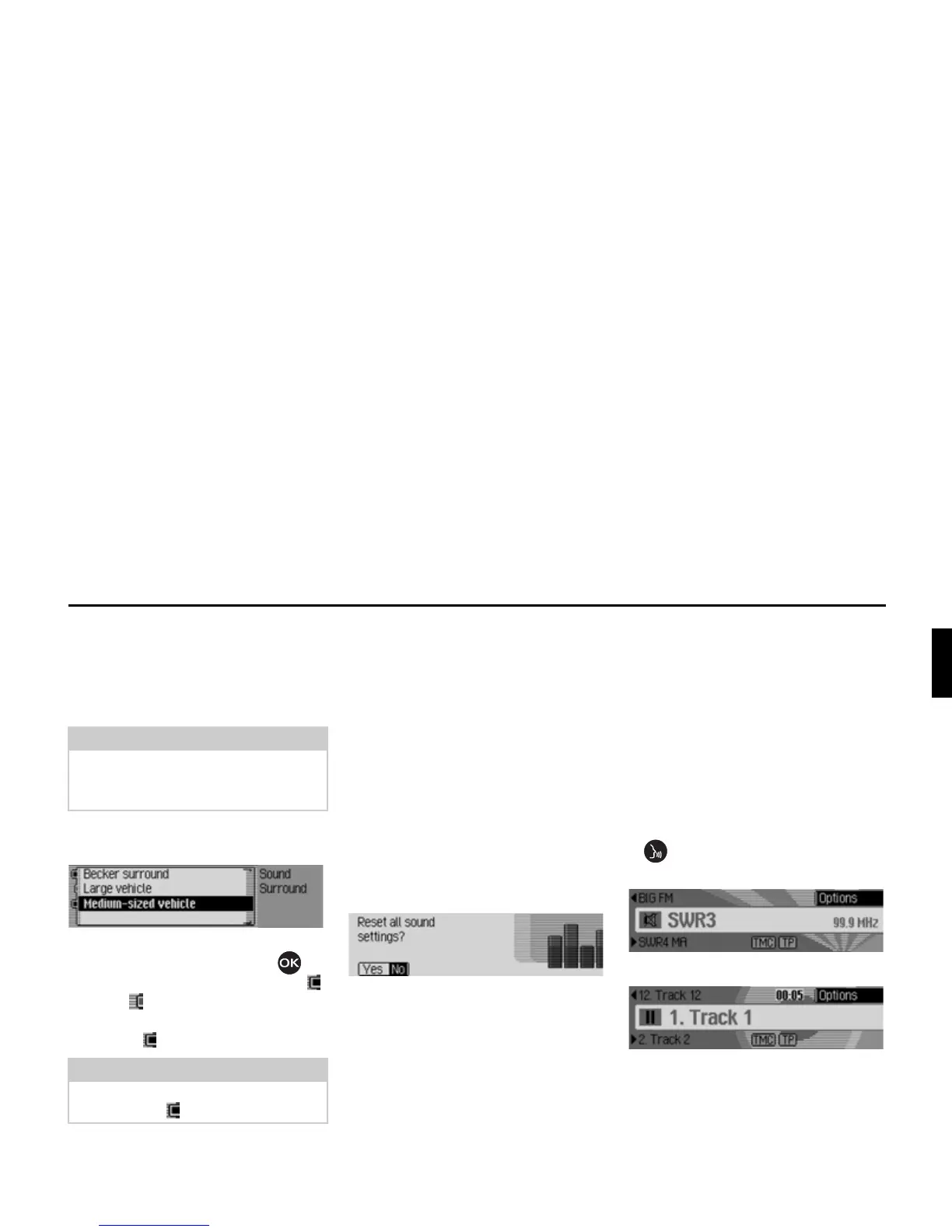
Becker Surround
You can use this function to activate vir-
tual surround sound and select the vehi-
cle size to optimise the surround sound
function.
X Select %HFNHU VXUURXQG in the sound
settings.
X Select %HFNHU VXUURXQG and press the
rotary control/push button to
switch virtual surround sound on ( )
or off ( ).
X Select /DUJHYHKLFOH or 0HGLXPVL]HGYHKL
FOH
(on = ).
Reset settings
You can reset all sound settings to the
default settings.
The following settings are reset to the
relevant default value:
•
(TXDOLVHU: All default settings are reset
to the initial value. The user-defined
setting is reset to zero.
•
%DODQFHIDGHU to centre setting
•
/RXGQHVV to off
• %HFNHUVXUURXQG to off
X Select 5HVHW VHWWLQJV in the sound set-
tings.
X Select <HV to reset the sound settings
or
1R to continue without making any
changes.
Select
<HV to reset the sound settings.
Mute
You can switch your Traffic Pro to mute,
i.e. switch off the sound from the current
radio/media source.
However, navigation announcements,
traffic announcements (if TP has been
activated) and other voice announce-
ments on the Traffic Pro continue to be
transmitted unaffected.
X Press the rotary control/push button
and hold it down for at least
2 seconds.
Example of muted radio mode.
Example of muted media mode.
Note:
The Becker Surround function is not
available for medium wave or short
wave.
Note:
Only one of the vehicle types in the list
can be active ( ).















 To Next Page