40
Navigation mode
During route guidance
During route guidance, navigation infor-
mation is displayed on the status screen
in all operating modes.
However, complete navigation informa-
tion is only displayed in the navigation
status screen.
Examples:
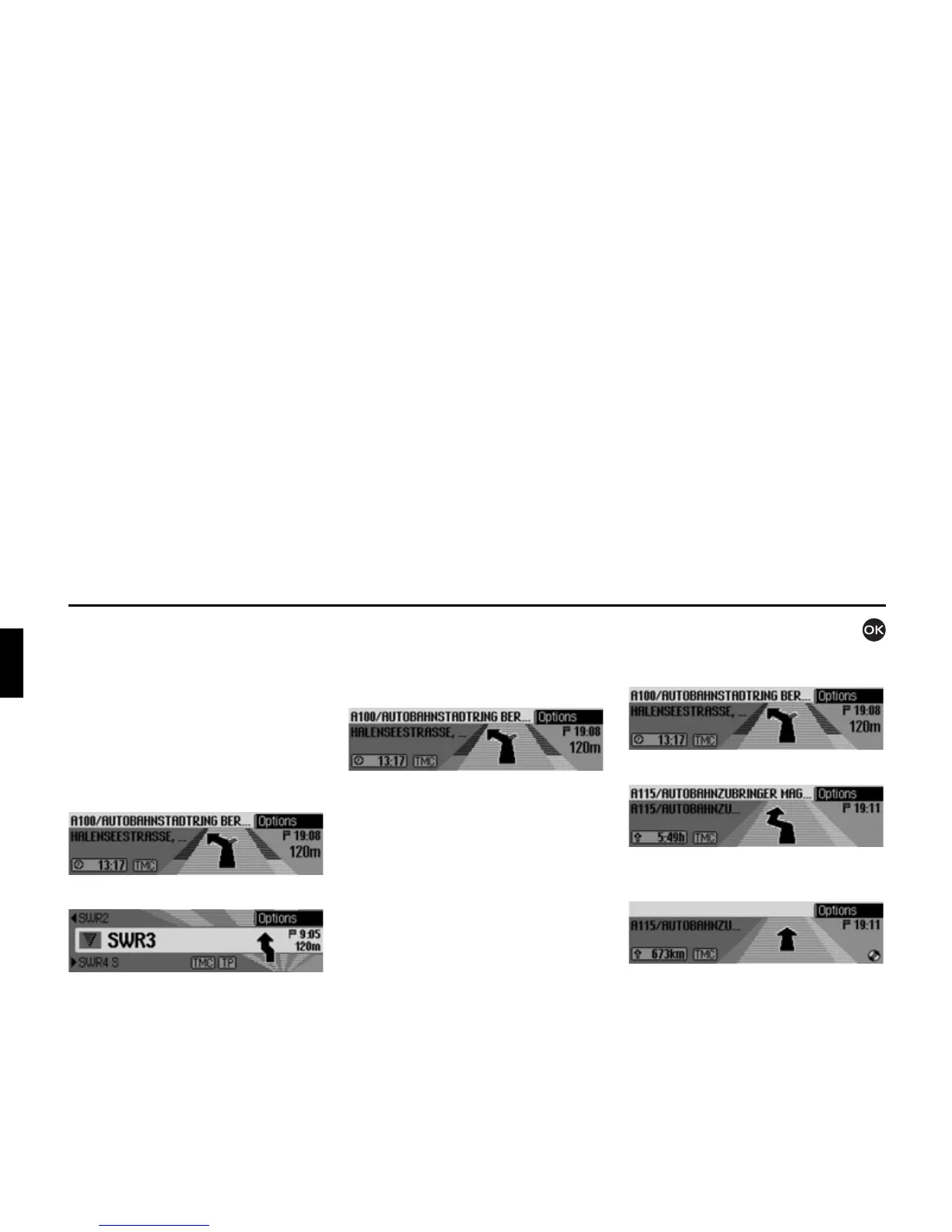
The navigation status screen.
The radio status screen with active navi-
gation. The display for other sources is
similar. When you are approaching a
turn, the navigation status screen appears
automatically. Once you have completed
the turn, the unit reverts to the previous
status screen.
Navigation status screen
All information relevant to information
is displayed on the navigation status
screen.
The distance to the next turn and the esti-
mated time of arrival are shown on the
right-hand side of the display.
The name of the road the vehicle is turn-
ing into appears in the first line on the
upper left of the display. The name of
the road the vehicle is currently travel-
ling along appears in the second line.
Depending on the setting, the current
time, estimated journey time remaining
or distance remaining to be travelled
appear on the bottom left of the display.
X Turn the rotary control/push button
to select the various displays in the
status display.
Display with current time.
Display with estimated journey time
remaining.
Display with distance remaining to be
travelled.















 To Next Page