51
Navigation mode
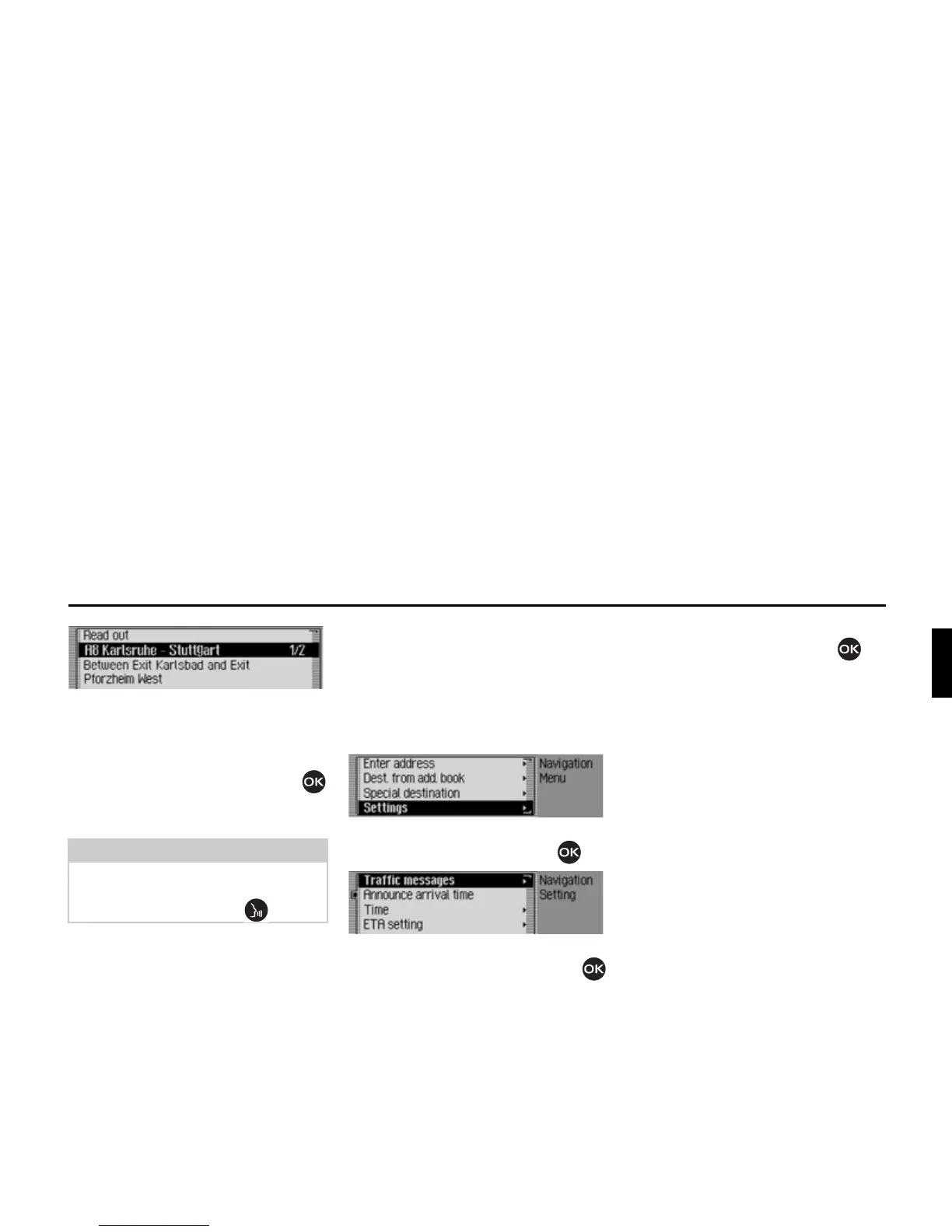
The announcement appears in full.
X To listen to the announcement, select
the
5HDGRXW entry.
or
X Turn the rotary control/push button
to scroll through the traffic announce-
ment.
A typical traffic announcement appears
as follows:
• a motorway or road number
• Approximate direction information
• Detailed location and direction infor-
mation
• The event
• The cause, if known
Settings
You can make various settings for navi-
gation in the settings.
X In the Navigation main menu, select
the
6HWWLQJ entry.
X Confirm your selection by pressing
the rotary control/push button .
The Settings menu appears.
X Turn the rotary control/push button
to select one of the following options:
7UDIILFPHVVDJHV,
$QQRXQFHDUULYDOWLPH,
&ORFN,
(7$VHWWLQJ or
8QLWRIPHDVXUH
X Confirm your selection by pressing
the rotary control/push button .
•
7UDIILFPHVVDJHV
You can specify whether or not traffic
announcements should be read out
automatically by the unit and, if so,
which ones.
•
$QQRXQFHDUULYDOWLPH
You can specify whether the calculated
time of arrival should be announced
automatically once the route has been
calculated/recalculated.
•
&ORFN
You can configure the GMT time sent
by the satellite in terms of its format
and the current time zone.
The time only needs to be set so that the
Traffic Pro can supply navigation
information correctly on routes with
time-dependent route guidance. Setting
the time also ensures that anticipated
times of arrival are announced/
displayed correctly.
Note:
The reading out of traffic announce-
ments can be aborted by pressing the
rotary control/push button .















 To Next Page