30
Navigation mode
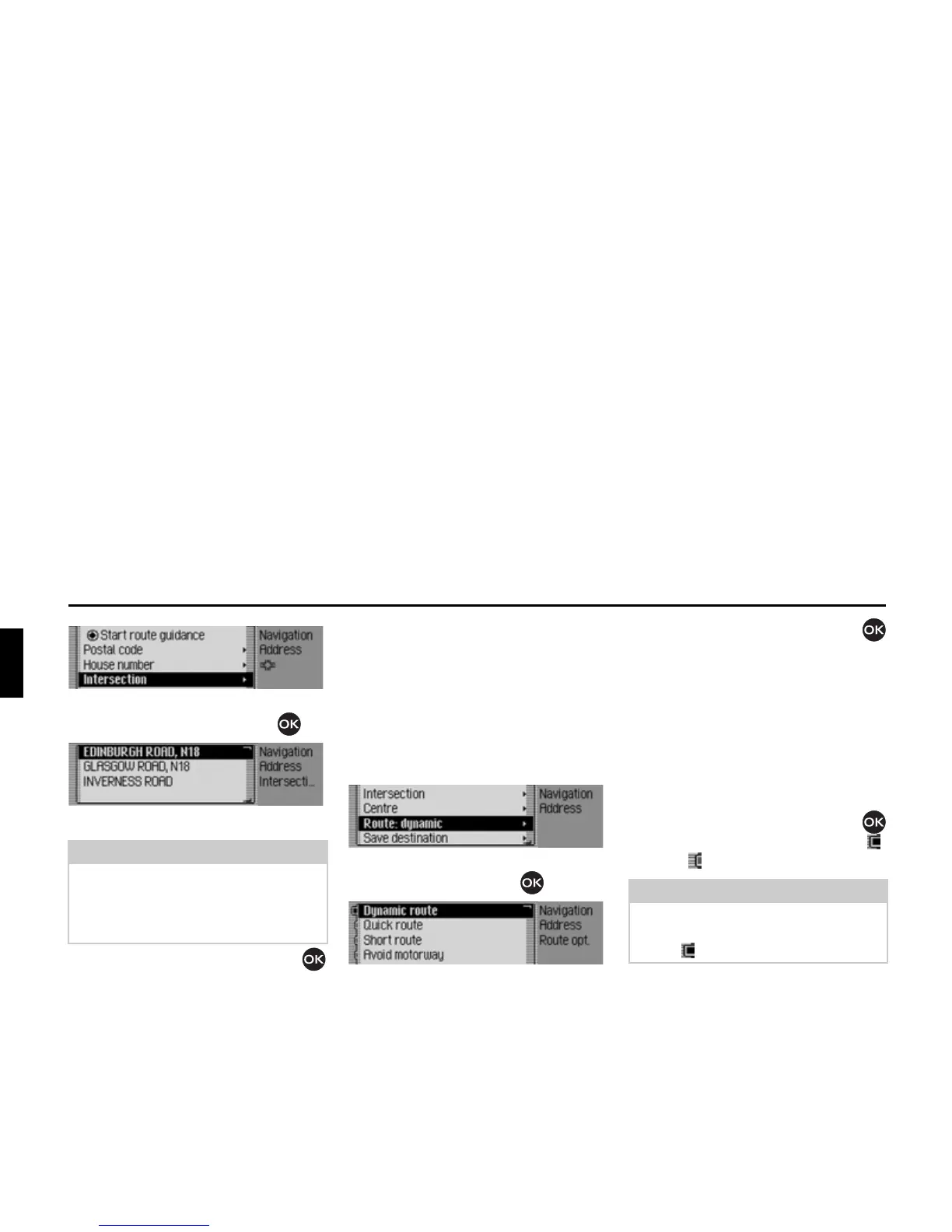
X Confirm your selection by pressing
the rotary control/push button .
A list of junctions appears.
X Turn the rotary control/push button
and then press the rotary control/push
button to select the required junction.
Setting the route options
You can use the route options to specify
how the Traffic Pro calculates the route
to the destination.
X In the Enter Destination menu,
depending on the previous setting,
select
5RXWH VKRUW, 5RXWH IDVW or 5RXWH
G\QDPLF
.
Confirm your selection by pressing the
rotary control/push button .
The Route Options menu appears.
X Turn the rotary control/push button
to select one of the following options:
'\QDPLFURXWH,
4XLFNURXWH,
6KRUWURXWH,
$YRLGPRWRUZD\,
$YRLGWXQQHO,
$YRLGWROO,
$YRLGIHUU\ or
5HDG\
X Turn the rotary control/push button
to switch the required function on ( )
or off ( ).
•
'\QDPLFURXWH
The route is calculated taking into
account the traffic announcements
received.
If dynamic route guidance is active,
the routes are calculated on the basis
of the fastest route to the destination.
Note
If the destination road entered crosses
more than 9 roads, a data entry menu
corresponding to the data entry menu
for roads appears.















 To Next Page