86
Address book
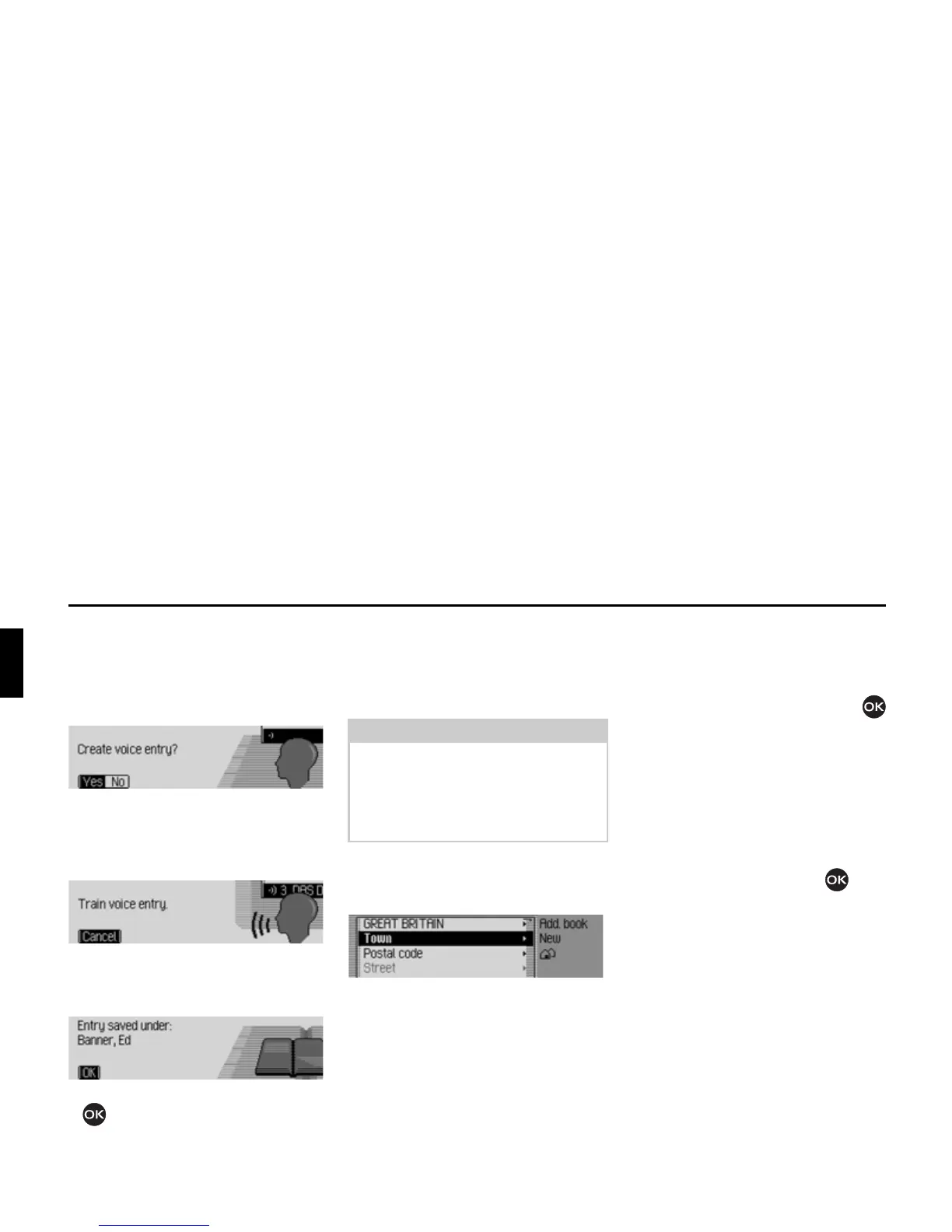
If, under “Automatic dialogue” on
page 96, you specified that a prompt to
record a name should appear when an
address entry is created, you will be
prompted to record a name.
X Select <HV (record) or 1R (do not
record).
If you select
<HV, a name will now be
recorded.
Once you have recorded a name, the
following information appears on the
display.
X Press the rotary control/push button
.
The entry is saved.
Creating an entry which
supports navigation
X In the Address Book main menu,
select the
1HZHQWU\QDYLJDEOH entry.
X Enter a surname and first name as
described in “Creating an entry” on
page 84.
The data entry menu for the address
appears. The last country selected
appears as the country by default.
X Enter the address as described in
“Entering a destination” on page 24.
Once you have entered the address, you
must confirm your entry.
You can enter additional data:
X Turn the rotary control/push button
to select one of the following options:
0RELOHWHOO,
%XVLQHVVWHO,
3ULYDWHWHO,
%XVLQHVVHPDLO,
3ULYDWHHPDLO and
:::ZDS
X Confirm your selection by pressing the
rotary control/push button . The
appropriate data entry menu appears.
X Enter the required information.
Note
The navigation CD must be inserted in
order to create an address book entry
which supports navigation. If the CD is
not inserted, you will be prompted to
insert it.
6010















 To Next Page