99
Settings
Other settings:
• You can use
([WHUQDOGHYLFH to specify
whether an AUX source is connected
to the Traffic Pro instead of a CD
changer.
• You can use
'D\QLJKWGHVLJQ to config-
ure the settings for changeover
between day and night design.
• You can use
5HVHWIXQFWLRQV to reset the
Traffic Pro to the factory settings.
• You can use
'LUHFWLRQRIURWDU\DFWXDWRU
to specify the direction in which lists
and menus are scrolled when the
rotary control/push button is turned.
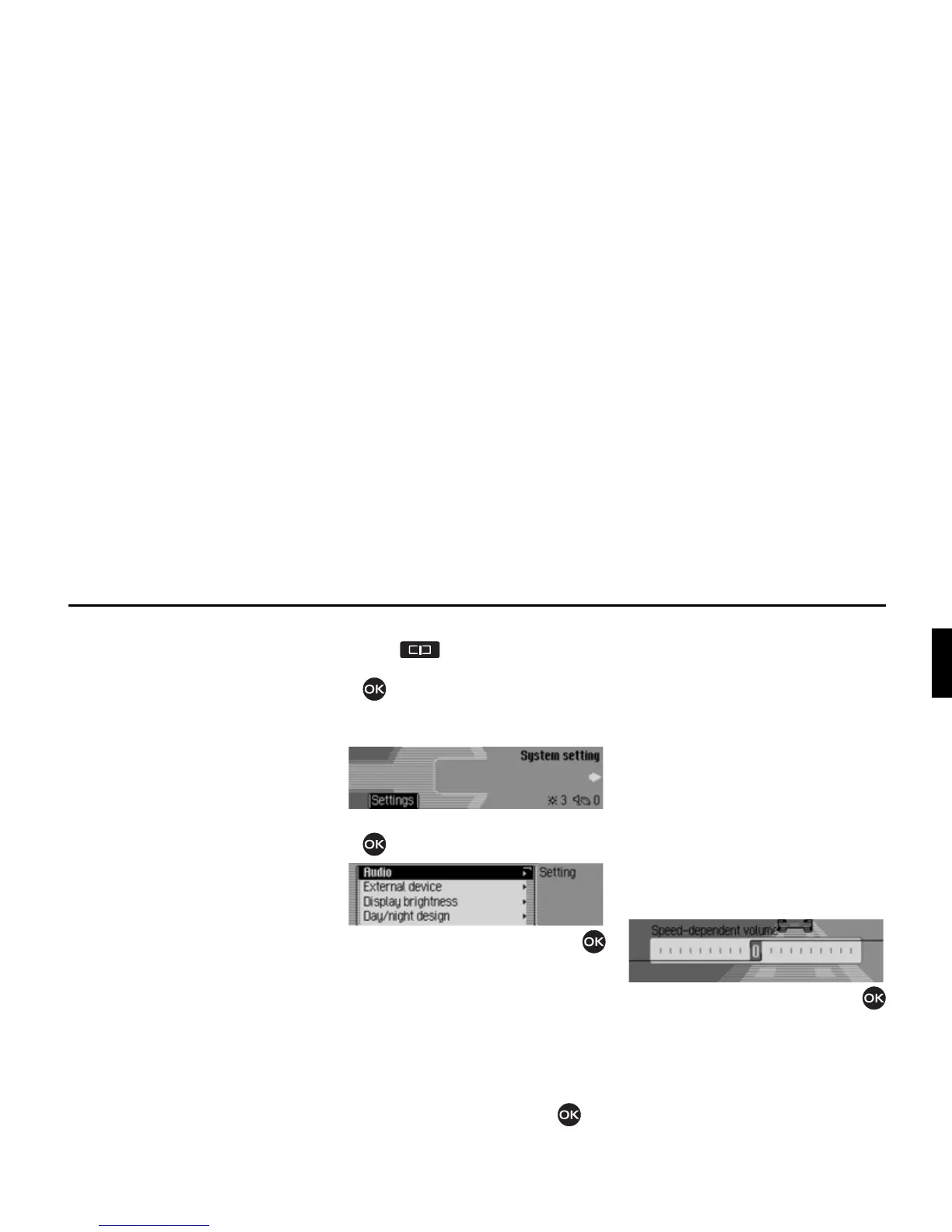
Calling up the system settings
X Press .
X Turn the rotary control/push button
counter clockwise until
6\VWHP
VHWWLQJ
appears at the top right of the
display.
X Press the rotary control/push button
.
X Turn the rotary control/push button
to select one of the following options:
$XGLR,
([WHUQDOGHYLFH,
'LVSOD\EULJKWQHVV,
'D\QLJKWGHVLJQ,
5HVHWIXQFWLRQV or
'LUHFWLRQRIURWDU\DFWXDWRU
X Confirm your selection by pressing
the rotary control/push button .
Audio
The Audio section includes system
settings for audio mode.
GAL
GAL is a control circuit on the Traffic
Pro. This control circuit automatically
increases the volume of the Traffic Pro
depending on the speed of the vehicle.
You can define the extent to which the
volume should be increased depending
on the speed of the vehicle here.
X Select $XGLR in the system settings.
X Select 6SHHGGHSHQGHQWYROXPH.
X Turn the rotary control/push button
to select the required value.
7014
7015
7016















 To Next Page