47
Navigation mode
Information during route
guidance
Displaying destination
information
X Press .
X Turn the rotary control/push button
clockwise until
'HVWLQDWLRQ appears
on the top right of the display.
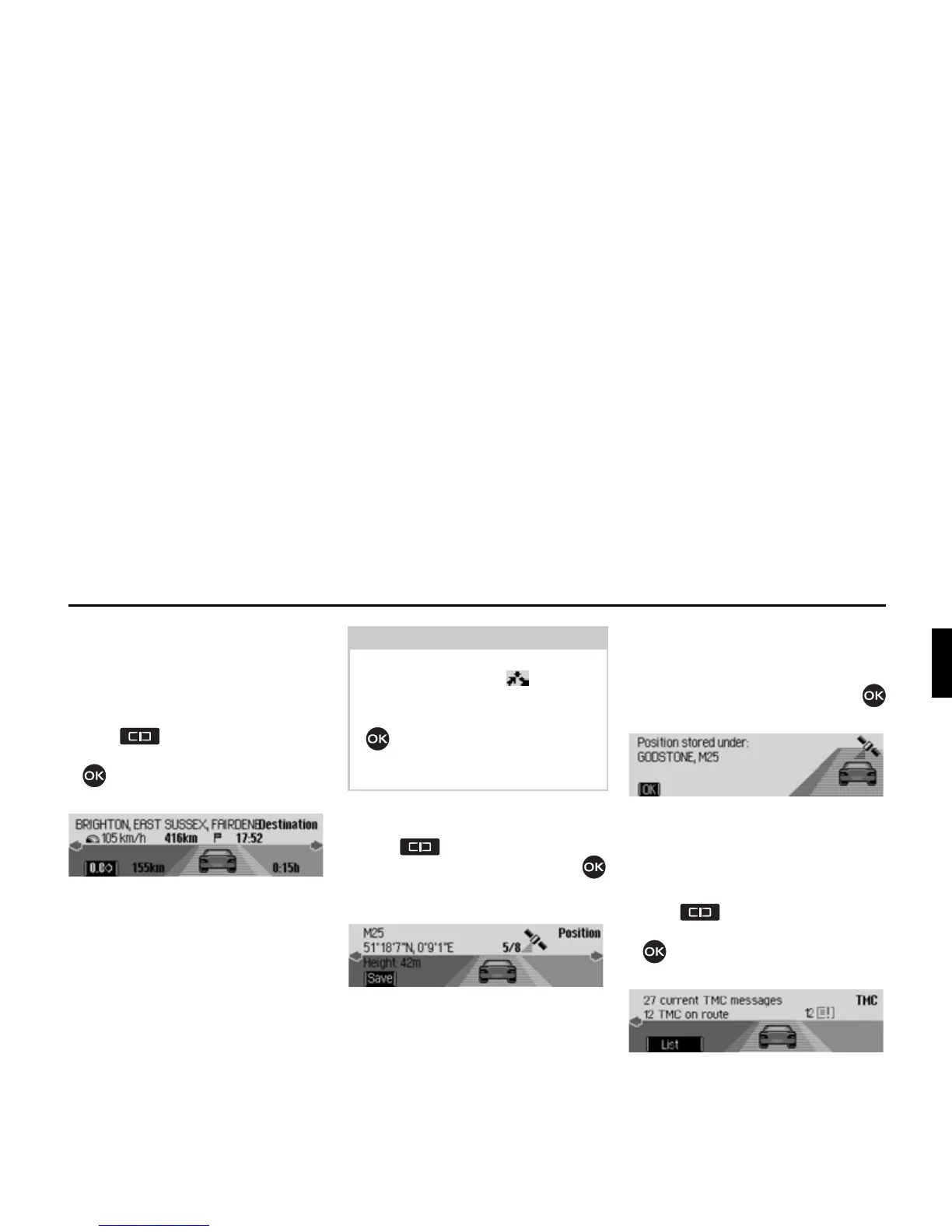
The following information appears:
• On the top left, the destination town
and destination road.
• To the left underneath the destination
town, the average speed thus far.
• Above the image of the car, the
distance still to be travelled and the
anticipated time of arrival.
• To the left and right of the image of
the car, the distance already travelled
and the journey time thus far.
Displaying/Storing position
X Press .
X Turn the rotary control/push button
clockwise until
3RVLWLRQ appears on the
top right of the display.
The following information appears:
• If possible, the town and road/geo-
graphical coordinates and height above
sea level (only in the event of sufficient
satellite reception) appear on the left-
hand side of the display.
• The number of satellites which have
been/can be received appears above
the image of the car.
X Press the rotary control/push button
to store the current position.
The current position was saved in fast
access mode.
Displaying traffic
announcements
X Press .
X Turn the rotary control/push button
clockwise until
70& appears on
the top right of the display.
The following information appears:
• The number of TMC messages
received.
• The number of TMC messages rele-
vant to the route.
Notes:
• If a stopover is active, information
about it is displayed. appears on
the display above the car.
• Press the rotary control/push button
to reset the values for the average
speed, distance travelled and journey
time thus far to zero.
2077
2078
2079















 To Next Page