6-11
6.4.3.3 Entering Upgrade through the USB Disk
Method 1: As pressing the on/off button of the monitor to start the monitor, use two or more fingers to
continuously and rapidly tap the touch screen to enter the upgrade mode.
Method 2: Connect the USB keyboard, and constantly click 'F2+F3' or 'F4+F5' or '*' at the same time to power on the
monitor and enable it to enter the upgrade mode; in this way, the user's upgrade file selection interface can be
accessed.
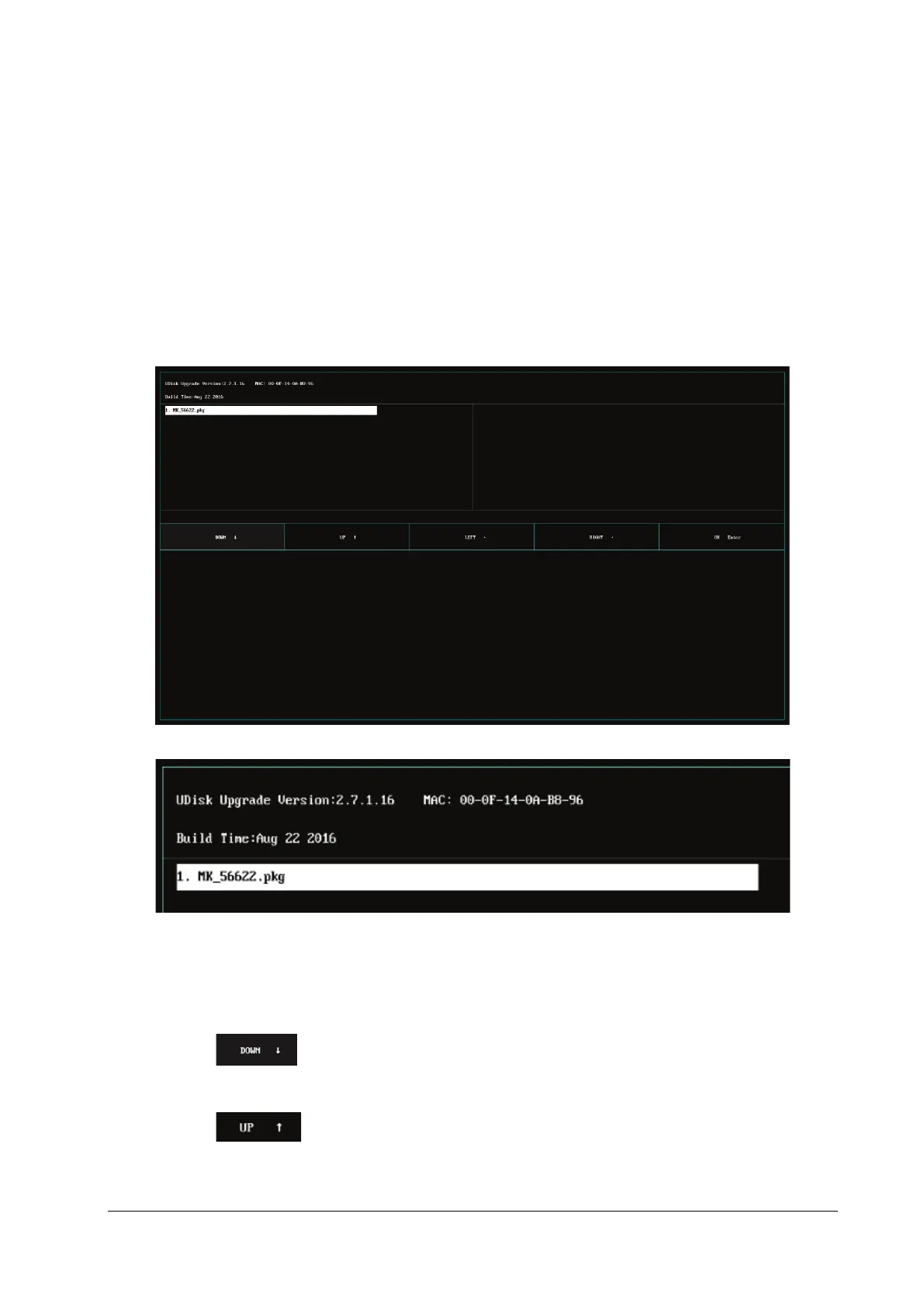
6.4.3.4 Selecting the File for Upgrade through the USB Disk
Only one upgrade package file is available at present. It is selected by default. If multiple upgrade packages exist,
they are displayed in the left and right columns, and a maximum of 16 upgrade packages can be displayed. This
upper limit cannot be exceeded. The up, down, left and right keys can be used to switch and select the desired
upgrade package.
Tap the area on the touch screen to select the upgrade program downward; or press the “”
direction key on the keyboard to select it;
Tap the area on the touch screen to select the upgrade program upward; or press the “”
direction key on the keyboard to select it;



 To Next Page