6-12
Tap the area on the touch screen to select the upgrade program leftward; or press the “”
direction key on the keyboard to select it;
Tap the area on the touch screen to select the upgrade program rghtward; or press the “”
direction key on the keyboard to select it;
Tap the area on the touch screen to confirm the selected upgrade program; or press the Enter key
on the keyboard to confirm it.
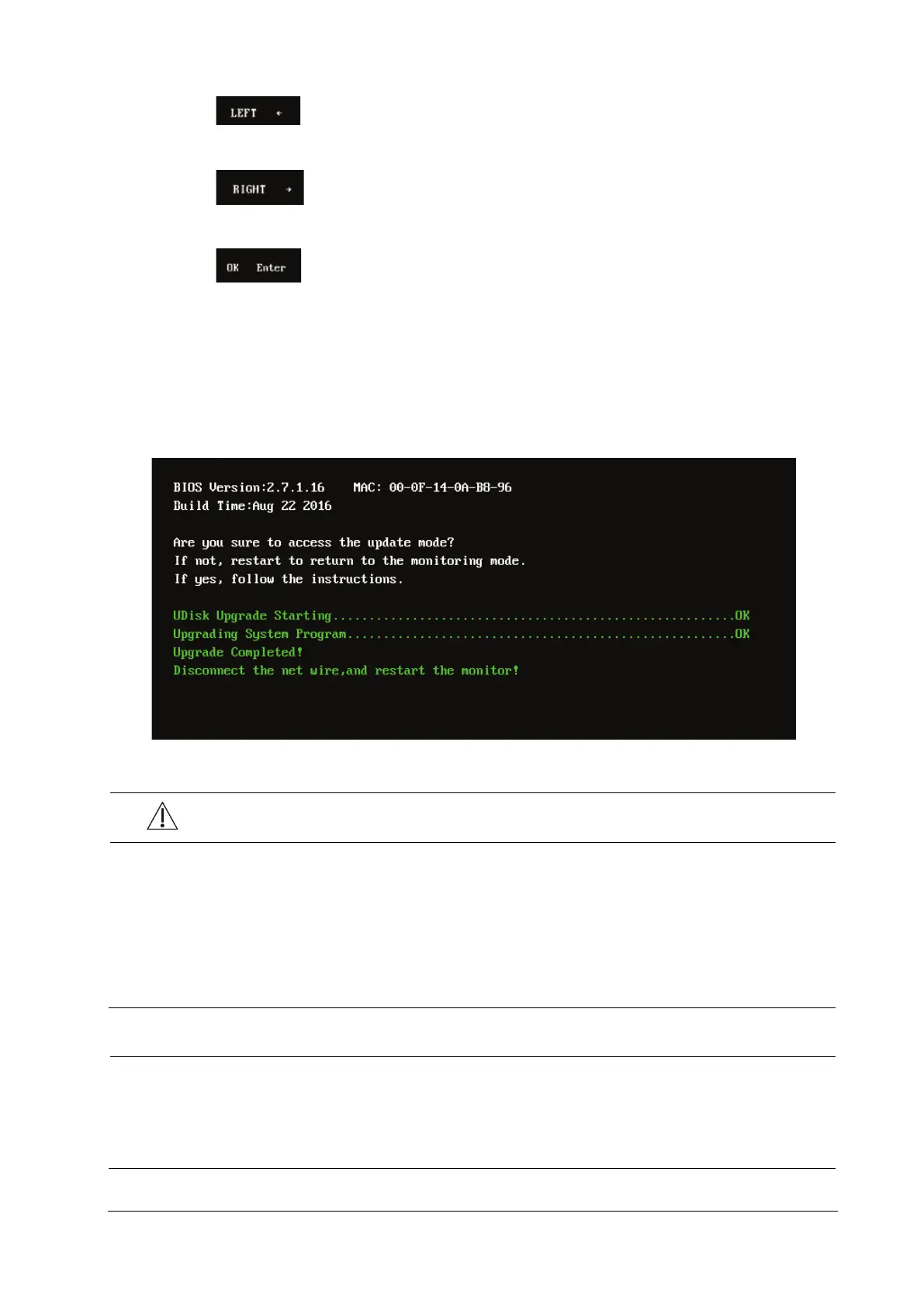
6.4.3.5 Upgrade Completed through the USB Disk
When the interface below is displayed, the current upgrade is completed. The upgrade takes effect after the monitor is
powered off and restarted.
CAUTION
Disconnect the patient monitor from the patient and make sure that important data are saved before
upgrade.
Do not shut down or power off the equipment when upgrading the BIOS program and FPGA program.
Otherwise, the equipment may break down.
Program upgrade should be performed by qualified service personnel only. Indicates a potential hazard
or unsafe practice that, if not avoided, could result in minor personal injury or product/property damage.
After upgrading the BIOS program, you have to upgrade system program and other programs to ensure
their compatibility.
Make sure the version of the upgrade package is your desired one. If you want to obtain the latest
upgrade package, contact Mindray Customer Service Department.



 To Next Page