127
Combi Mode
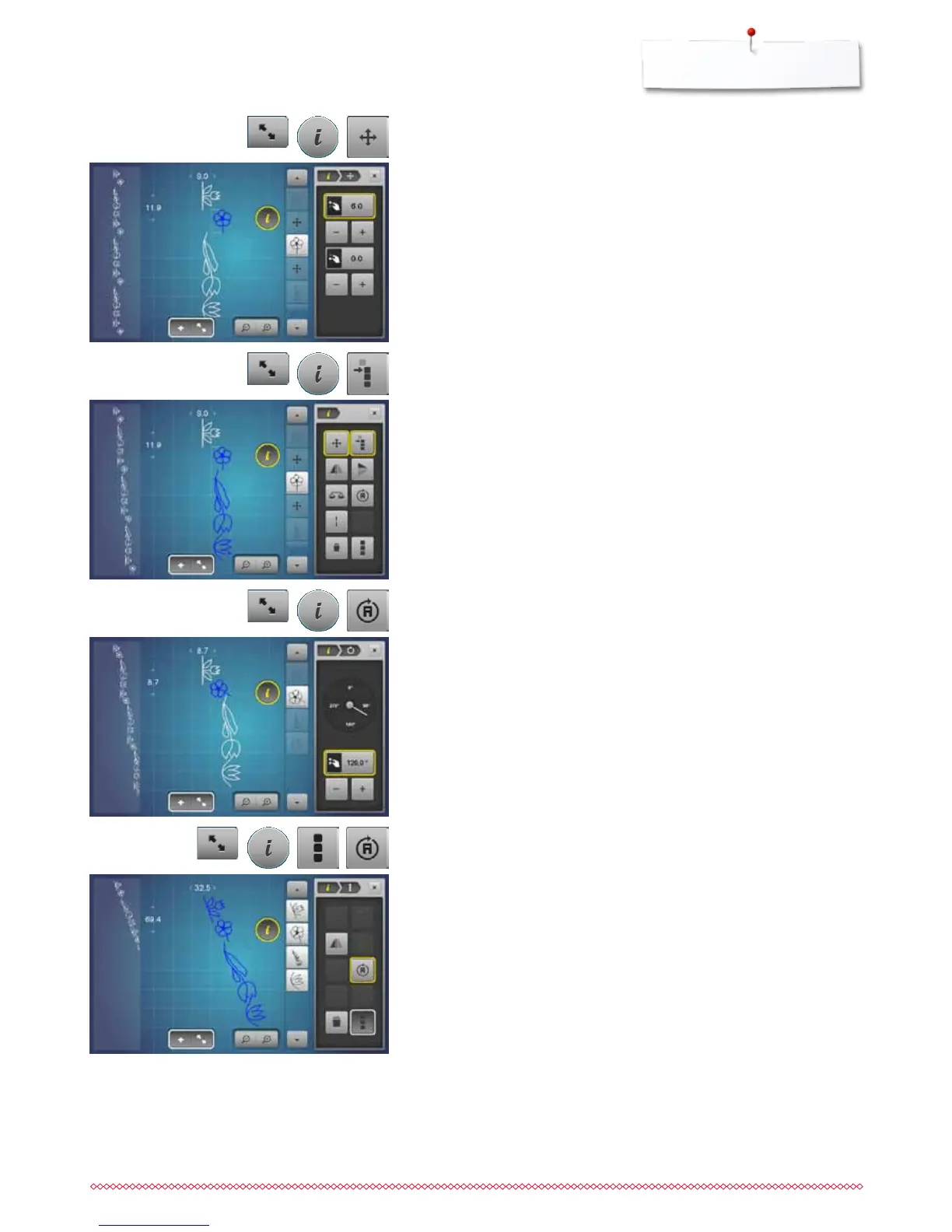
Moving multiple stitch patterns in a combination
⦁
touch «Combination overview»-icon
⦁
select desired stitch pattern
⦁
touch «i»-icon
⦁
touch «Moving combination»-icon
⦁
move the active and any other stitch patterns using the knobs or
«+»/«-»-icons, the Touchscreen pen or the finger
Sewing individual stitch patterns of a combination in any direction
⦁
touch «Combination overview»-icon
⦁
select desired stitch pattern
⦁
touch «i»-icon
⦁
touch the «Directional-Sewing»-icon
⦁
rotate the stitch pattern in 0.5°- steps using the stitch width knob
⦁
rotate the stitch pattern in 1°- steps using the stitch length knob
⦁
rotate the stitch pattern in 0.5°- steps using the «+»/«-»-icons
Sewing the complete combination in any direction
⦁
touch «Combination overview»-icon
⦁
touch «i»-icon
⦁
touch «Edit the complete combination»-icon
⦁
touch the «Directional-Sewing»-icon
⦁
rotate the stitch pattern in 0.5°- steps using the stitch width knob
⦁
rotate the stitch pattern in 1°- steps using the stitch length knob
⦁
rotate the stitch pattern in 0.5°- steps using the «+»/«-»-icons
Moving individual stitch patterns in a combination
⦁
touch «Combination overview»-icon
⦁
select desired stitch pattern
⦁
touch «i»-icon
⦁
touch «Connecting stitches»-icon
⦁
move the stitch pattern in 0.1 mm steps using the knobs or «+»/«-»-icons or
⦁
move the stitch pattern to any direction using the Touchscreen pen or the
finger
►
Connecting stitches are inserted automatically



 To Next Page