54
Setup Program
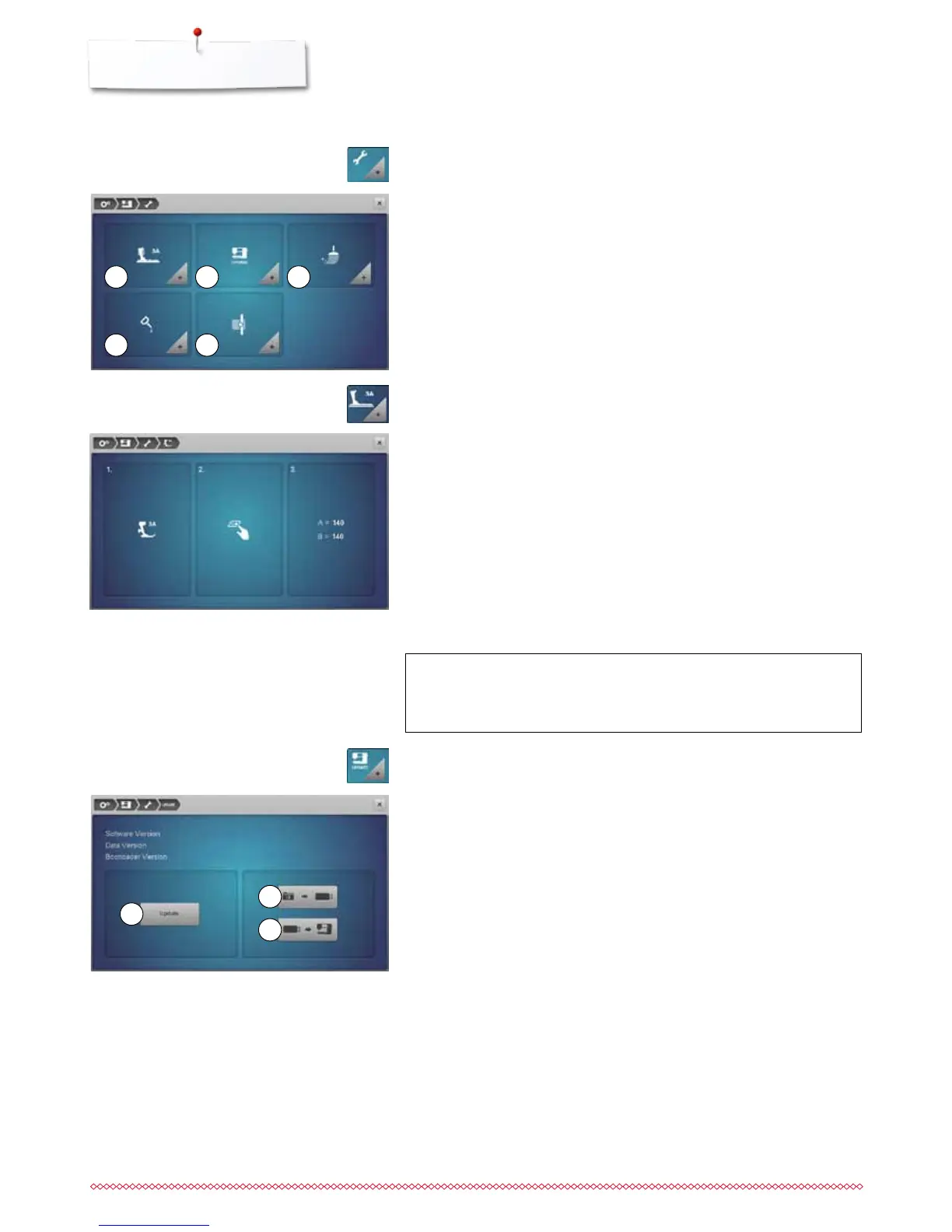
Cleaning/Update
Update
1 Calibrating Buttonhole foot No. 3A
2 Updating the sewing-/embroidery computer
3 Cleaning the thread catcher
4 Lubricating sewing-/embroidery computer
5 Packing position
⦁
attach Buttonhole foot No. 3A
⦁
press «Start/Stop»-button
►
the Buttonhole foot No. 3A moves forward and backwards
►
the Buttonhole foot No. 3A is calibrated and the sewing computer indicates
whether the calibration has been successful
The Buttonhole foot No. 3A is calibrated to this sewing computer and should
only be used on this sewing computer.
⦁
touch the «Cleaning/Update»-icon
Calibrating Buttonhole foot No. 3A
⦁
touch «Calibration»-icon
ATTENTION!
Do not remove the BERNINA USB stick until there is a message
which indicates the end of the update.
21 3
4 5
It is recommended to save the data and the settings of the sewing computer
before the update is carried out.
⦁
touch icon 1
►
the data of the sewing computer is saved on the USB Stick
⦁
touch «Update»-icon 2 to start the procedure
It is then checked if:
►
a BERNINA USB stick is inserted
►
there is enough free space available
►
the correct software version is on the stick
►
the data and settings are accepted
After the successful update a message appears and sewing-/embroidery
computer is ready for use.
⦁
insert BERNINA USB stick with the new software version
⦁
touch «Update»-icon
1
3
2



 To Next Page