BERNINA International AG Seestrasse 161 CH-8266 Steckborn Schweiz Seite 39 von 172
DRAFT – VERSION
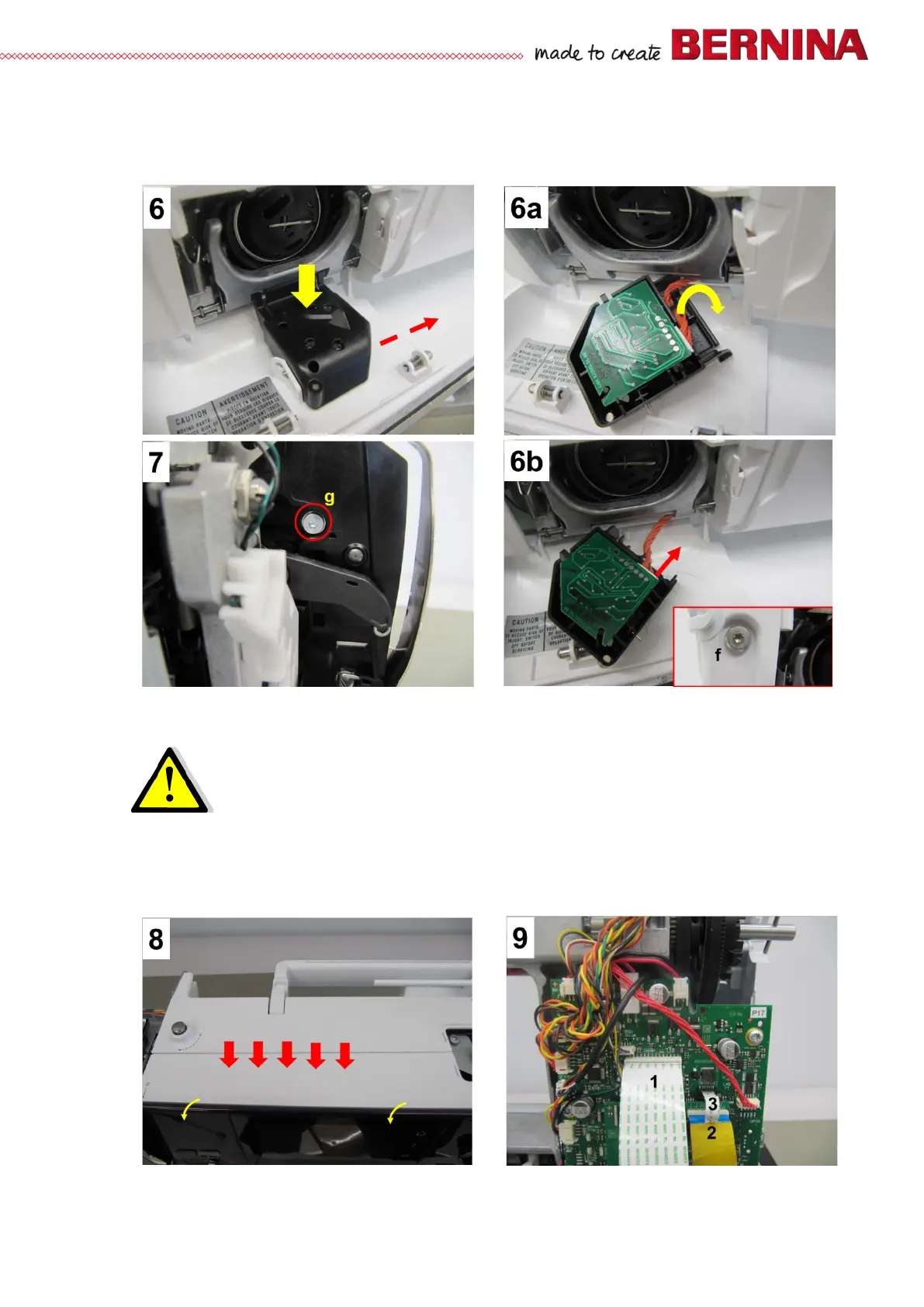
• Pictures 6, 6a, 6b - Open bobbin door. Remove lower-thread sensor.
• Picture bottom right in picture 6b - Remove fastening screw (T10) f left of the bobbin door.
• Picture 7 - Untighten fastening screw g (T10) next to thread take-up by 2 to 3 rotations.
• Picture 8 - Approximately in the centre of the frame arm, press the front cover to open the spring
locks. Pull cover to front and out.
Attention:
Um die USB Stecker nicht von der LPB-Basis abzureissen muss das Verdeck vorne
zuerst am Freiarm ausgehängt werden.
• Picture 9 - Unplug all power-supplying ribbon cables connecting the touchscreen and PCBA-Front
cover 1, display 2, and EMV 3.



 To Next Page