M (E3.1) 1/2023 page 102/136
18.3 Object temperature control with flexible Pt100 temperature sensor (option)
This function serves to ensure that the load will not become too hot due to the surrounding interior temper-
ature while the target temperature inside the load has not yet been reached.
For this purpose, the temperature setpoint is regulated in a way that it is achieved inside the load. The
flexible Pt100 temperature sensor is used for this purpose, which measures the object temperature, dis-
plays it on the controller display and regulates it accordingly. You can immerse the sensor top protective
tube of the flexible Pt 100 into liquid substances.
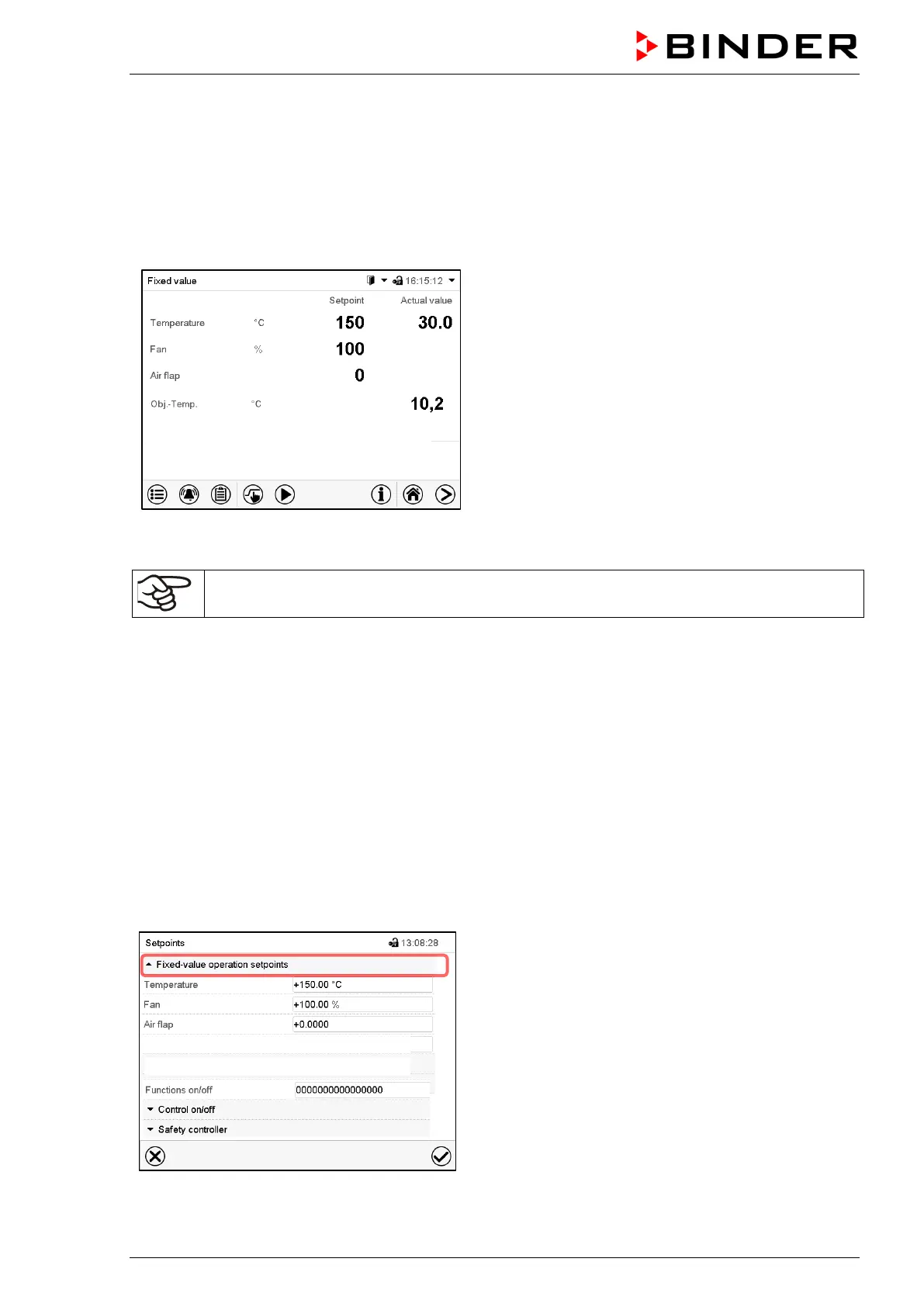
Normal display with object temperature control option
(sample values)
The trim value is added to the object temperature setpoint and limits the actual value in the interior to the
resulting sum. This makes it effective as an overheating protection for the load.
As soon as the object temperature control has been activated (trim value > 0), the standard
set-point is non-functional.
Example:
Object temperature setpoint: 150 °C, trim value: 2 K. Resulting actual value: max. 152 °C
Without trimming (setting to 0) the desired object temperature setpoint will never be reached, as for this,
the temperature in the inner champer, i.e. in the ambiance of the test sample, must be slightly higher than
the target value.
Entry of the object temperature setpoint and the trim value:
You can enter the set-points Sollwerteingabe either via the “Setpoint” setting menu (chap. 8.1) or directly
via Normal display (chap. 8.3)
• Select the field “Obj.-Temp“ and enter the desired object temperature setpoint.
Setting range: 0 °C up to 300 °C. Confirm entry with Confirm icon.
• Select the field “Trim“ and enter the desired trim value.
Setting range: 0 K bis up to 10 K. „0“ = off. Confirm entry with Confirm icon.
“Setpoints” menu with object temperature control op-
tion.
Select “Fixed value operation setpoints” to access the
individual parameters.
Trim
-Temp +0.0000 °C
+0.0000 °C



 To Next Page