M (E3.1) 1/2023 page 66/136
12. Notification and alarm functions
12.1 Notification and alarm messages overview
12.1.1 Notifications
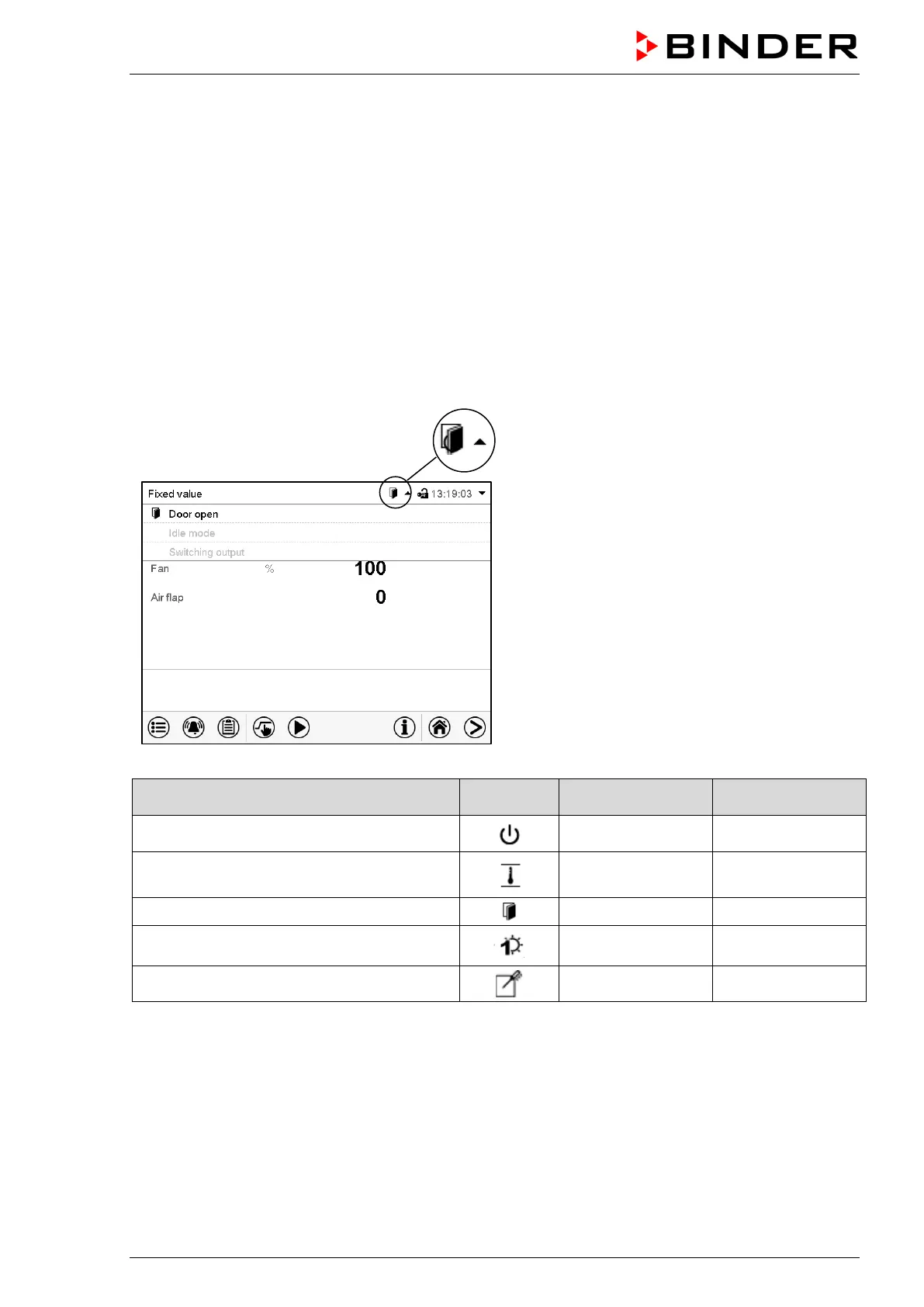
Notifications are indicated by information icons displayed in the screen header in Normal display
An information icon serves as an indication of a certain condition.
If this condition persists, in some cases an alarm will be triggered after a fix or configurable interval. As long
as the condition persists, the information icon therefore continues to be displayed also in state of alarm. If
during alarm the conditions ends, e.g., if during a tolerance range alarm the actual value returns to within
the tolerance range, the information icon disappears, whereas the alarm will continue until manual acknowl-
edgement.
Press the flash icon next to the information icon to access the corresponding text information.
Normal display showing the text information.
The currently valid information texts are high-
lighted in black (example: “Door open”)
Condition
Text information
Start after
condition occurred
The controller is in Idle mode (chap. 5.4).
“Idle mode” immediately
The current actual temperature value is out-
side the tolerance range (chap. 12.4)
“Temperature
range”
immediately
Chamber door open
“Door open” immediately
Switching contact activated
“Switching output” immediately
Object temperature control activated (option)
“Object control” immediately
Notifications are not shown in the event list.



 To Next Page