M (E3.1) 1/2023 page 40/136
8.3 Direct setpoint entry via Normal display
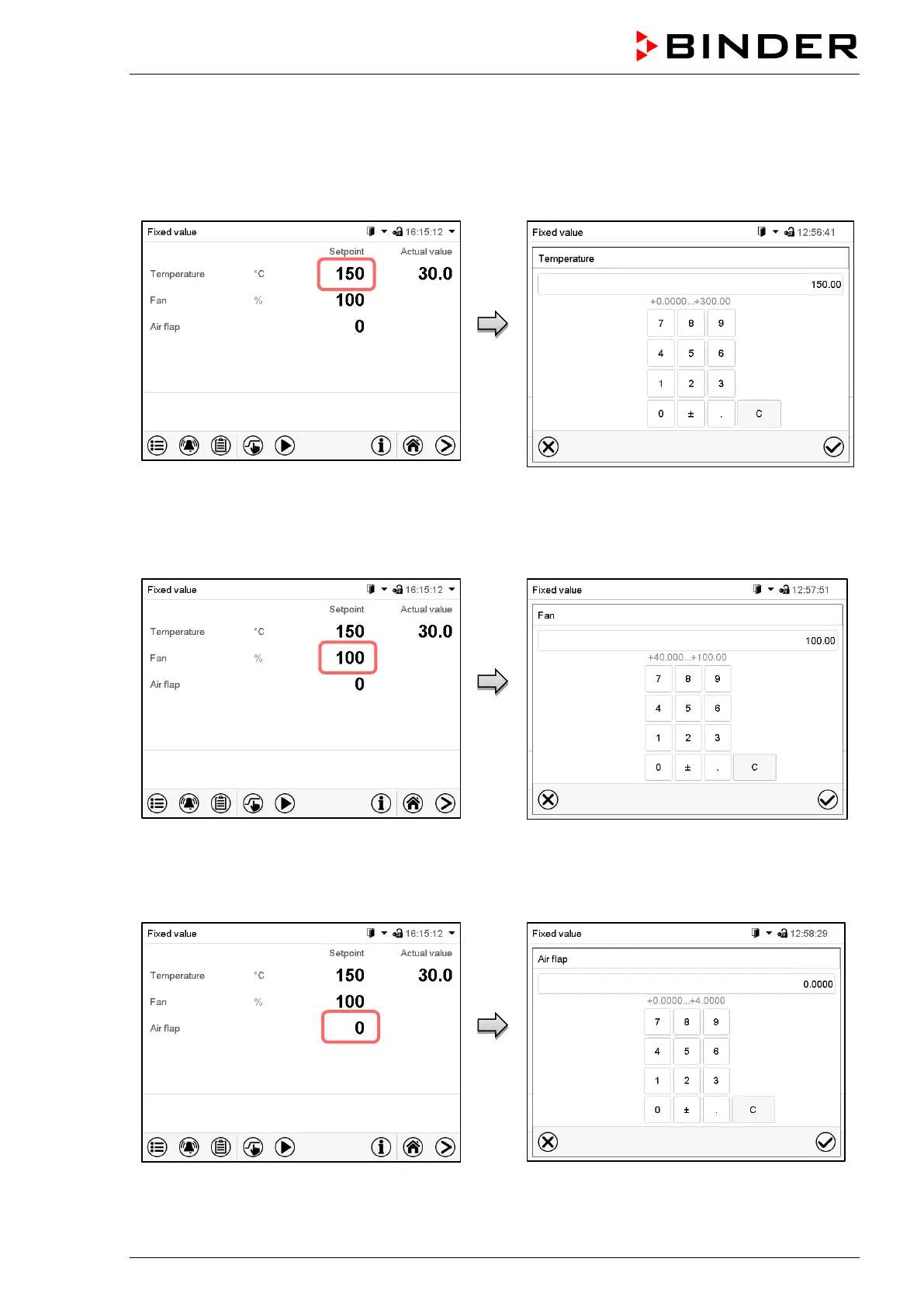
Alternatively you can also enter the setpoints for temperature and the fan speed, the air flap position and
the switching-state of special controller functions directly via Normal display.
Temperature setpoint entry
Normal display.
Select the temperature setpoint.
“Temperature” entry menu.
Enter the desired setpoint and confirm entry
with Confirm icon.
Fan setpoint entry
Normal display.
Select the fan speed setpoint.
“Fan” entry menu.
Enter the desired setpoint and confirm entry
with Confirm icon.
Entry of the air flap position
Normal display.
Select the air flap position.
“Air flap” entry menu.
Enter the desired setpoint and confirm entry
with Confirm icon.



 To Next Page