M (E3.1) 1/2023 page 39/136
After completing the settings, press the Confirm icon to take over the entries and exit the menu, or press
the Close icon to exit the menu without taking over the entries.
8.2 Adjusting the air flap position through the “Setpoints” menu
Opening the air flap in the exhaust duct serves to adjust the air change.
The position of the air flap in the exhaust duct serves to adjust the fresh air entry. With the open the air flap,
fresh air can enter. For chambers with fan, fan operation will increase fresh air entry.
If the air flap is completely open, the spatial temperature accuracy can be negatively influenced.
The position of the air flap can be controlled via the controller and the written program.
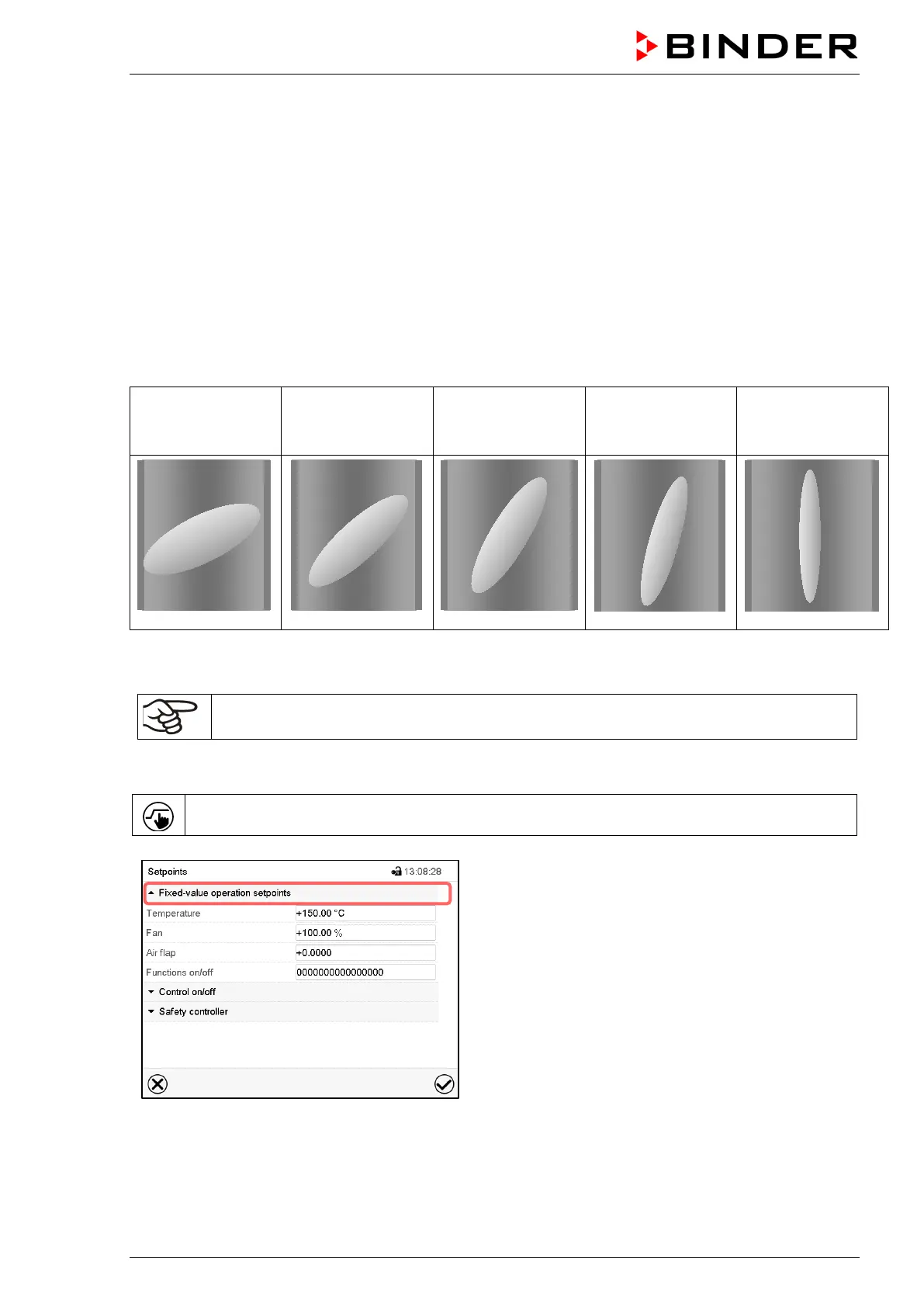
There are the following options:
Air flap closed
0
Air flap slightly
opened
1
Air flap half opened
2
Air flap almost
open
3
Air flap open
4
The setting can be done in steps of 15°.
Required access level: “User”.
As part of an automatic function test, the exhaust air flap opens briefly every 24 hours.
Setting
Press the Setpoint setting icon to access the “Setpoint” setting menu from Normal display.
“Setpoints” menu.
(standard view without the object temperature control
option)
Select “Fixed value operation setpoints” to access the
individual parameters.
• Select the field “Air flap” and enter the desired position „0“ to „4“..
Setting range: Position „0“ (closed) up to „4“ (open). Confirm entry with Confirm icon



 To Next Page